Slide template · 16:9 · 12 slides
Ink Green Matted Paper Walkthrough Slides Template
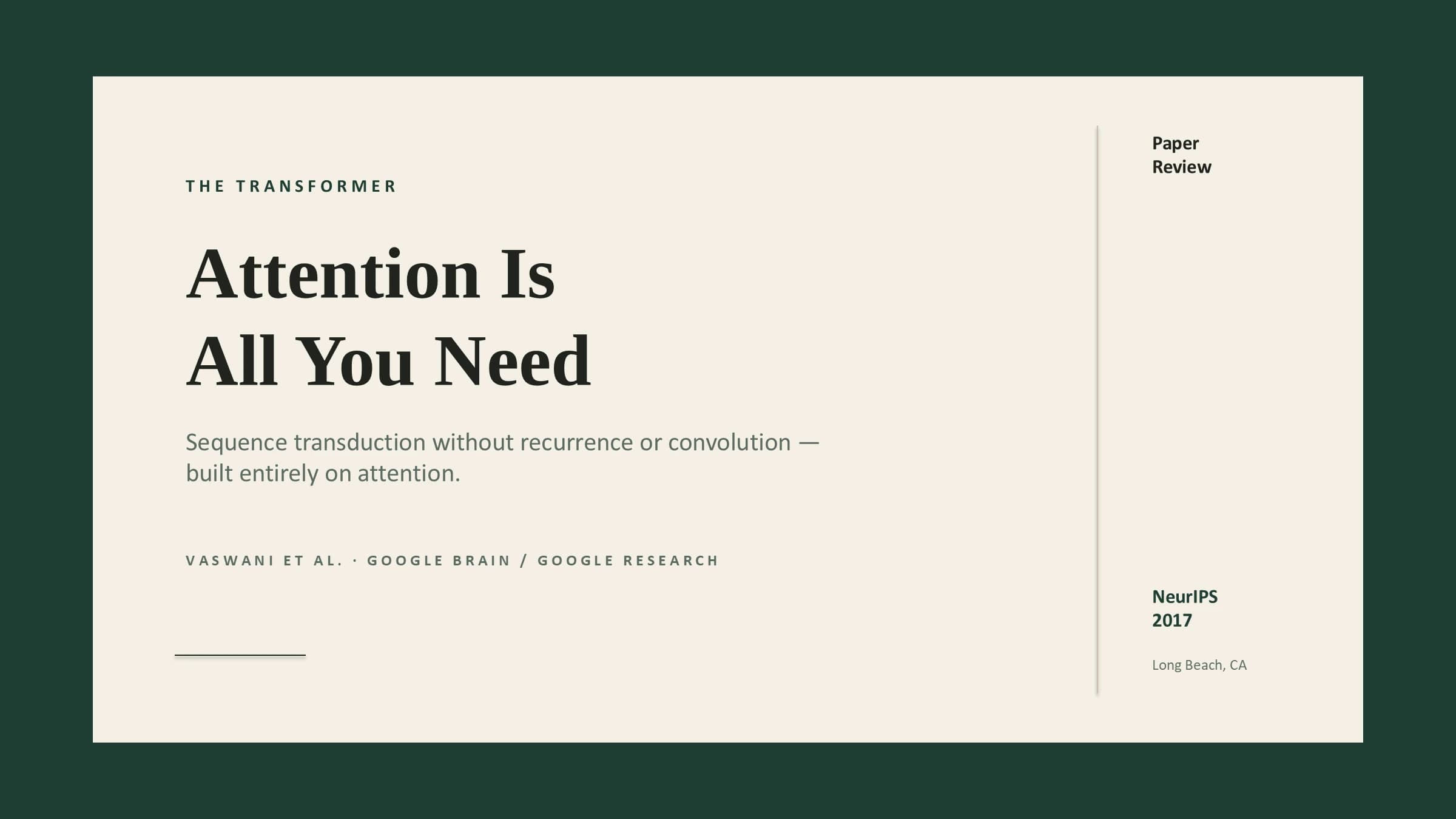
Every slide reads like a matted print: a beige panel inset in a dark evergreen frame, serif titles, letter-spaced section labels and sand-coloured cards. The sample ships with speaker notes, ready for journal clubs and lab meetings.
What this template is
Each slide is framed: a beige panel sits inside a dark evergreen border, and everything lives inside the panel while the border stays empty. Along the top of the panel run a letter-spaced section label on the left and the page number on the right, over a hairline that spans the panel; below come the serif title and the content. Cards are either filled sand or reversed out of evergreen, with no heavy outline, and there is no side rail, header band or footer bar. The deck suits reading one paper from start to finish: agenda, problem, method, why it works, results, takeaways.
What goes in each section
Cover and agenda
1–21 min
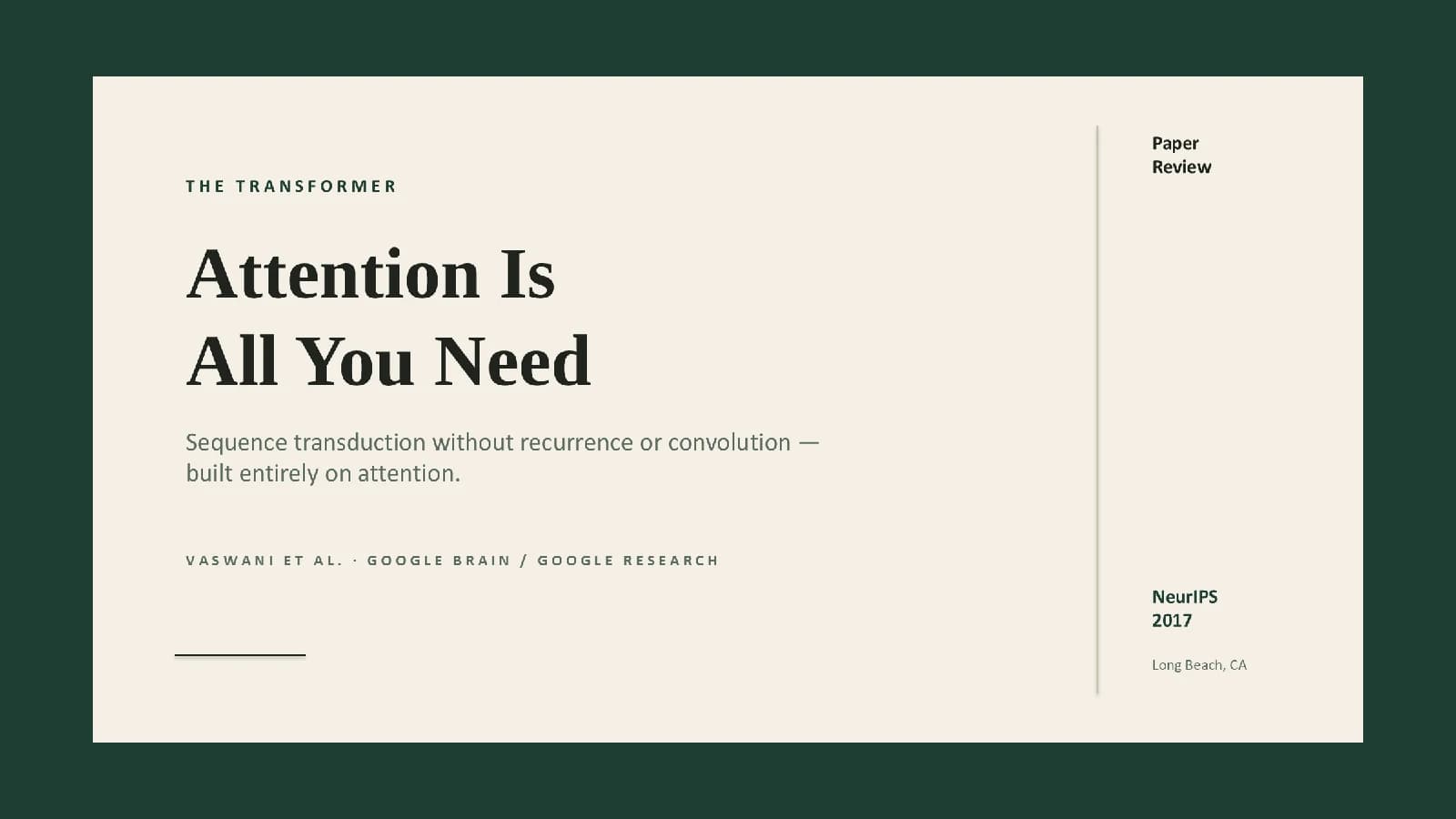
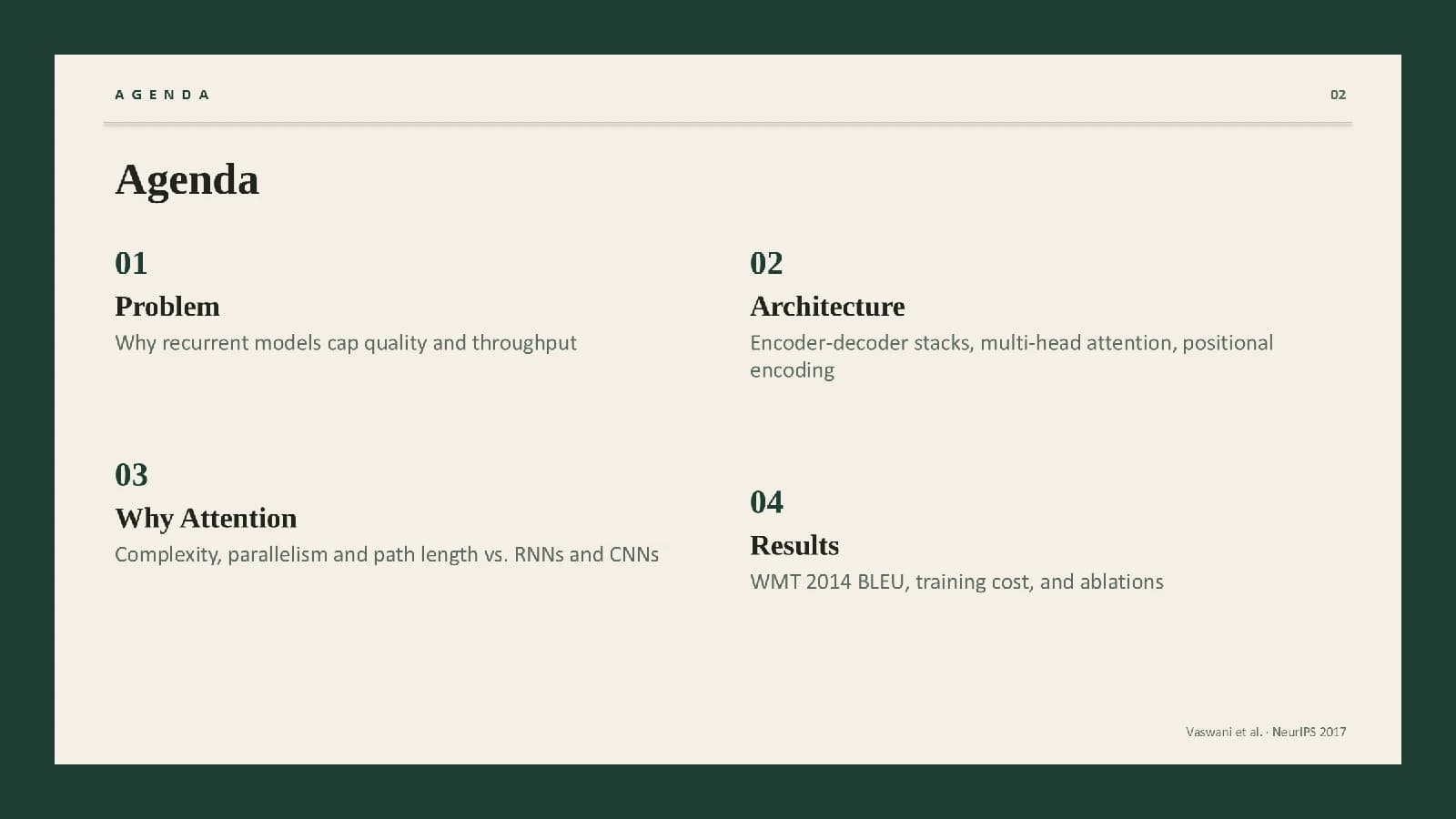
The paper's title and venue, then four numbered agenda items matching the sections ahead.
 1
 2
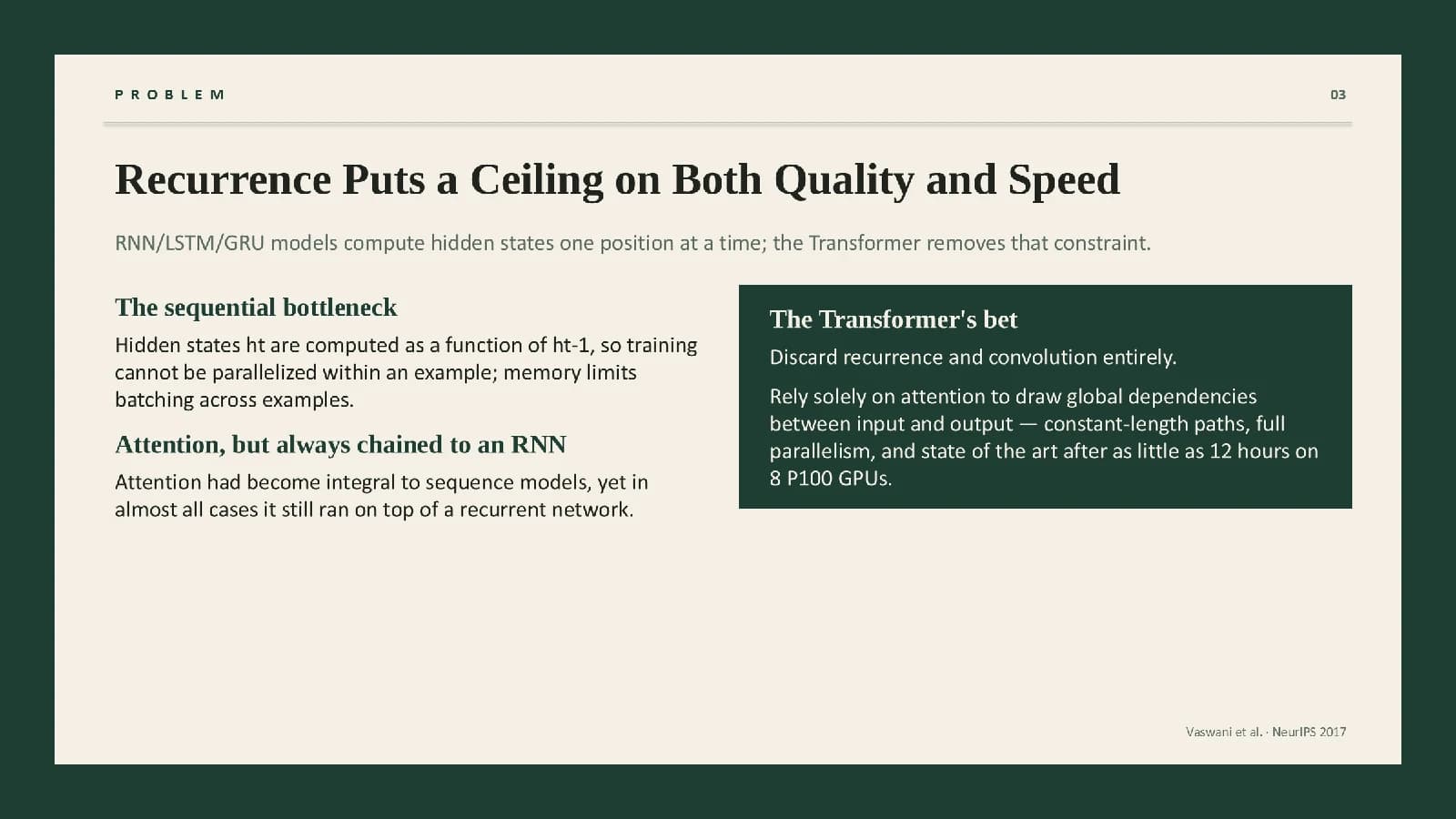
The problem
32 min
The bottleneck of earlier methods on the left, the paper's central bet in a dark card.
 3
Method, layer by layer
4–75 min
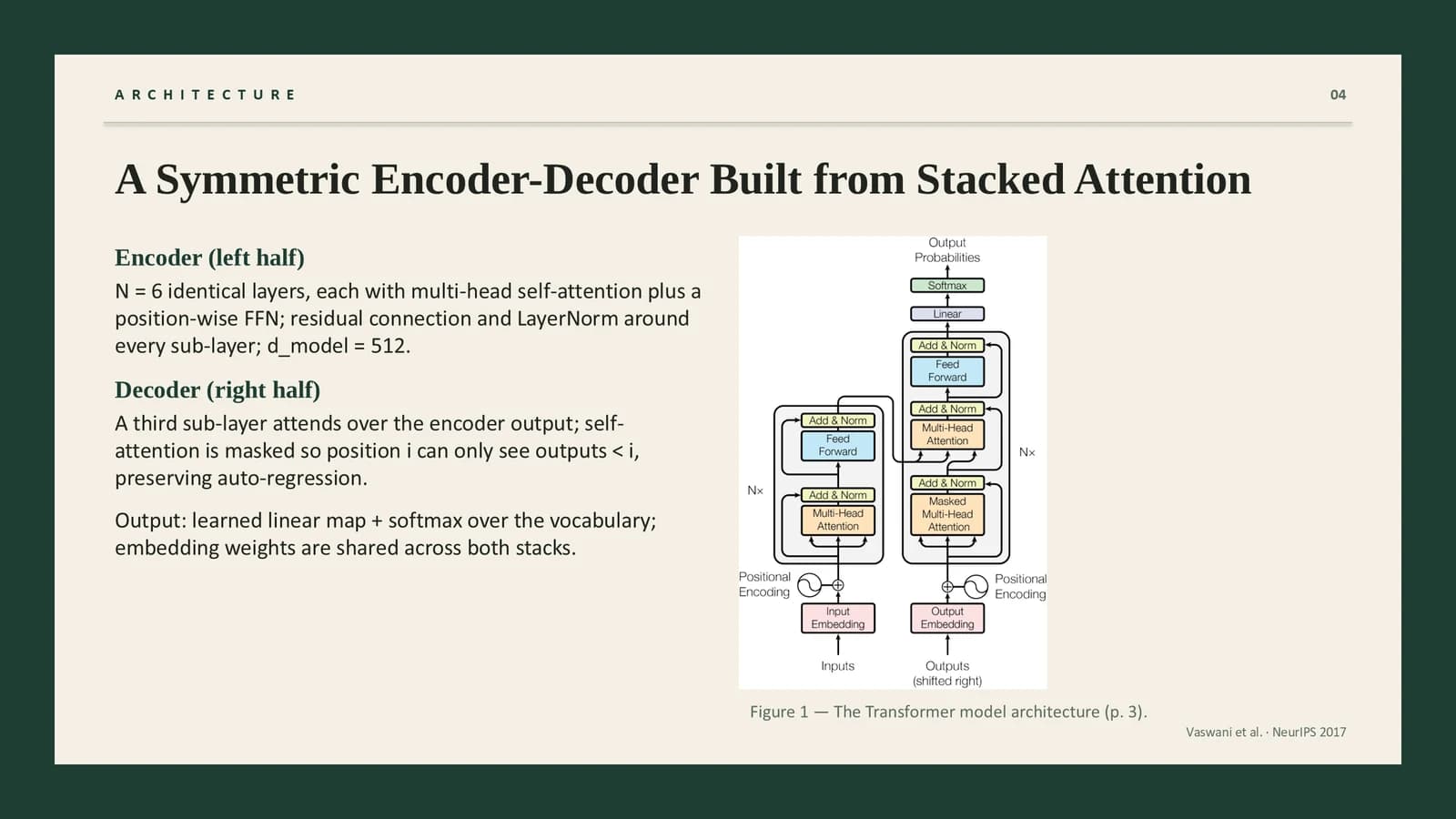
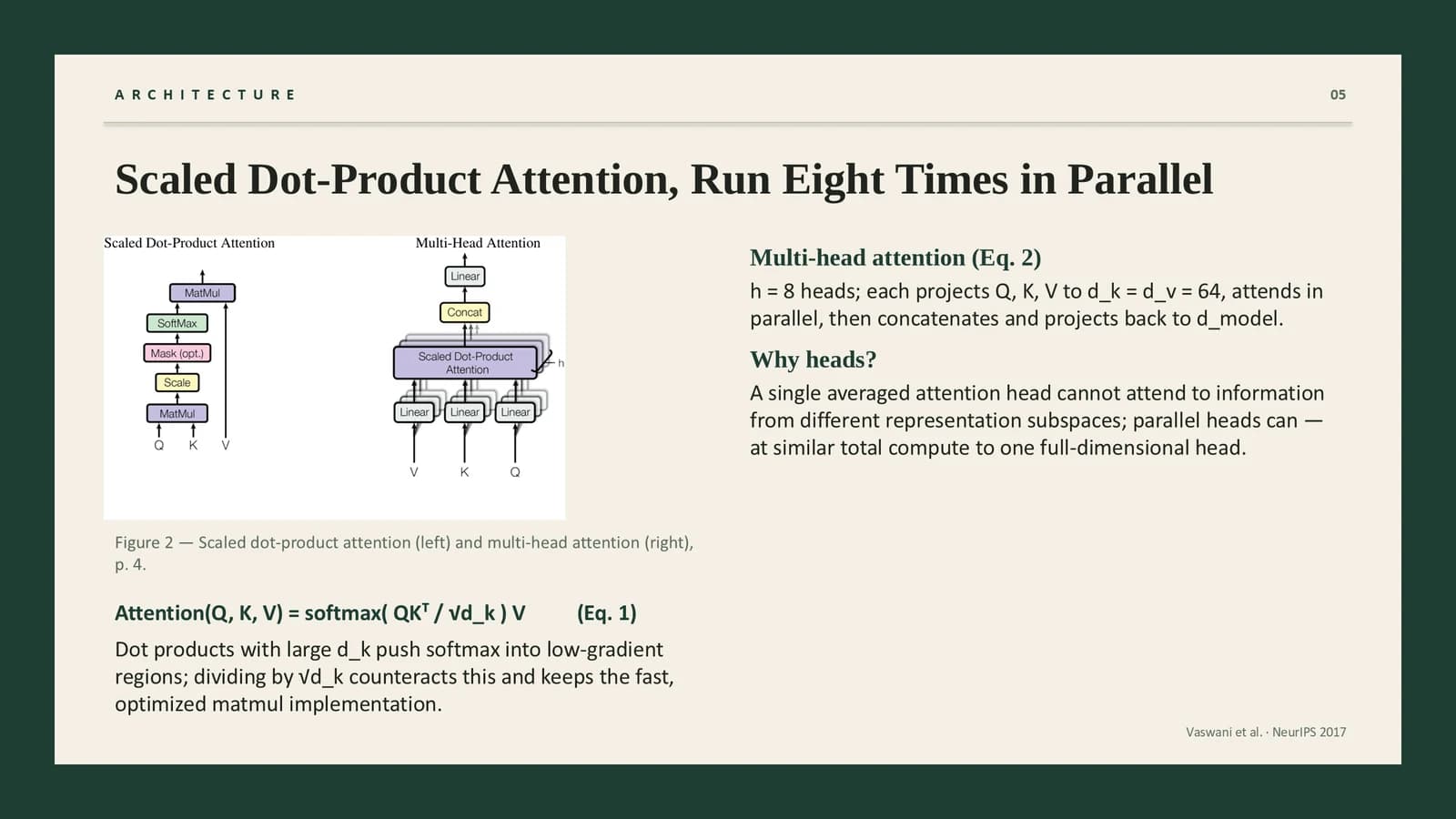
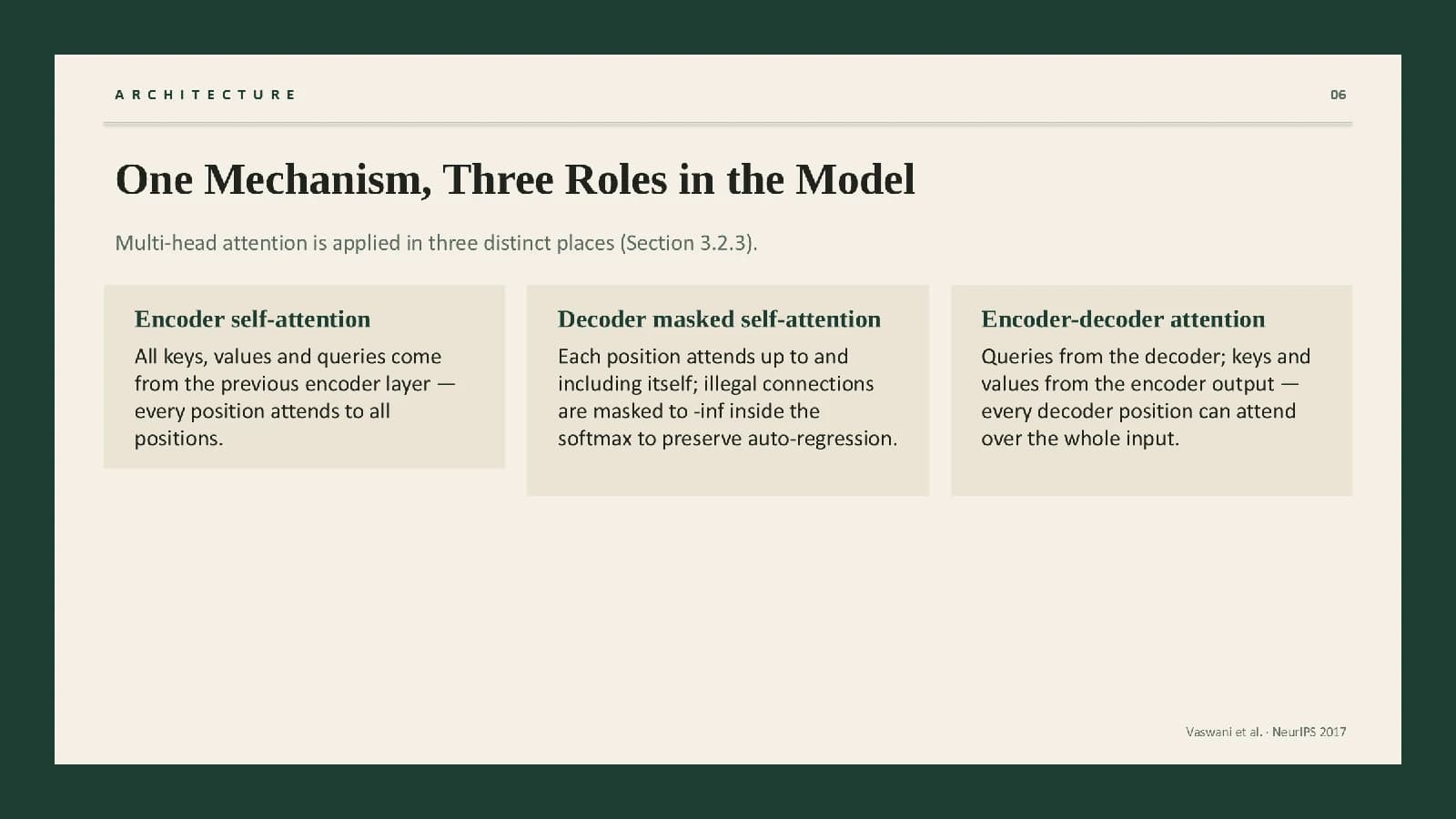
Diagrams beside explanations, then three sand cards comparing one mechanism's three roles.
 4
 5
 6
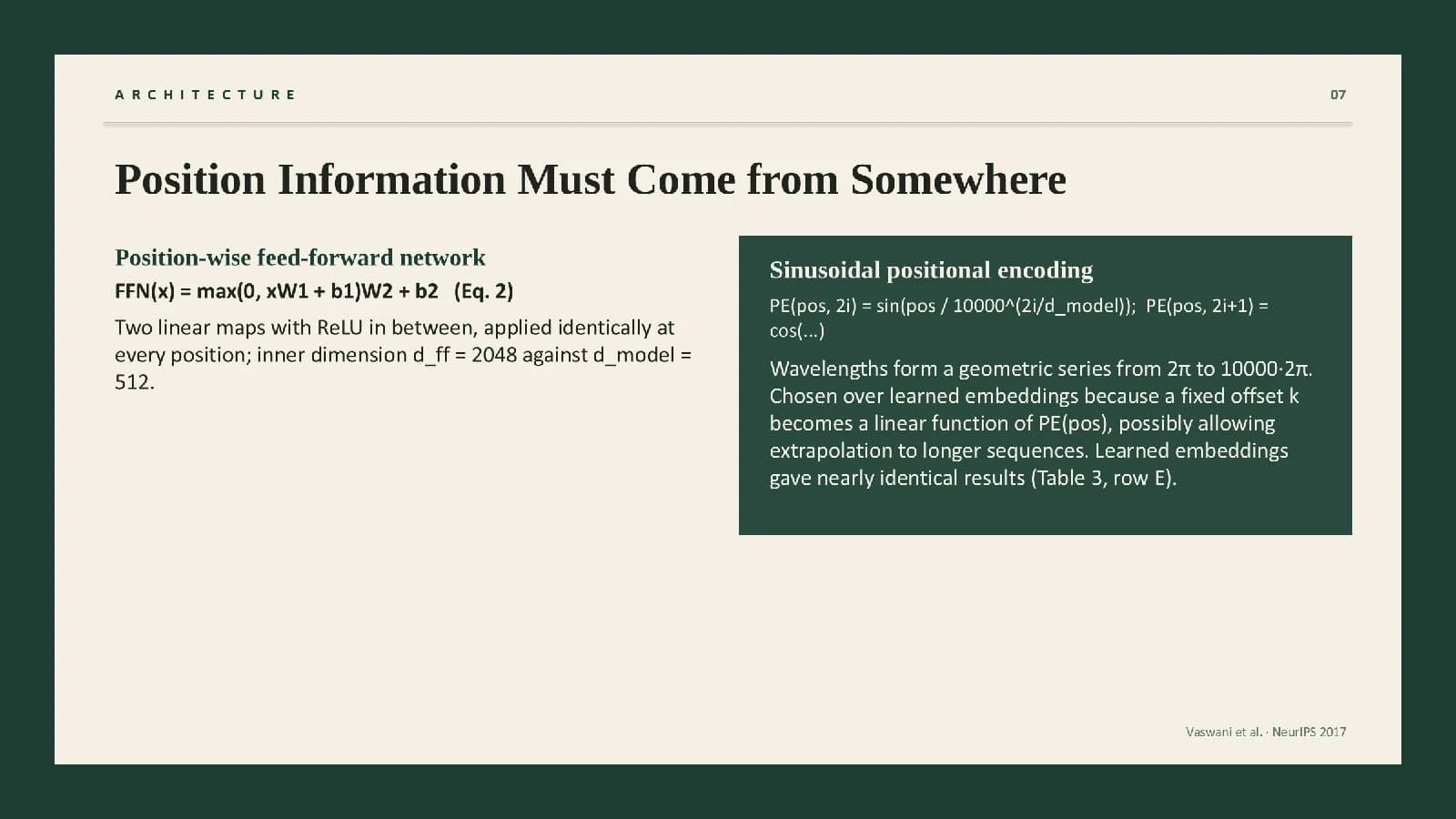 7
Why it works
82 min
The paper's comparison table, read aloud through three short paragraphs on the left.
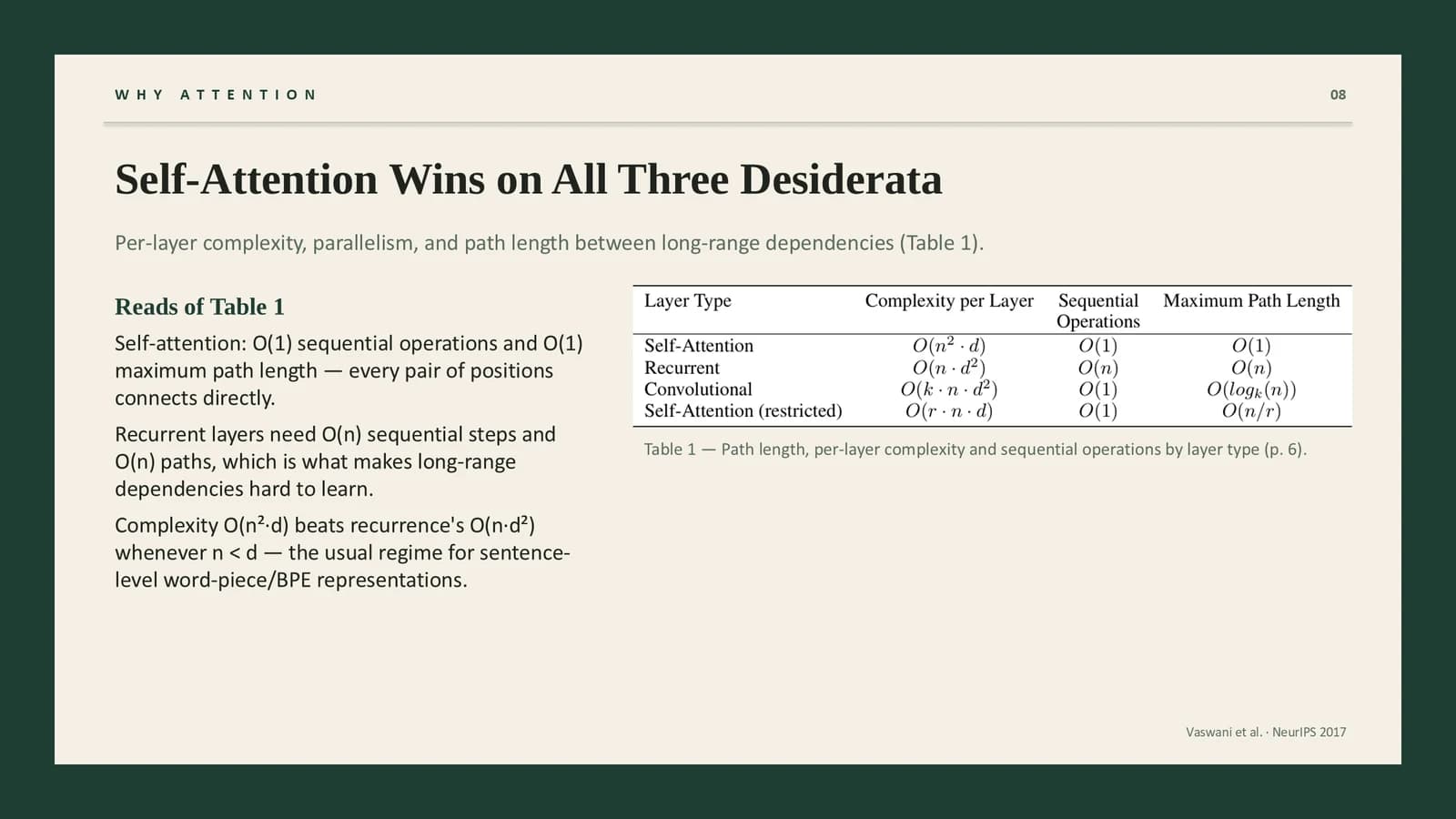 8
Results
9–114 min
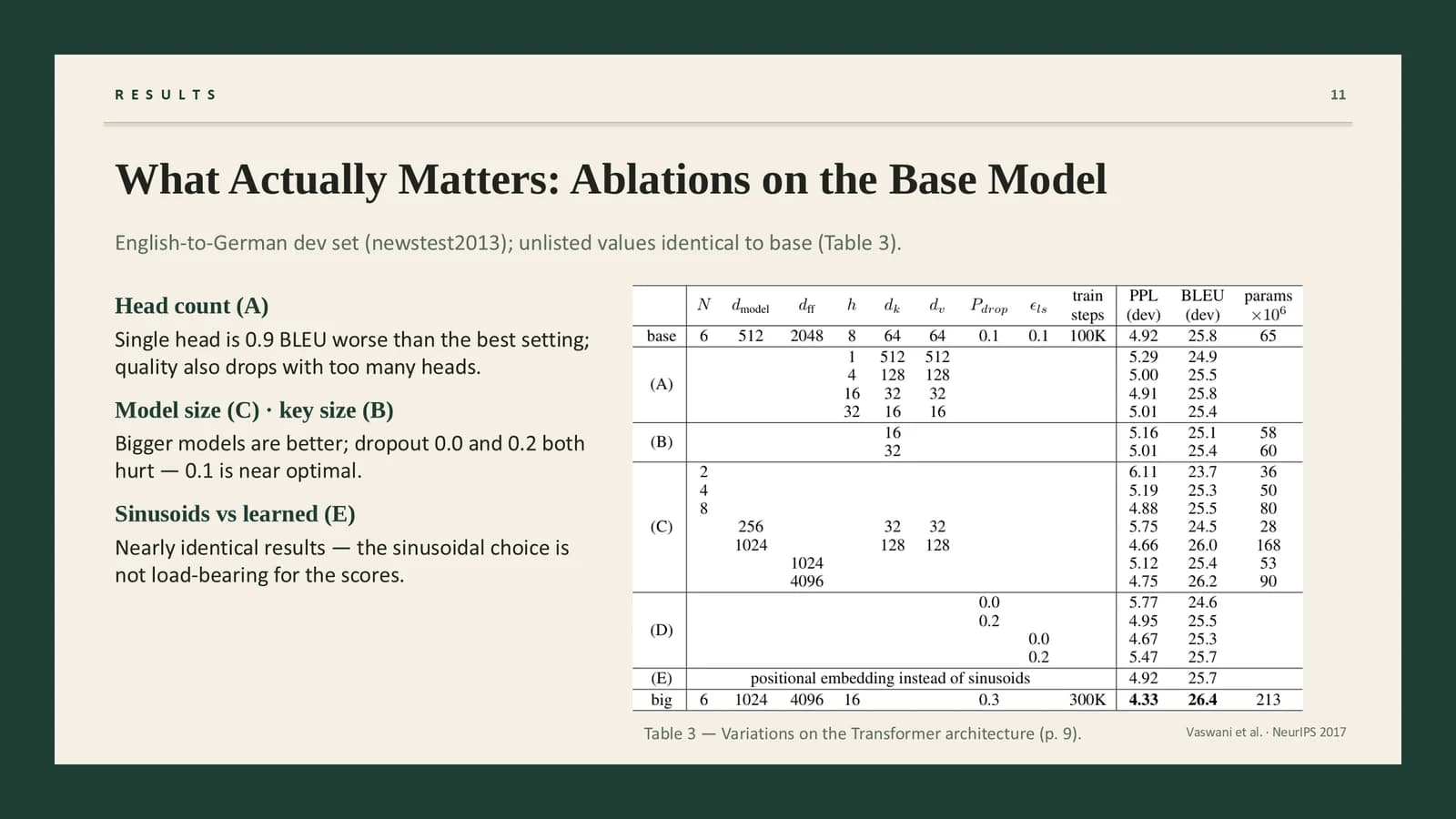
Four large figures for the setup, then the results table and the ablation table.
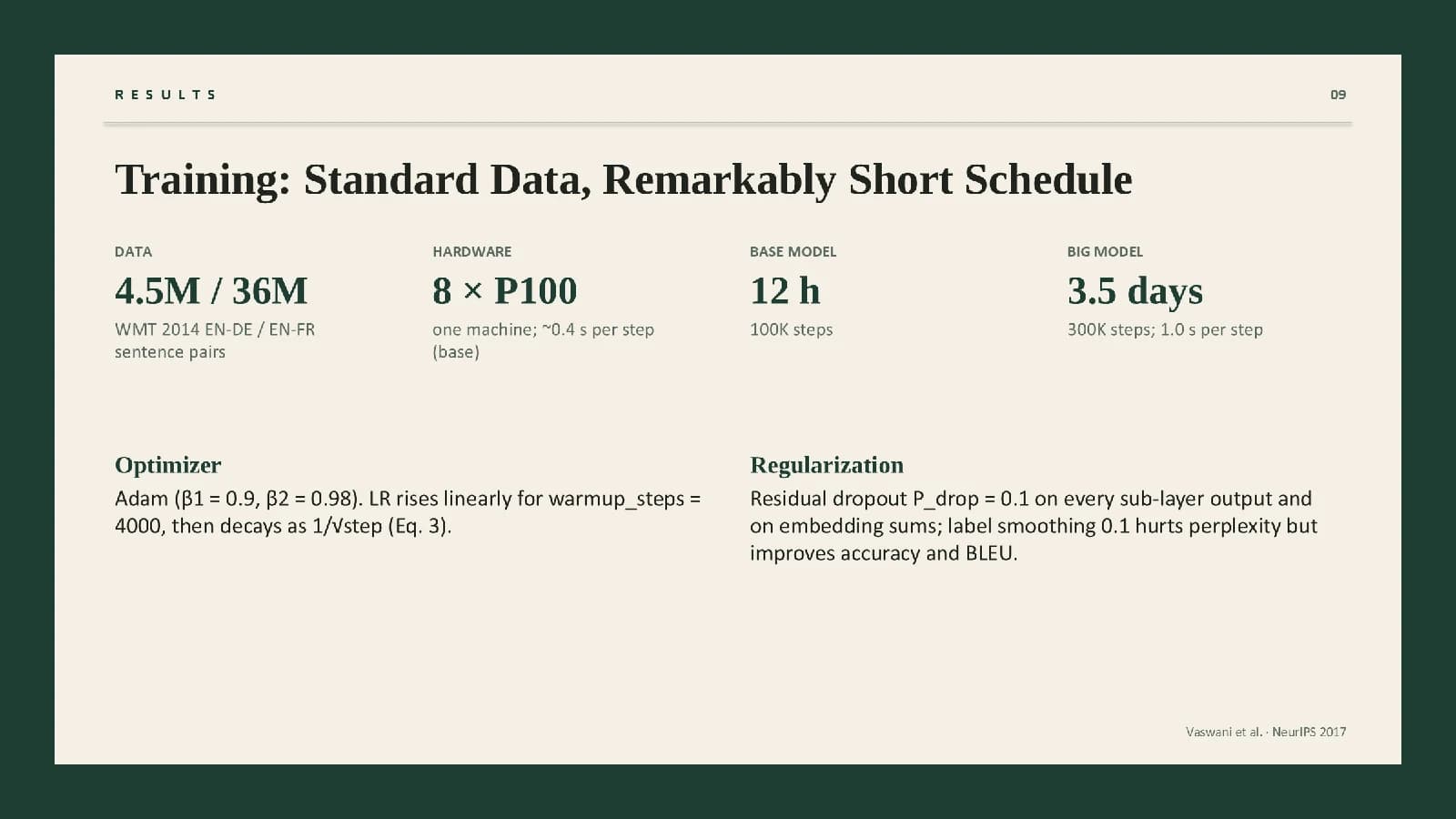 9
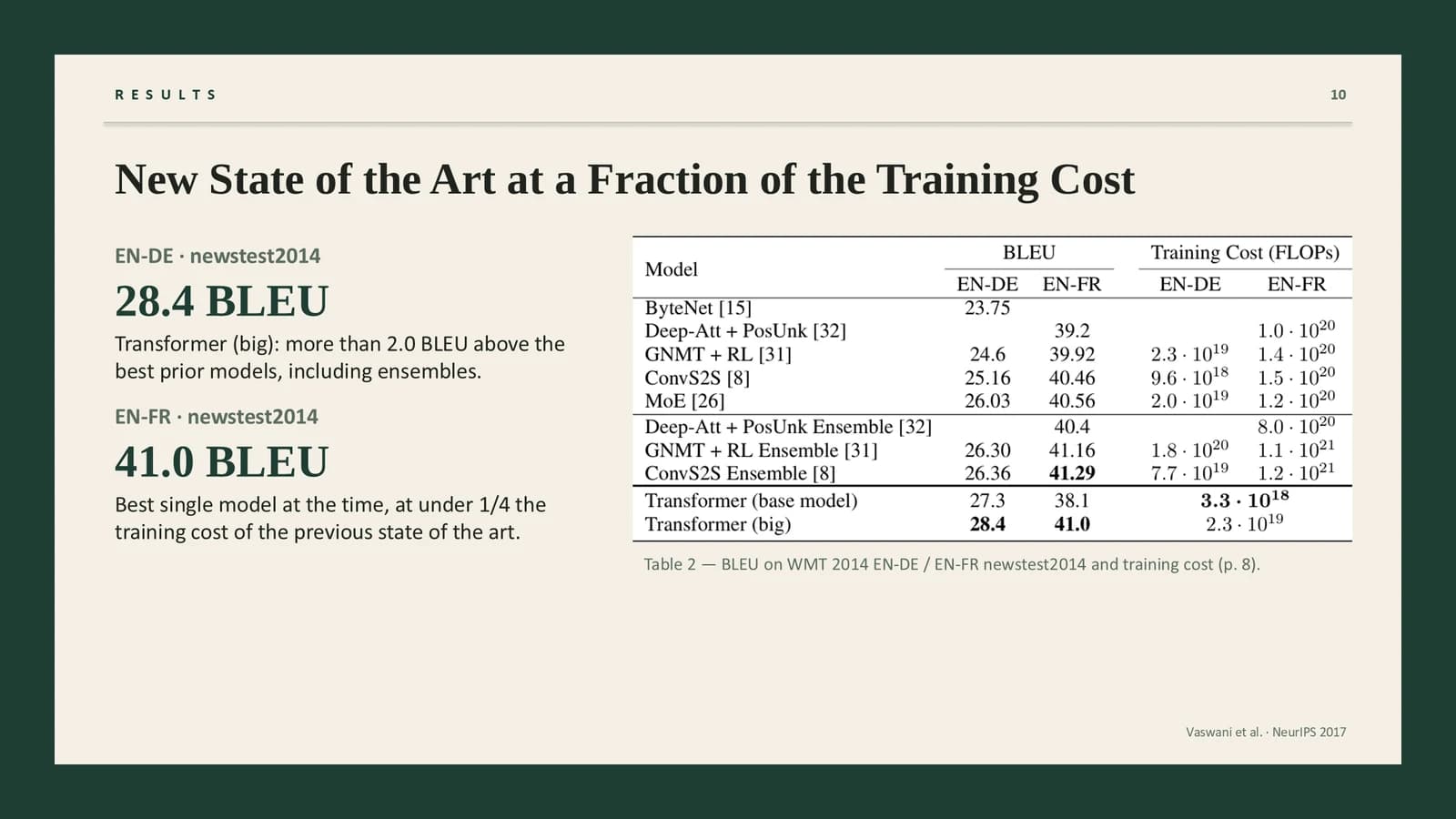 10
 11
Takeaways
121 min
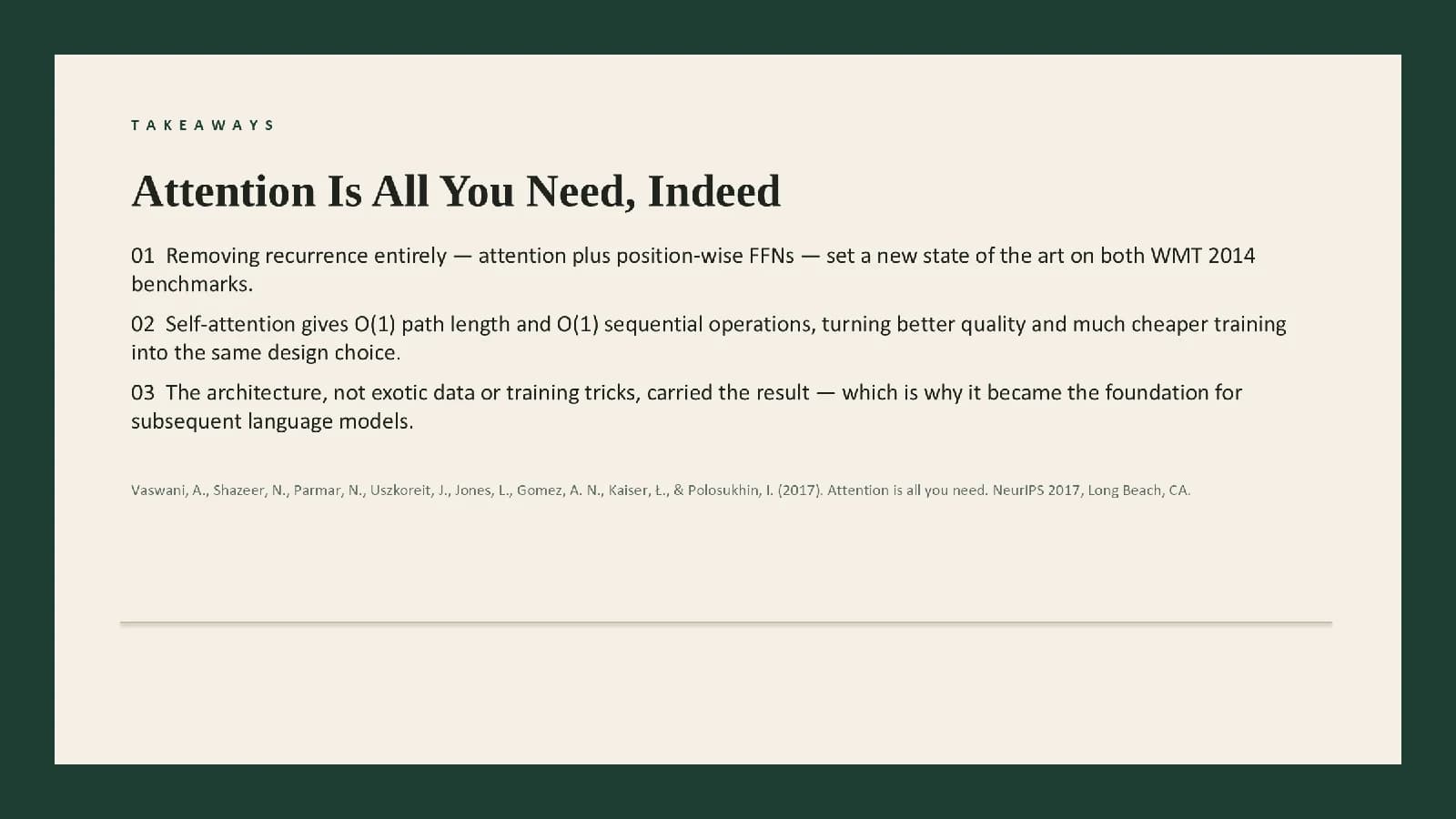
Three numbered conclusions and a full reference, leaving time for discussion.
 12
What's in the file
The sample file has 12 slides at 16:9 with 83 editable text boxes and 5 pictures, and it includes speaker notes. The theme font is Inter and the download is 423 KB. The paper's architecture and mechanism diagrams and its three results tables are placed as pictures; titles, cards and notes can be edited directly.
- Slides
- 12
- Aspect ratio
- 16:9
- Editable text boxes
- 83
- Pictures
- 5
- Speaker notes
- Yes
- Theme fonts
- Inter
- File size
- 423 KB
Good for
Lab meeting paper walkthrough
Rewrite the four agenda numbers on slide 2 as your sections, take the method apart on slides 4 and 5 with text left and figure right, and put the questions you want to raise in each slide's notes.
2, 4–5
Journal club or reading group
State the authors' central claim in the dark card on slide 3, use slide 8's three paragraphs to talk the audience through a table from the paper, and leave slide 12 for discussion.
3, 8, 12
Humanities or social science paper
The beige panel and serif titles read close to a printed page; slide 6's three sand cards suit three positions or three cases, and slide 9's large figures can hold sample sizes or years.
6, 9
How to use it in Yila
- 1Pick a template
- 2Upload your paper or describe your talk
- 3Yila builds an editable PPTX
Tips
Do
- Write what you plan to say in the speaker notes; the sample already carries notes, so you can see where each slide's talking points belong.
- Allow at most one reversed evergreen card per slide, for the paper's central claim or key move.
- Keep section labels to short capitalised words with their letter spacing, so they sit clearly apart from the serif title.
Avoid
- Placing text or figures on the dark evergreen border; it frames the panel and carries nothing.
- Filling the panel with sand blocks; the open lower half of sample slide 6 is deliberate, and a page of sand blocks reads as clutter.
Questions
Can the evergreen and beige be swapped for other colours?
Yila builds this template with the evergreen frame, beige panel and sand cards. In the PPTX you can recolour the frame and cards by hand in PowerPoint or similar software, but the matted look is what identifies this design, so keep a dark frame around a light panel whatever colours you pick.
Can I add or remove slides?
Yes. The 12 slides follow one deep learning paper; Yila rewrites every slide from your paper and notes, so the count changes with your content. In the file you can duplicate a results slide to add another, or remove slides such as the agenda if your talk is short.
Can I open it in PowerPoint and Keynote?
Yes. The PPTX opens in PowerPoint, Keynote and WPS with editable text, and the speaker notes come along with it. If the presentation computer lacks a font the sample uses, it is substituted and the serif titles may look different, so preview the deck there beforehand.
Does it cost anything?
Viewing this page and downloading the sample deck cost nothing. Generating your own version with Yila consumes credits; new accounts receive 2,500 credits, so you can try it on the paper you are presenting at next week's journal club and judge the serif layout with real content.
Can I present the sample content directly?
No. The sample is not a blank template: it walks through a published paper, and the cover and the foot of each slide credit the original authors and venue. Replace it with your own material; when you generate with Yila, every slide is rewritten from the paper or description you upload.
What is in the speaker notes?
The sample file carries speaker notes, visible in the notes pane of PowerPoint or Keynote. When Yila generates your deck, the notes are rewritten along with the slides from your paper, so read through them slide by slide and cut anything you do not intend to say.