Slide template · 16:9 · 16 slides
Mist Blue and Mauve Seminar Slides Template
Large, softly rounded powder-blue and smoky-mauve forms and one thin curving line set a gentle mood on the cover and dividers, while content slides settle into rounded cards, quiet tables and generous margins. Made for unhurried lectures and seminars.

What this template is
On the cover, a large blue form and a smaller mauve one overlap at the right while a pale pink line loops across the page. Section dividers push those forms into opposite corners and centre a light numeral, the section name, one lead sentence and a small blue pill label. Content slides open with three slanted strokes and a gray running header, then a bold title; a hairline footer carries the source and page number, and everything in between is left for tables, cards and charts. The order it suits is context, problem, method, evidence, takeaways.
What goes in each section
Cover and contents
1–21 min
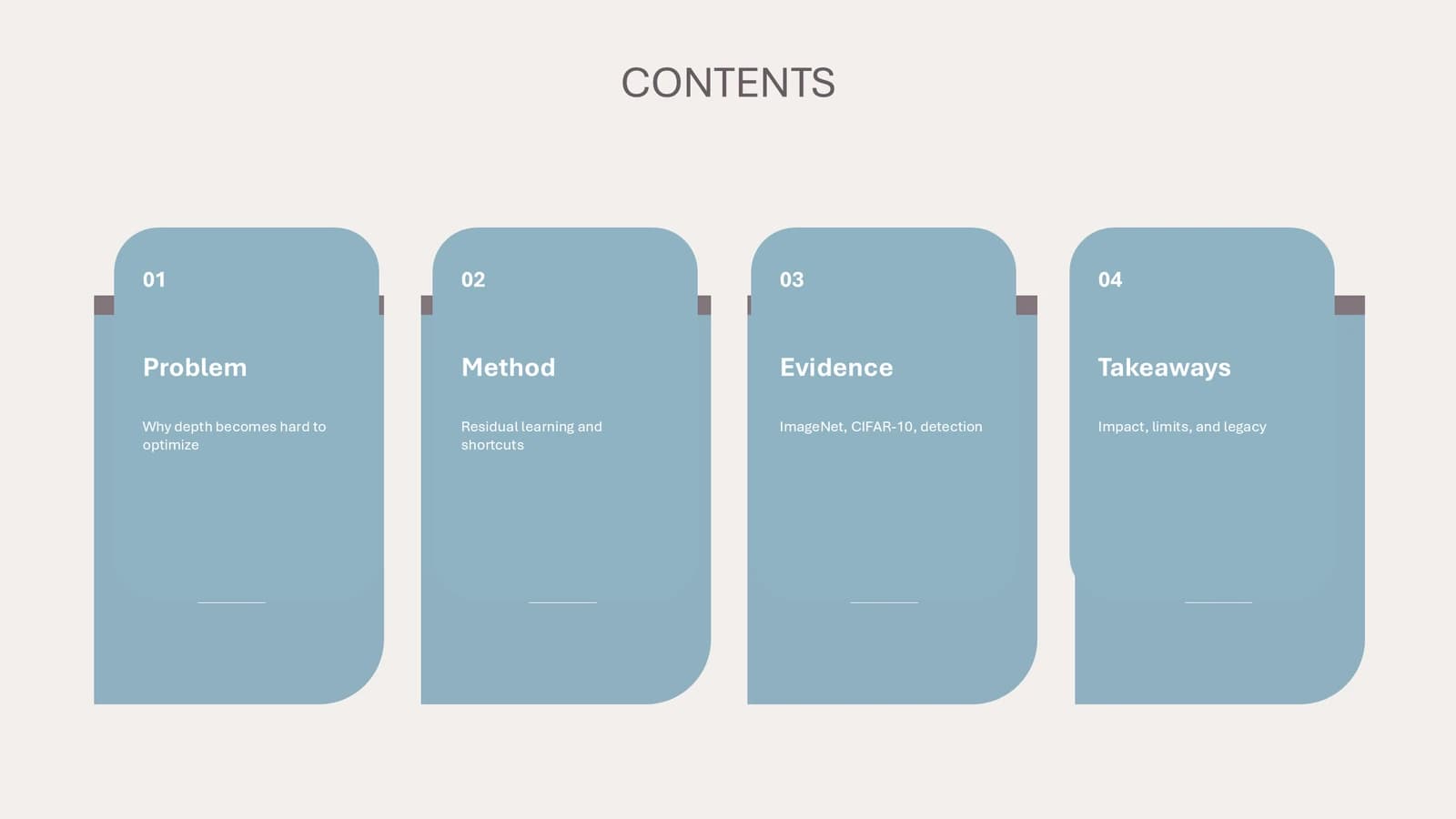
Title and authors on the cover, then four tall powder-blue cards that name the four parts of the session.
 1
 2
Part 1: the problem
3–53 min
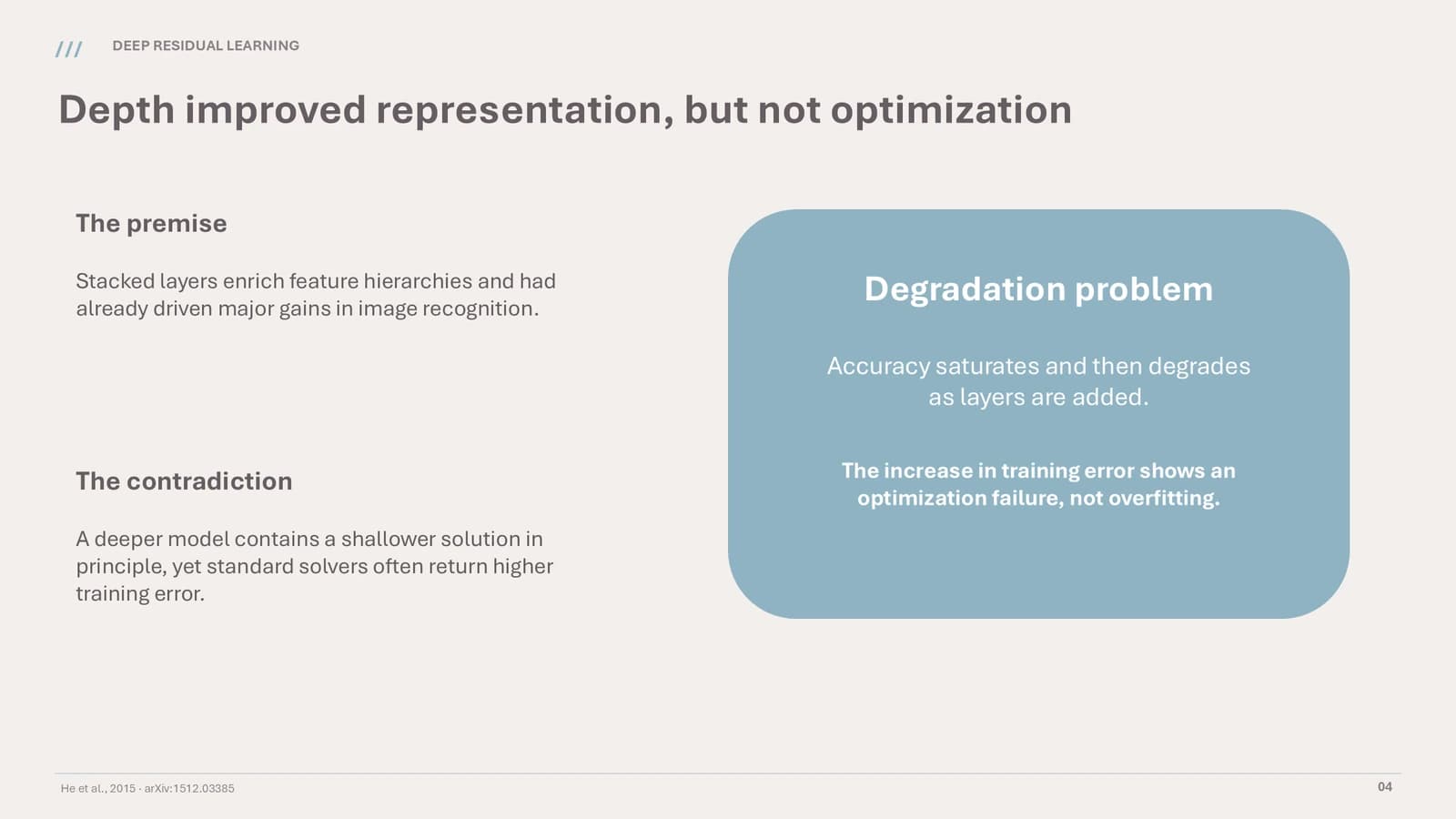
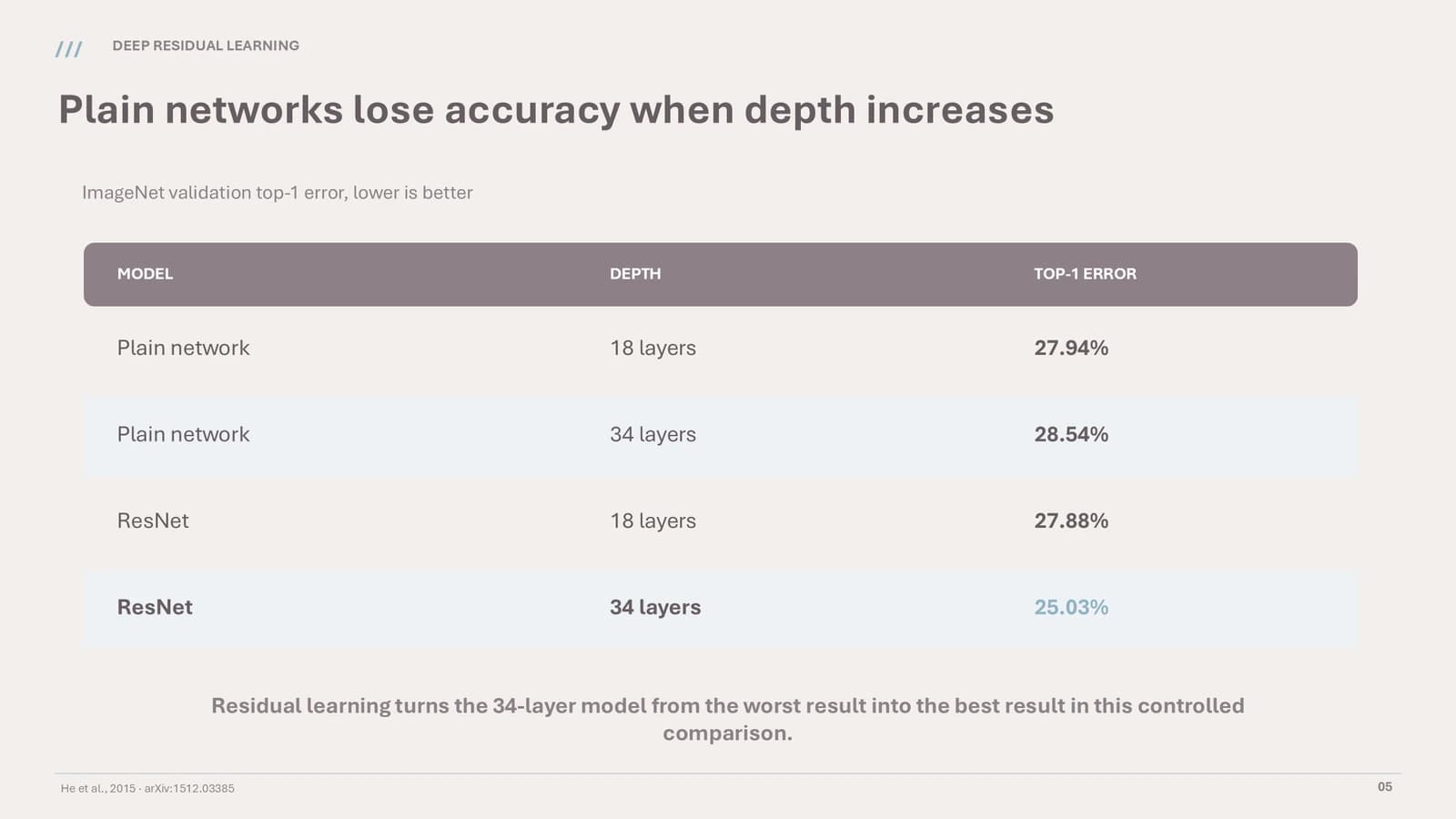
A divider, a premise-versus-contradiction slide with a blue summary card, and one table of evidence.
 3
 4
 5
Part 2: the method
6–94 min
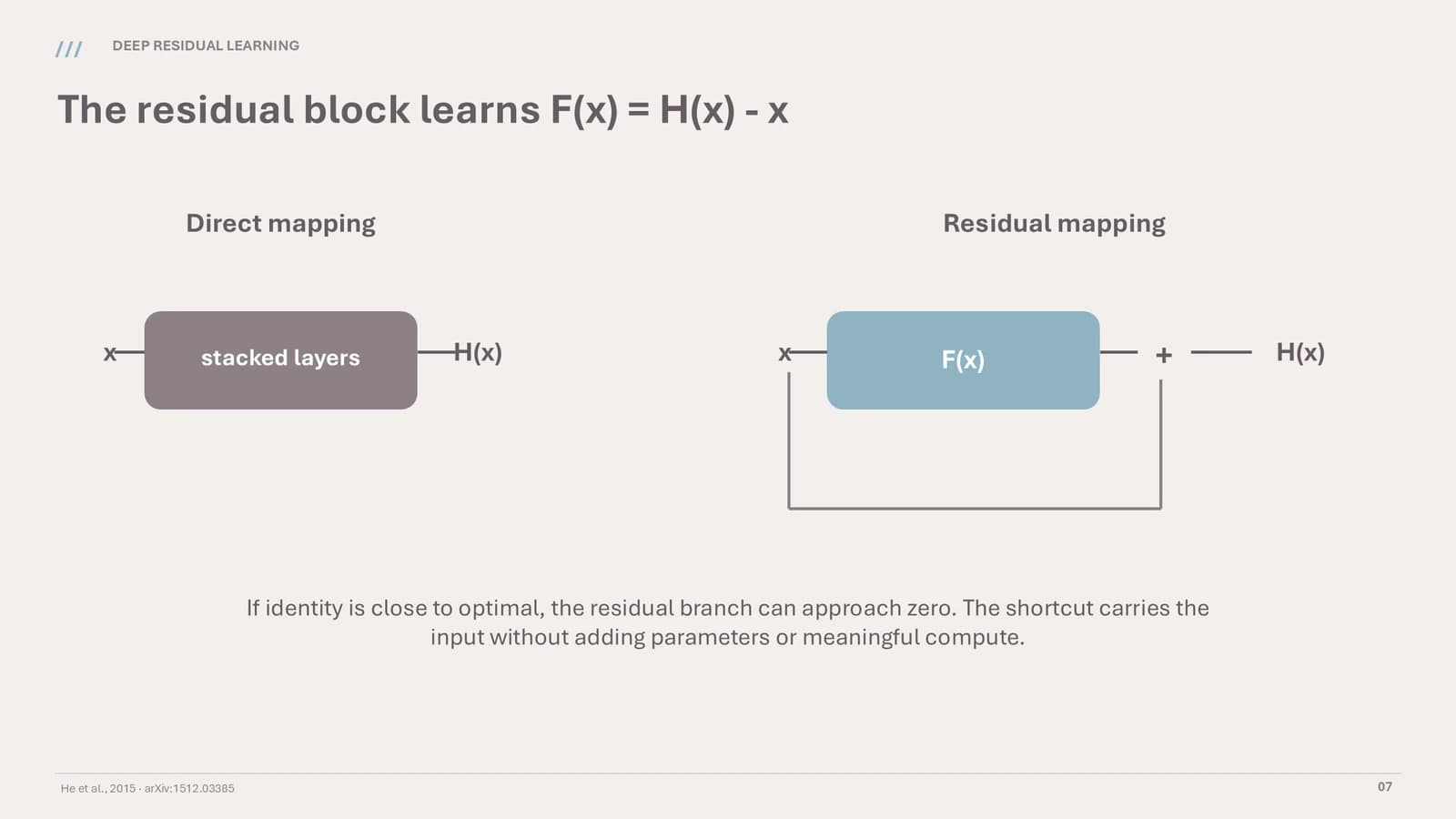
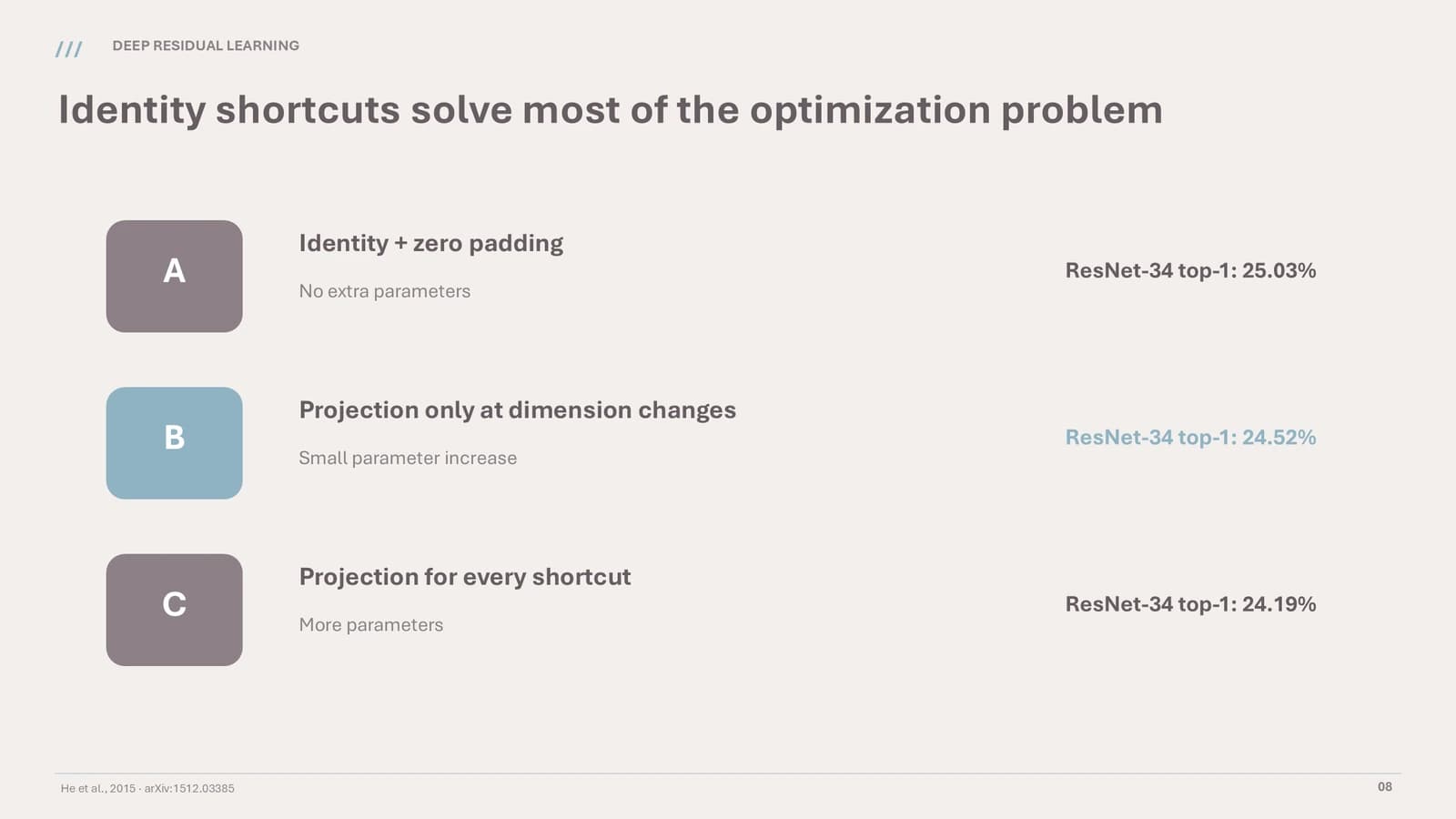
Two block diagrams side by side, three lettered design options, then a row of rounded stage tiles.
 6
 7
 8
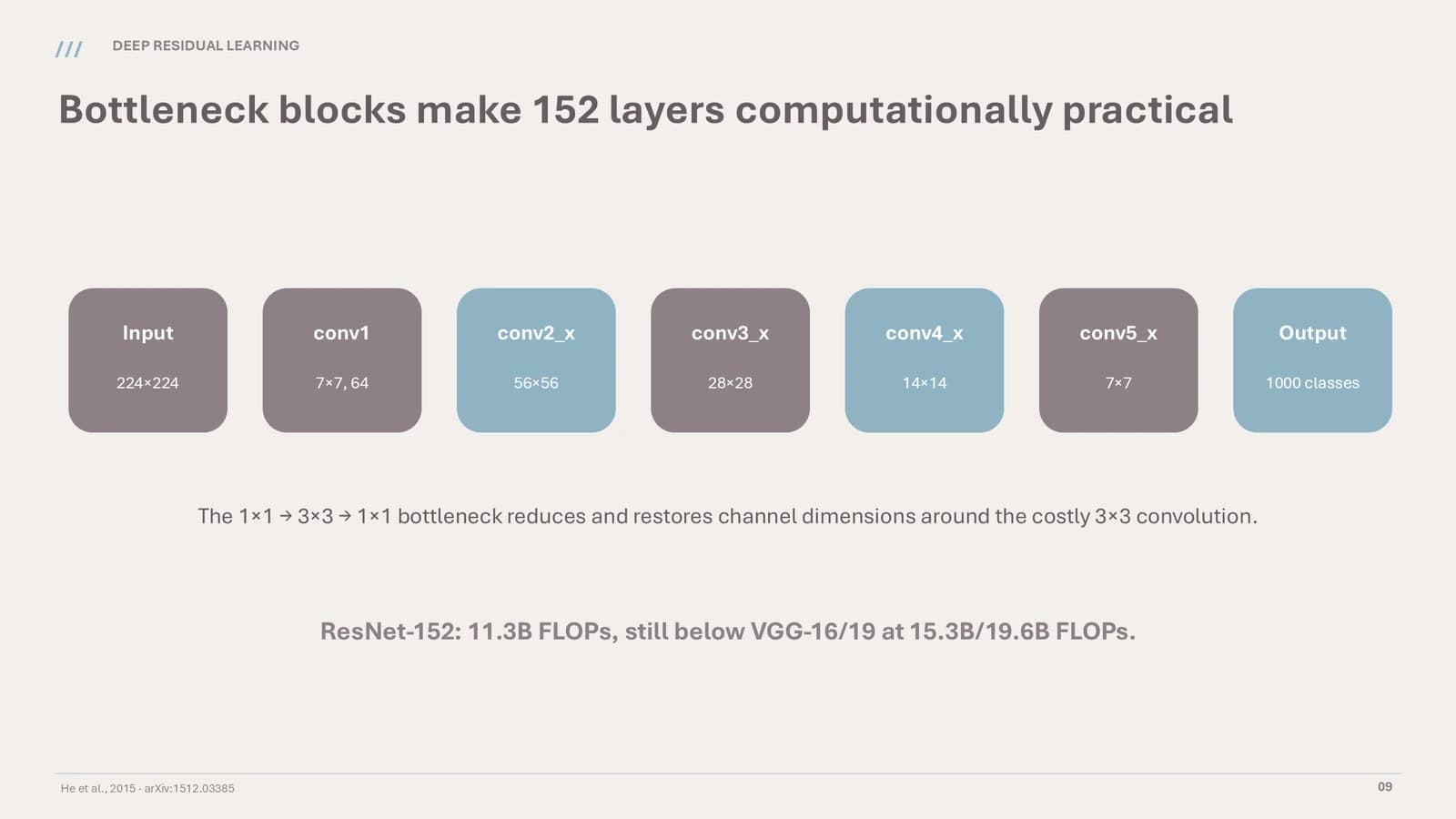 9
Part 3: the evidence
10–145 min
A settings checklist, a bar chart, a table with one highlighted row, then transfer results against a baseline.
 10
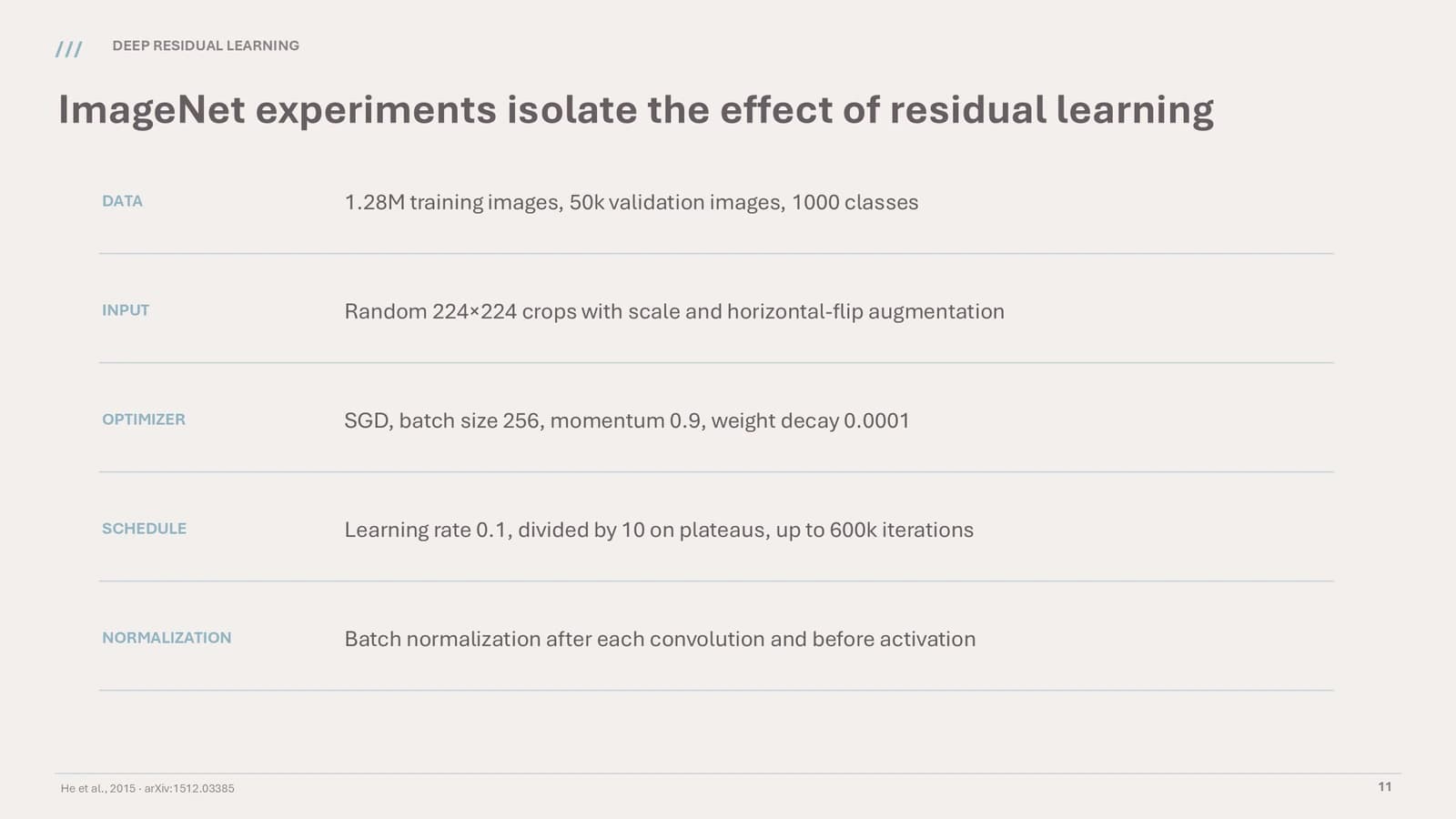 11
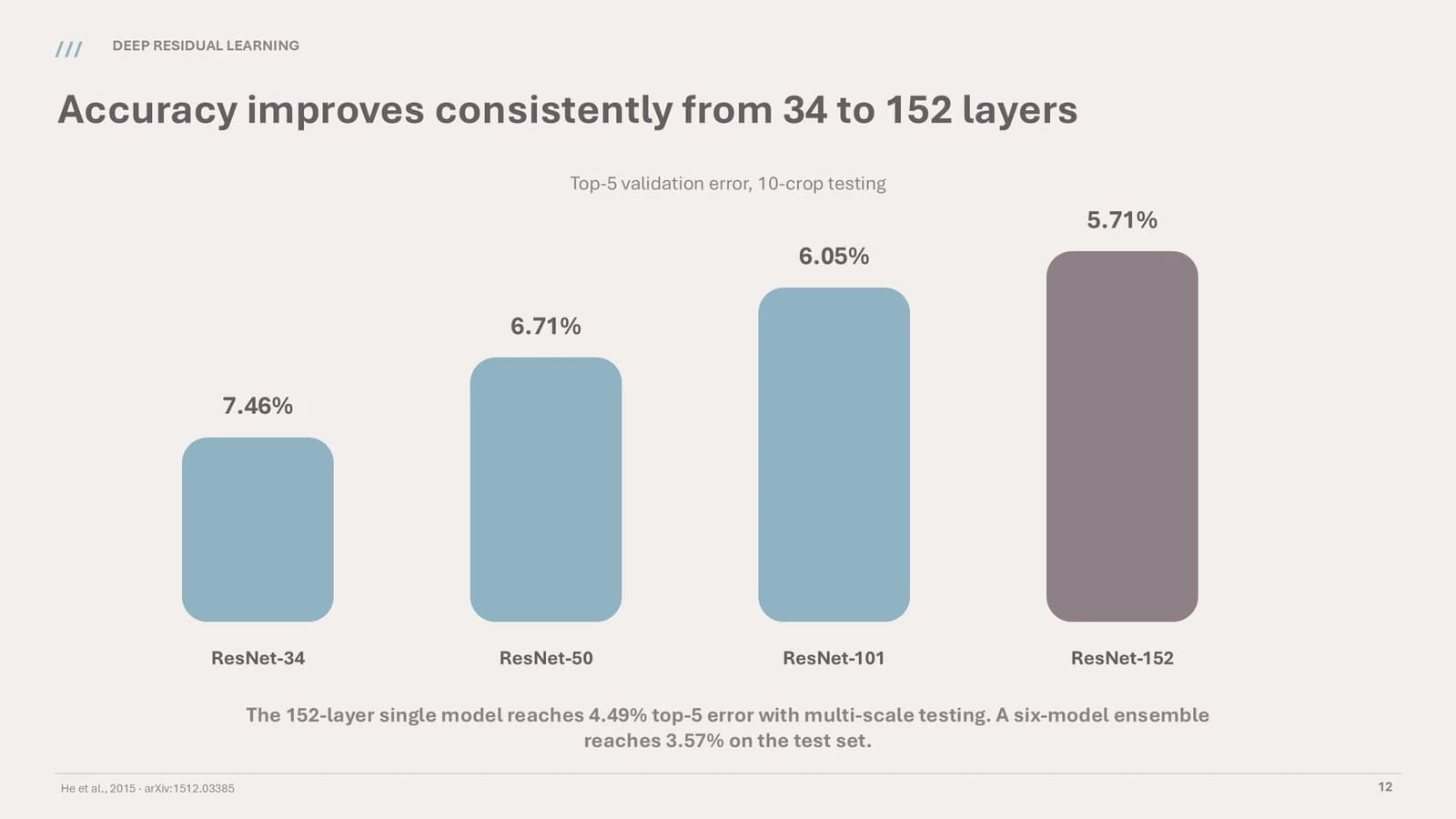 12
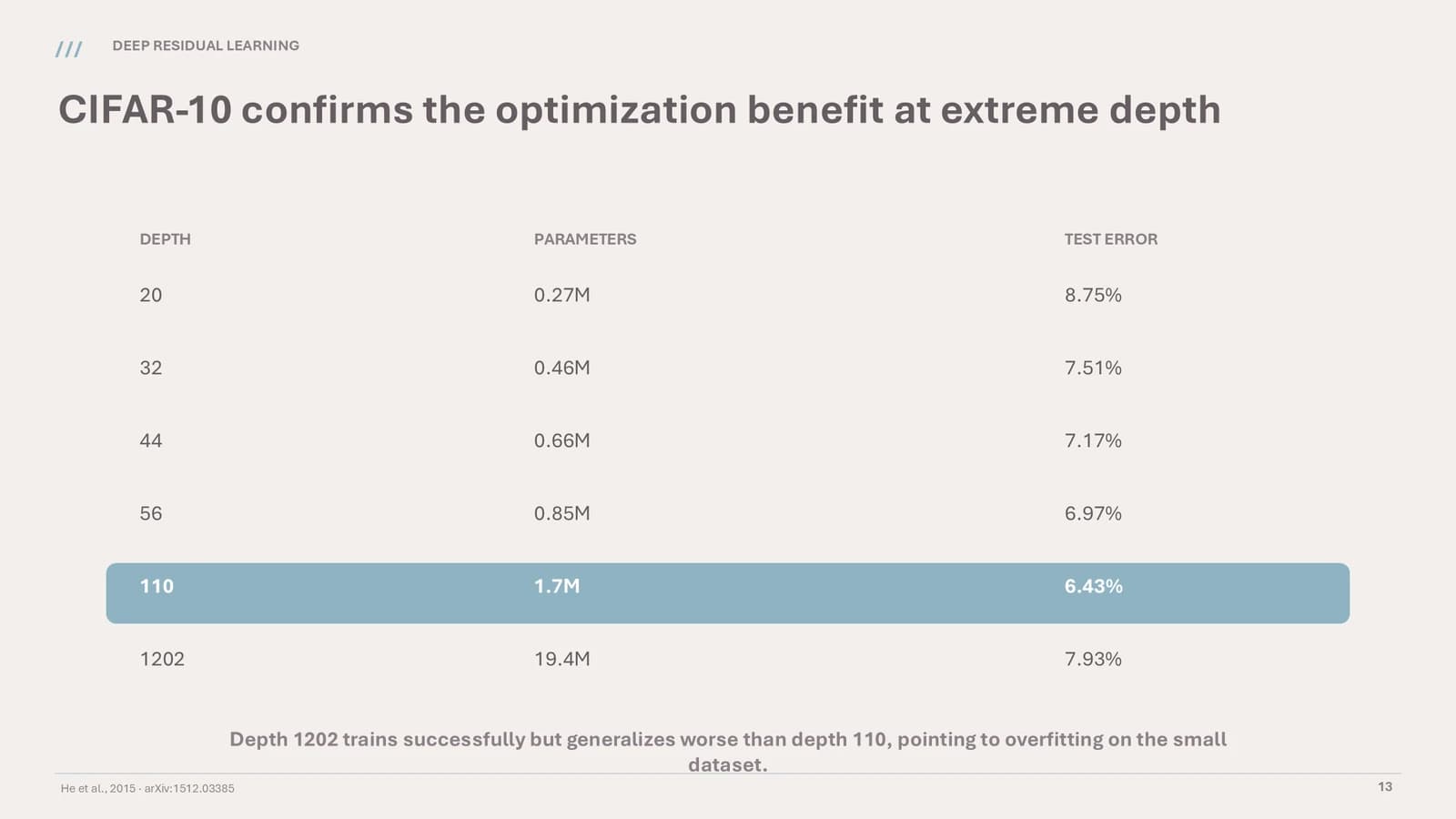 13
- +1
Part 4: what changed
15–162 min
A one-line divider, then four rounded cards that close the session on optimisation, scale, evidence and transfer.
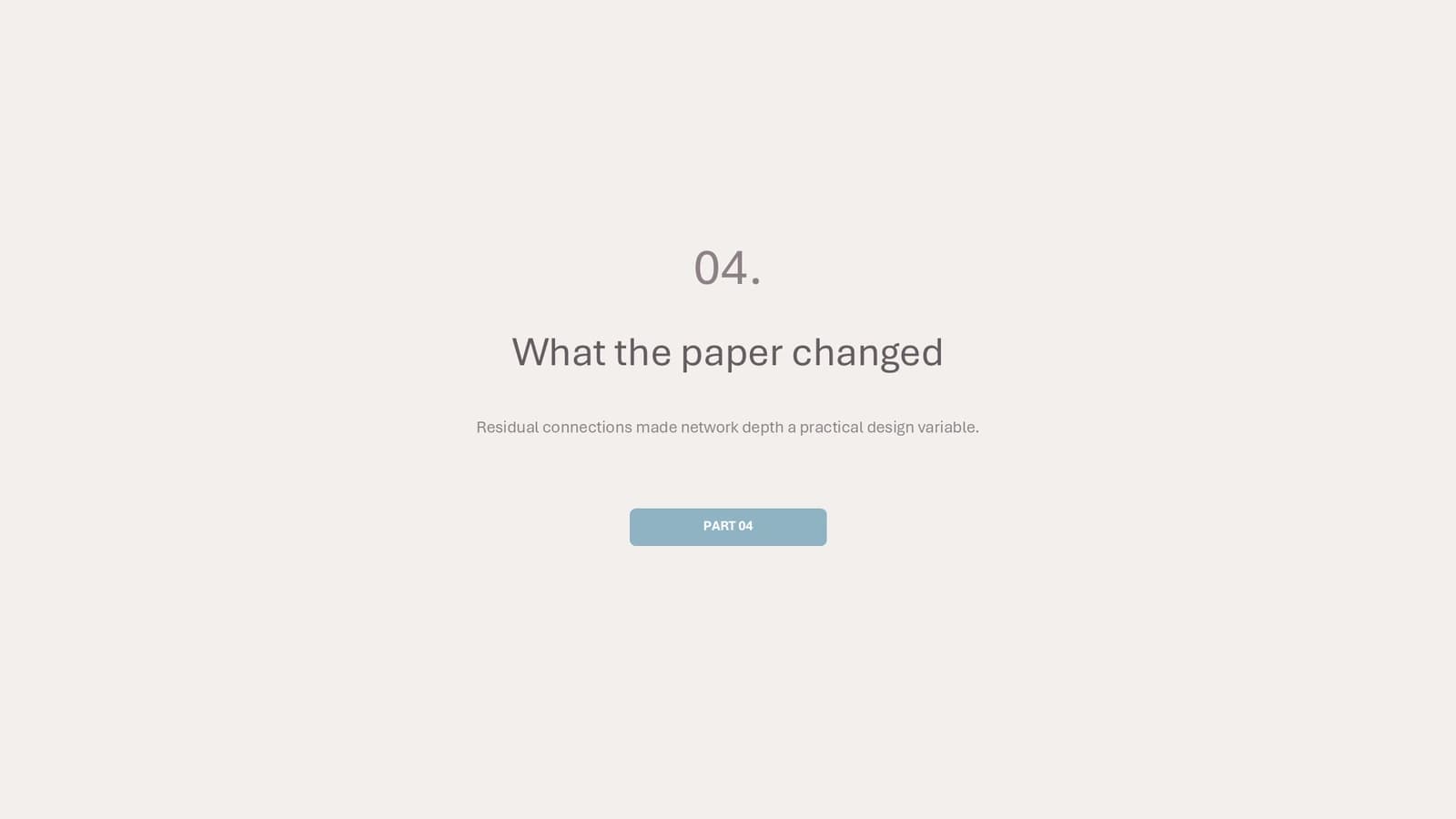 15
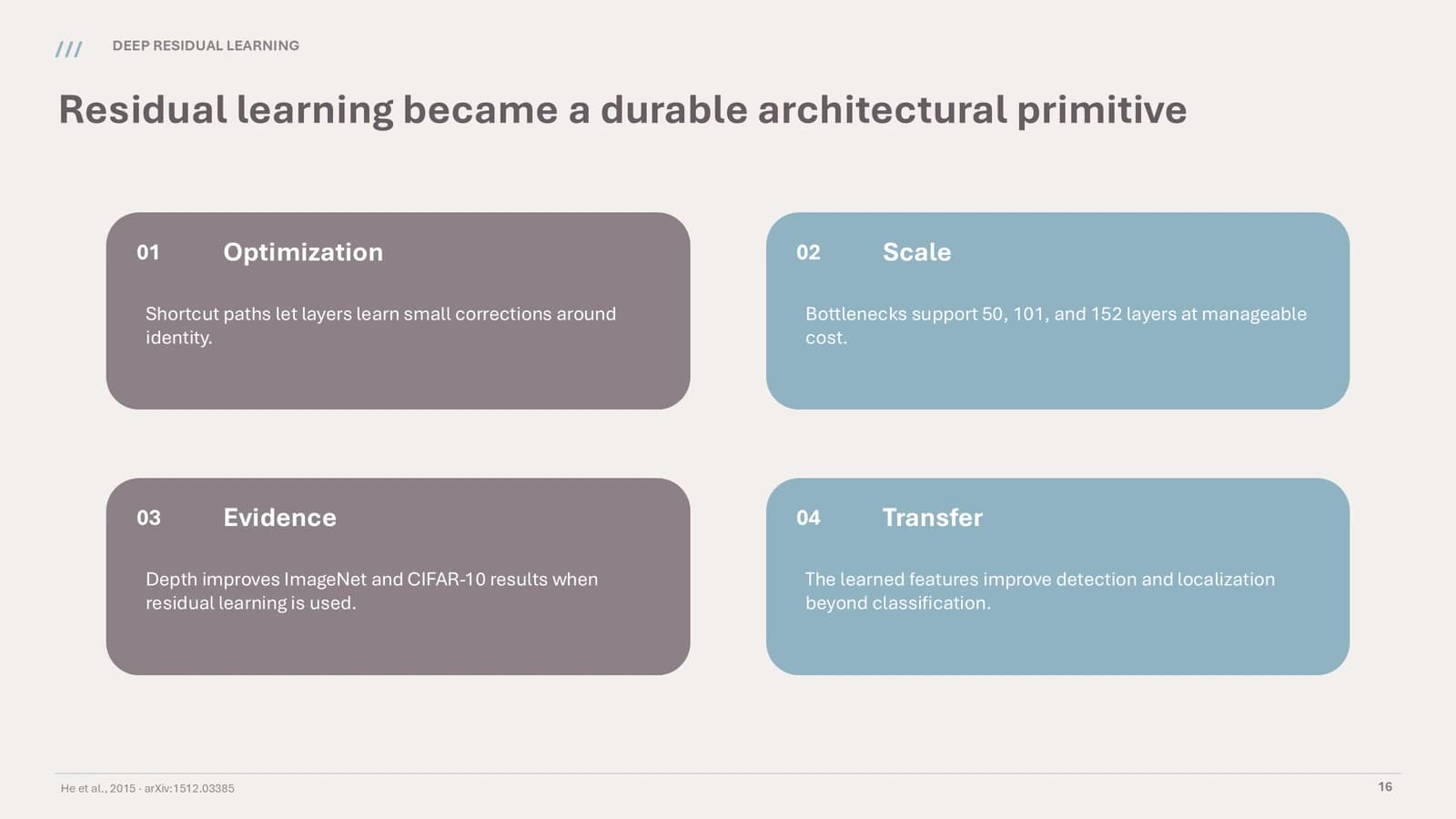 16
What's in the file
The sample has 16 slides at 16:9 and 212 text boxes. It contains no pictures at all: the tables, bars and block diagrams are drawn from shapes and text, which keeps every label editable. There are no speaker notes. Headings use DengXian Light and body text DengXian, and the file is large for a picture-free deck at 28.6 MB.
- Slides
- 16
- Aspect ratio
- 16:9
- Editable text boxes
- 212
- Pictures
- 0
- Speaker notes
- No
- Theme fonts
- 等线 Light / 等线
- File size
- 28.6 MB
Good for
Course lecture
The big numerals and lead sentences on the dividers break a class into four clear segments, and the one-item-per-row settings checklist lets students follow data, parameters and steps as you talk through them.
Slides 3, 11
Journal club
The A, B, C options slide lines up competing designs with their results, and the bar chart slide shows how a metric moves with scale. Rename the options first, then check every bar height against the number printed above it.
Slides 8, 12
Research methods seminar
The premise-versus-contradiction slide is a natural way to pose a methodological puzzle for the group, and the closing four-card grid pulls the discussion back to four points people can take away.
Slides 4, 16
How to use it in Yila
- 1Pick a template
- 2Upload your paper or describe your talk
- 3Yila builds an editable PPTX
Tips
Do
- Keep the rounded forms on the cover and dividers, and leave the centre of every content slide to the evidence.
- Save the deepest mauve for the one cell or bar that carries the conclusion, and keep the rest powder blue.
- Recheck bar heights whenever the data change: on slide 12 of the sample, lower error is drawn as a taller bar.
Avoid
- Do not use more than two decorative forms on a page; each extra one trades calm for clutter.
- Do not pad the contents cards with long descriptions; even in the sample, the lower half of each card is empty.
- Do not email the 28.6 MB file without first checking the recipient's attachment limit; share a link instead if needed.
Questions
Can the blue and mauve be changed?
Powder blue as the main colour, mauve-gray as the second and a dusty rose for the single flagged value make up this theme's fixed palette, and Yila builds with it. For other colours, choose a different theme from the library; the generated PPTX keeps its text editable in PowerPoint, Keynote or WPS.
There are 16 slides in the sample. Can I change that?
Yes. The sample just demonstrates the layout. Yila rewrites every slide from the paper or lecture notes you provide, so the number of parts and slides follows your material. Once generated, you can still delete or duplicate slides in PowerPoint.
Can I open it in PowerPoint and Keynote?
Yes. It is a PPTX file, so PowerPoint, Keynote and WPS all open it and let you edit the text. The sample is set in DengXian; where that font is missing, the software swaps in another and line breaks may move.
Do I have to pay for this template?
No payment is needed to view this page or download the sample deck. Generating a deck from your own material with Yila consumes credits; each new account receives 2,500 credits, so you can try a first deck from one paper or one week's lecture notes.
Can I edit the tables and charts in the sample?
The text, yes. The sample contains no pictures, so the tables and bars are shapes and text boxes and the numbers can be typed over. Bar heights are your responsibility, though: on slide 12 they run opposite to the error values they label.
What material do I need?
Upload a paper or lecture notes as a PDF or DOCX, or describe what you want to teach and who the audience is. The residual-network walkthrough in the sample is replaced throughout; it is not a blank template waiting to be filled in by hand.