Slide template · 16:9 · 12 slides
Slate and Orange Grant Defense Slides Template
A slate side panel opens the deck, then every content slide leads with a small orange section kicker, a dark headline and a grey takeaway line. Built for grant defenses, mid-term reviews and final reports on funded projects.
What this template is
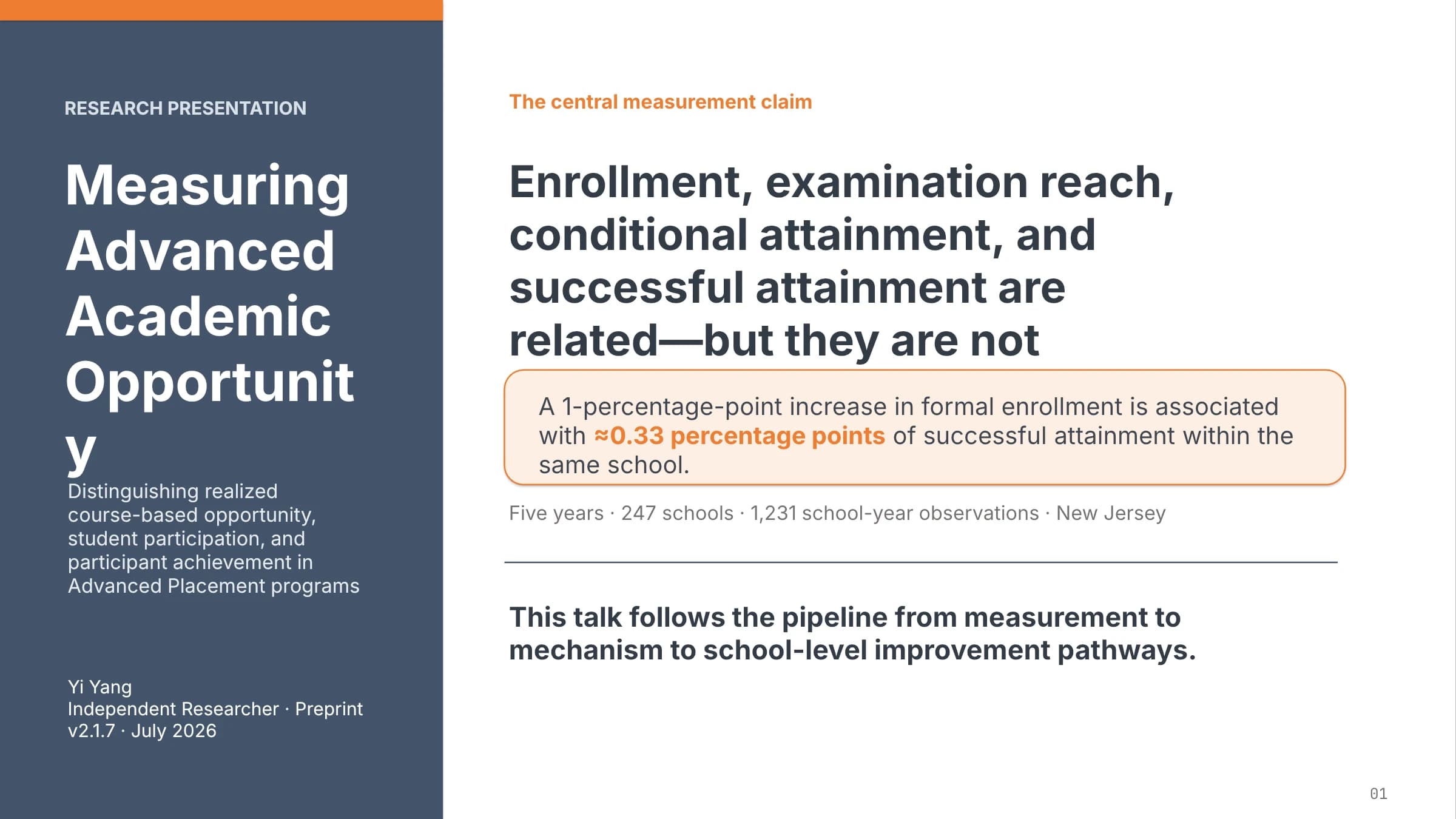
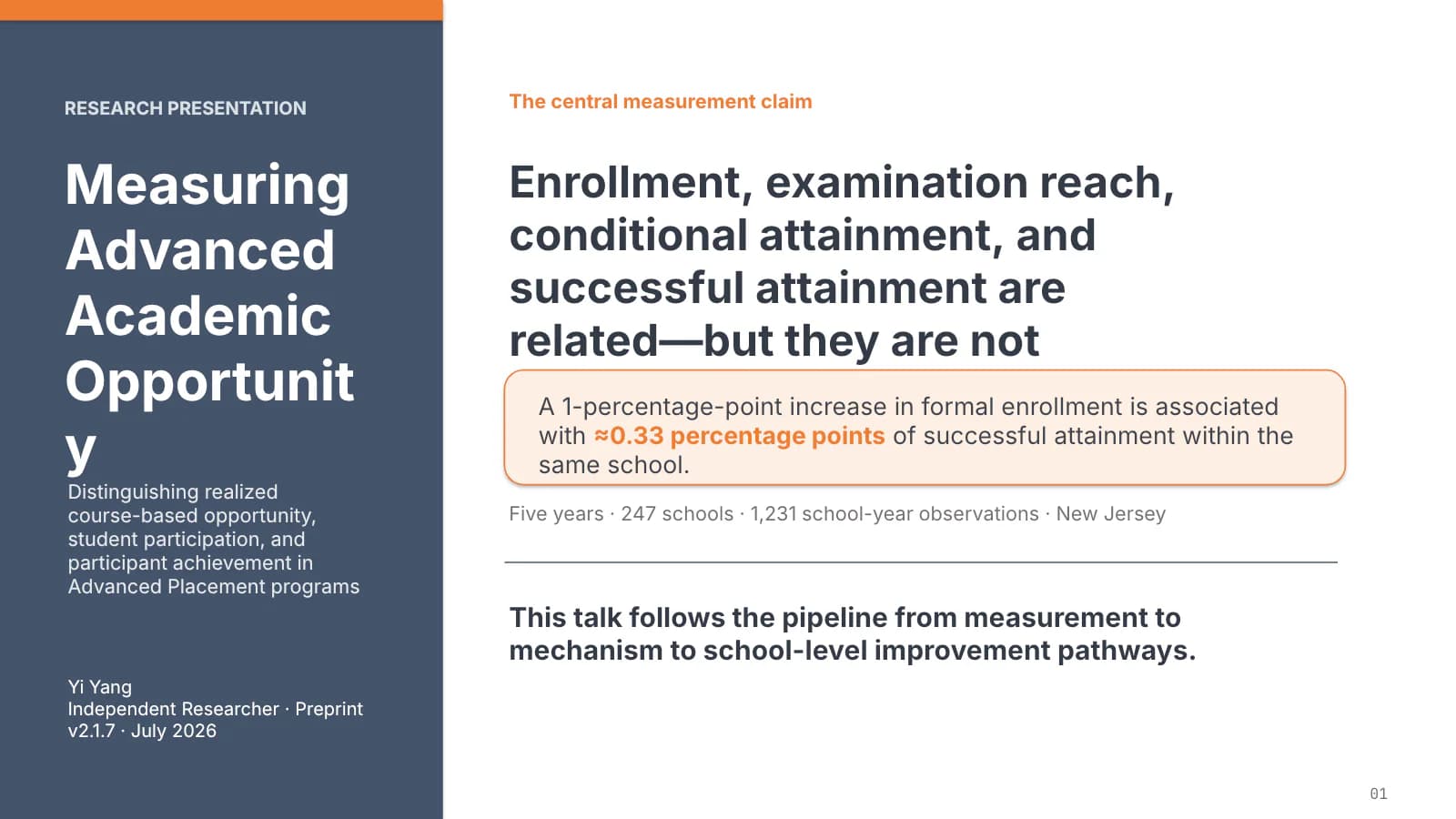
Slate carries the structure and orange supplies the counterpoint. The cover gives roughly a third of its width to a slate panel holding the title and byline, with the central claim and one orange-outlined key figure on the right. Content slides skip the full-width header band: an orange kicker sits top left, the headline beside it, a grey one-line takeaway under a hairline ending in an orange square, and a source anchor at the foot. The order it suits is a staged argument: problem, framework, design, result, mechanism, implication.
What goes in each section
Opening claim
11 min
State the finding in one sentence and box the single number reviewers should remember.
 1
Problem and framework
2–33 min
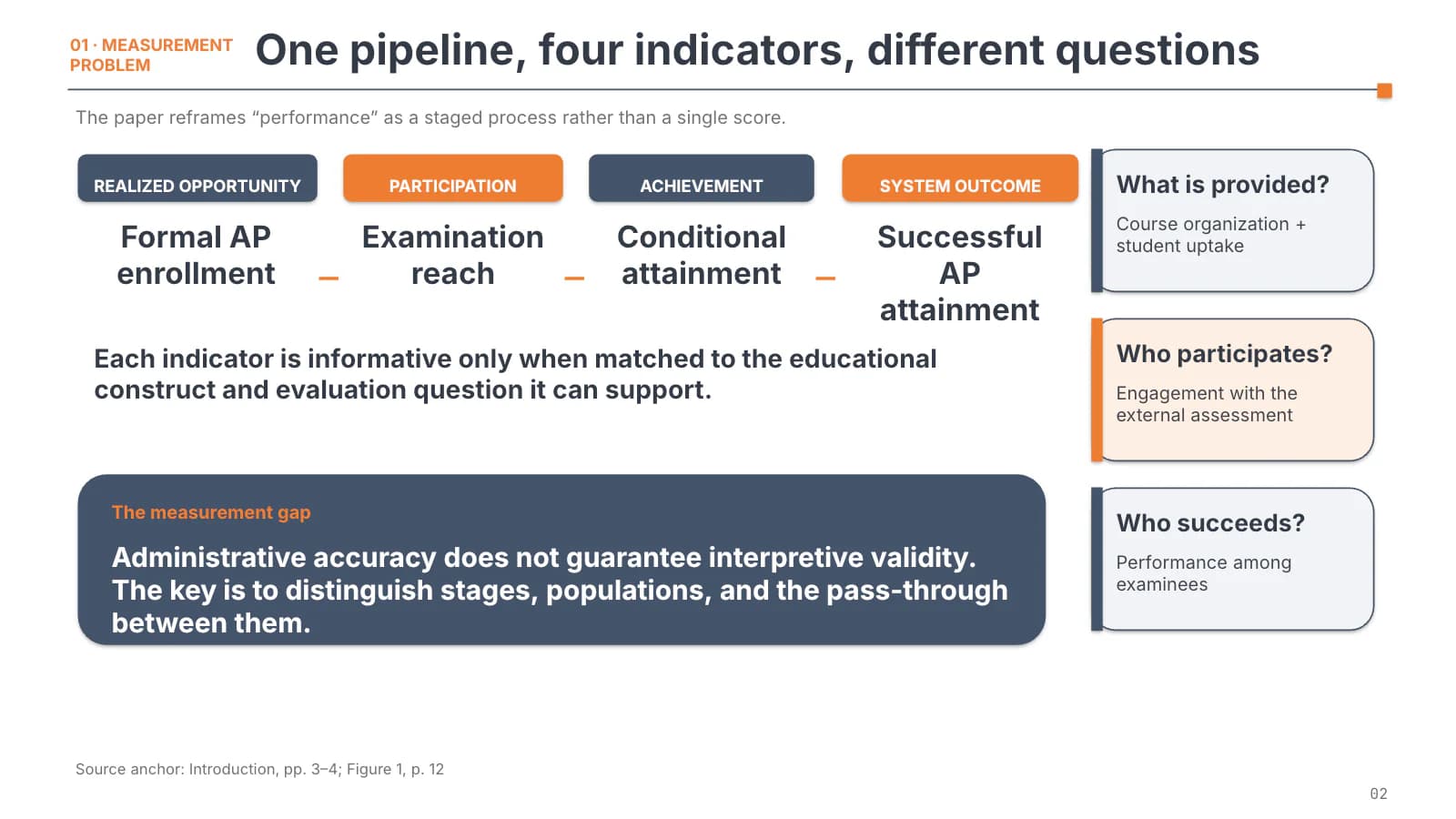
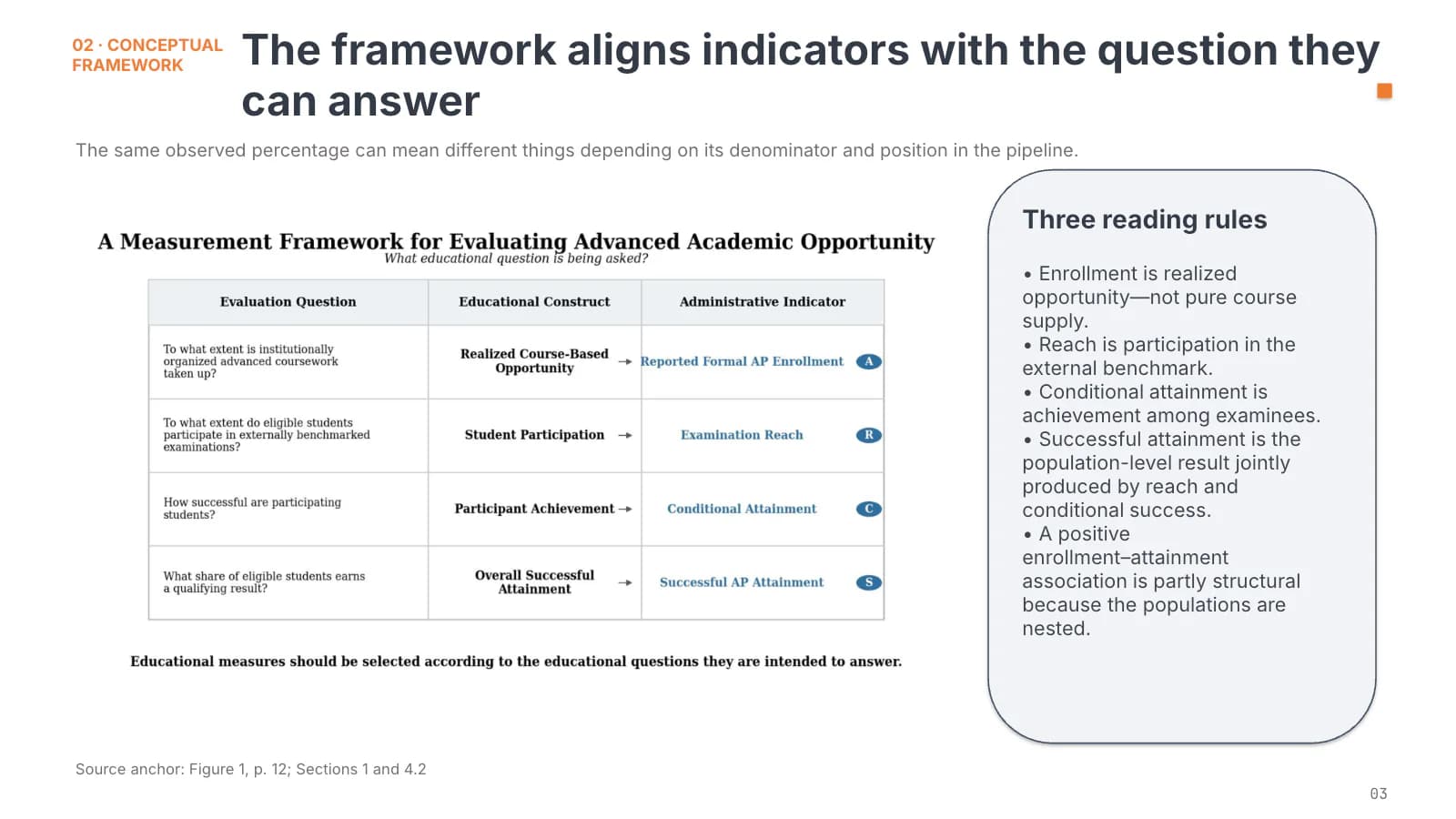
Four indicator labels frame the question; slide 3 pairs a framework table with reading rules.
 2
 3
Design and sample
4–53 min
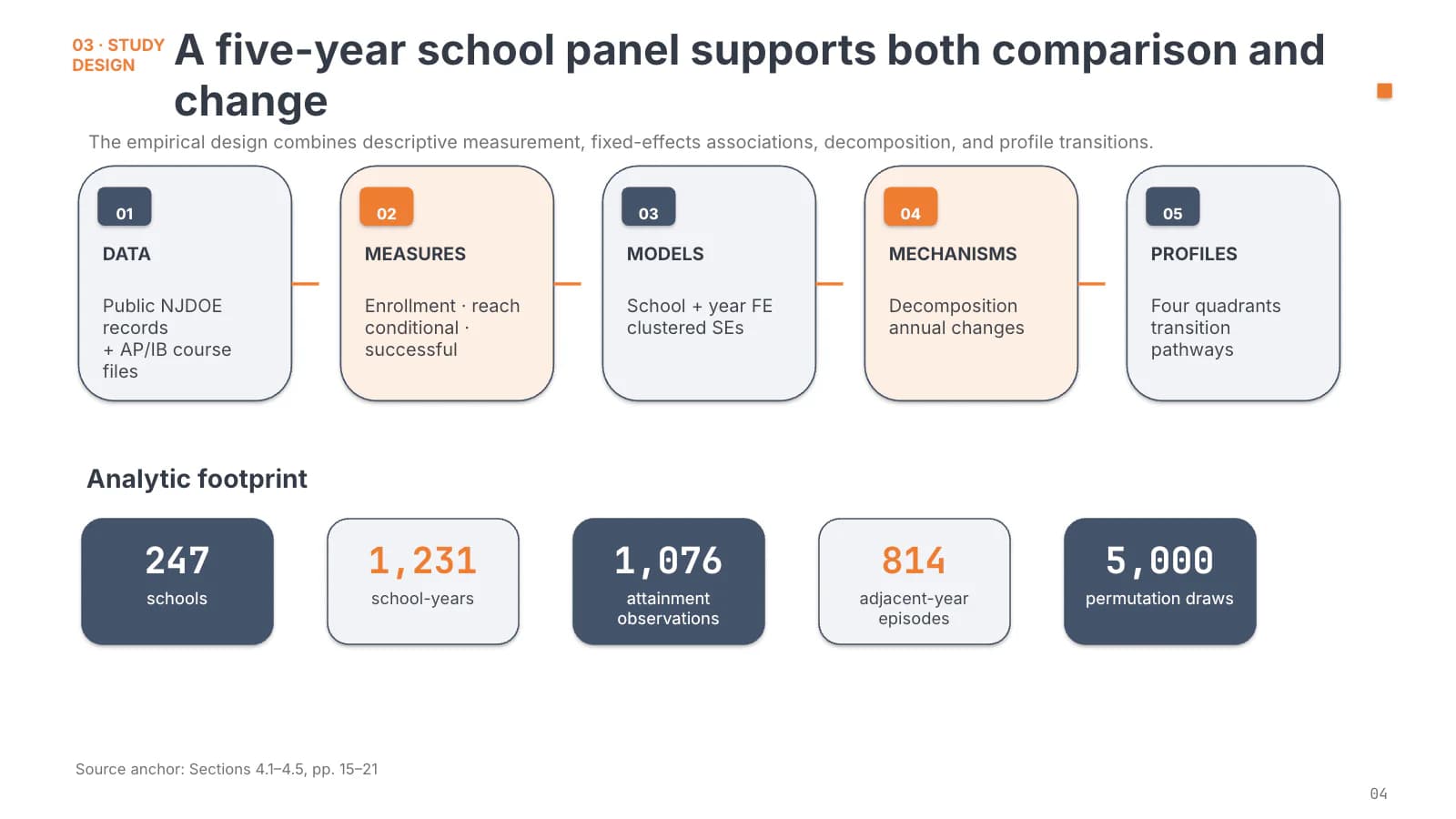
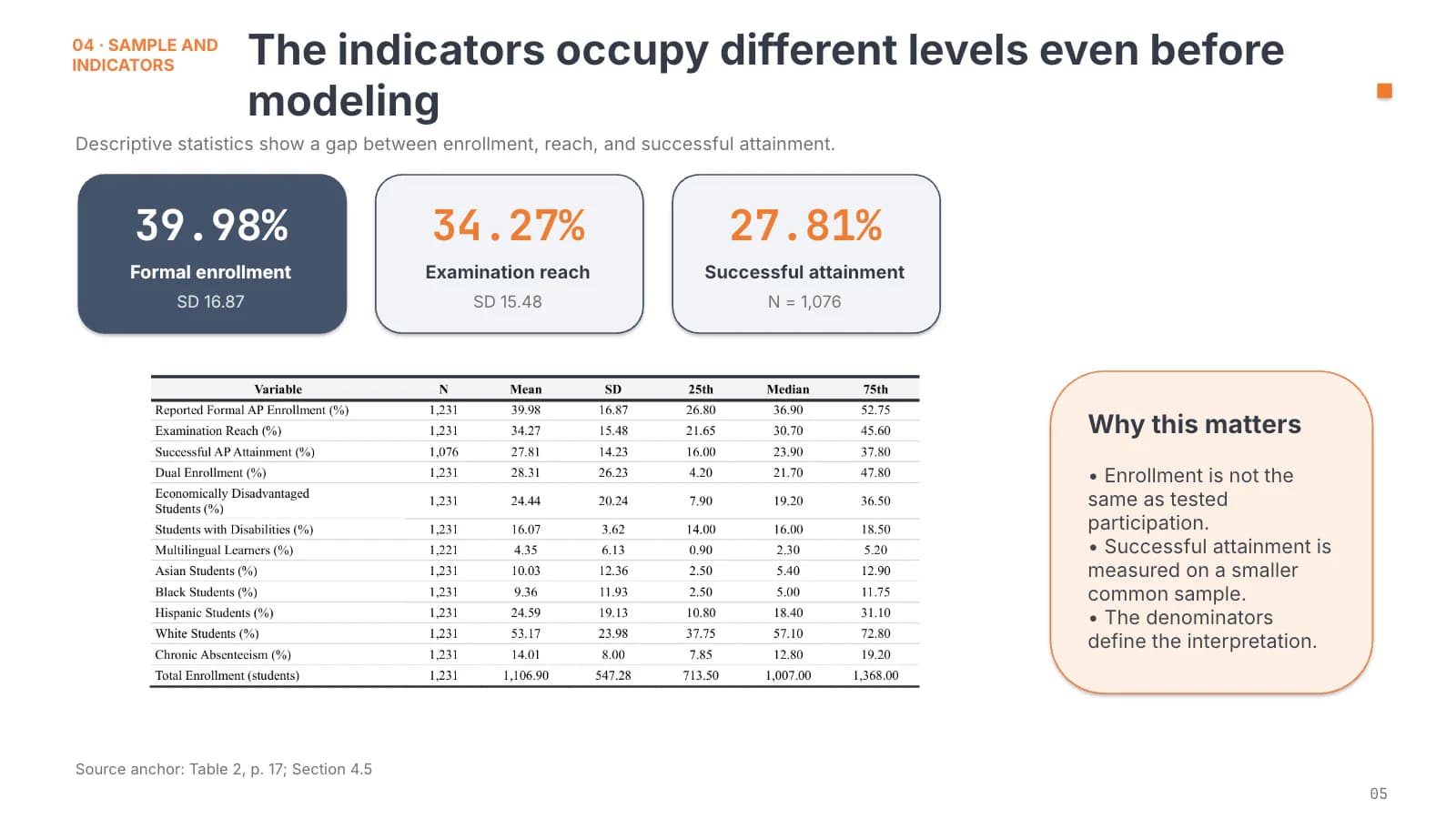
Five numbered step cards walk through the design, then large stat tiles and a descriptive table.
 4
 5
Results and mechanism
6–84 min
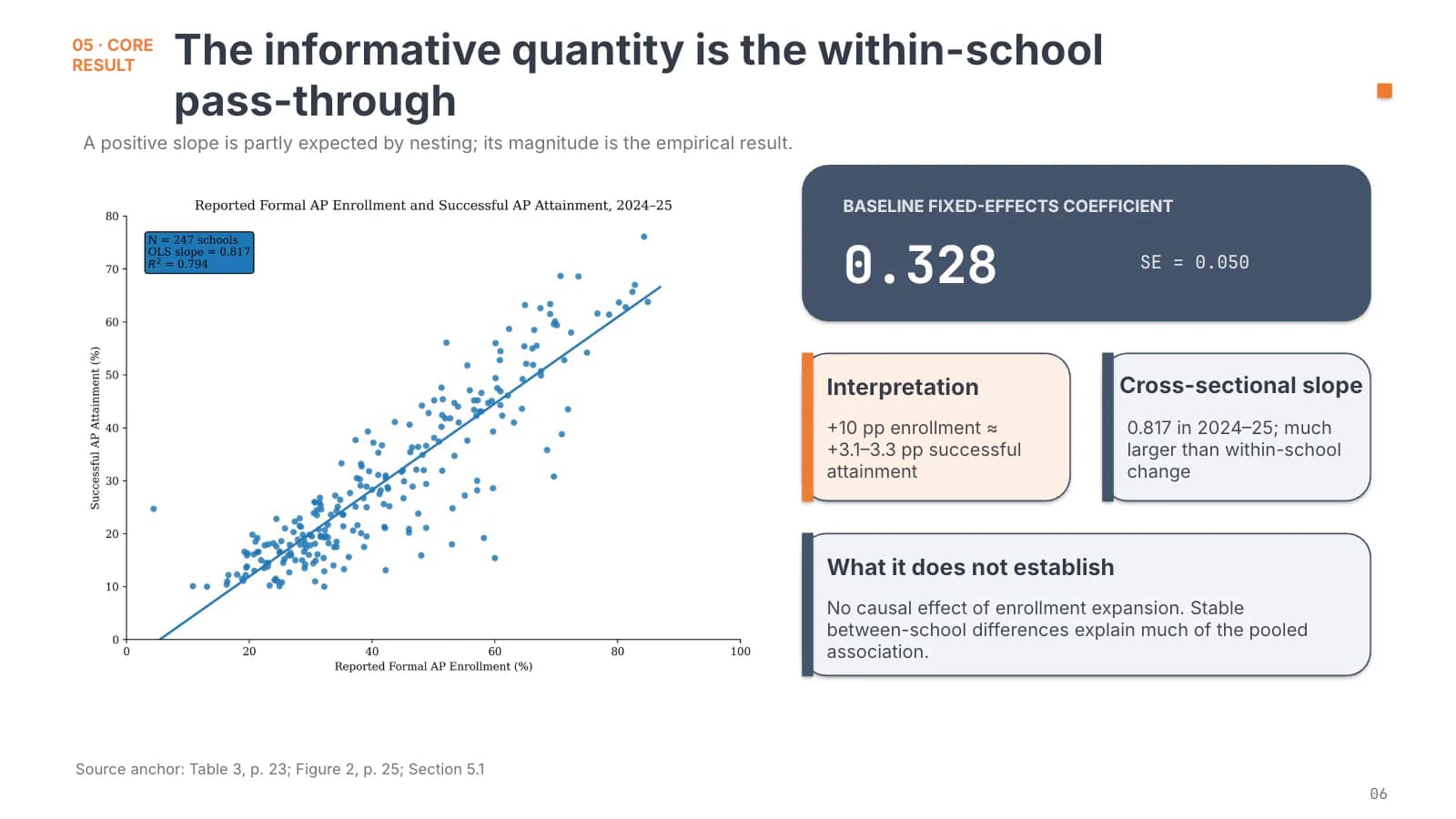
Plot on the left, interpretation cards on the right; a coefficient table, then the decomposition.
 6
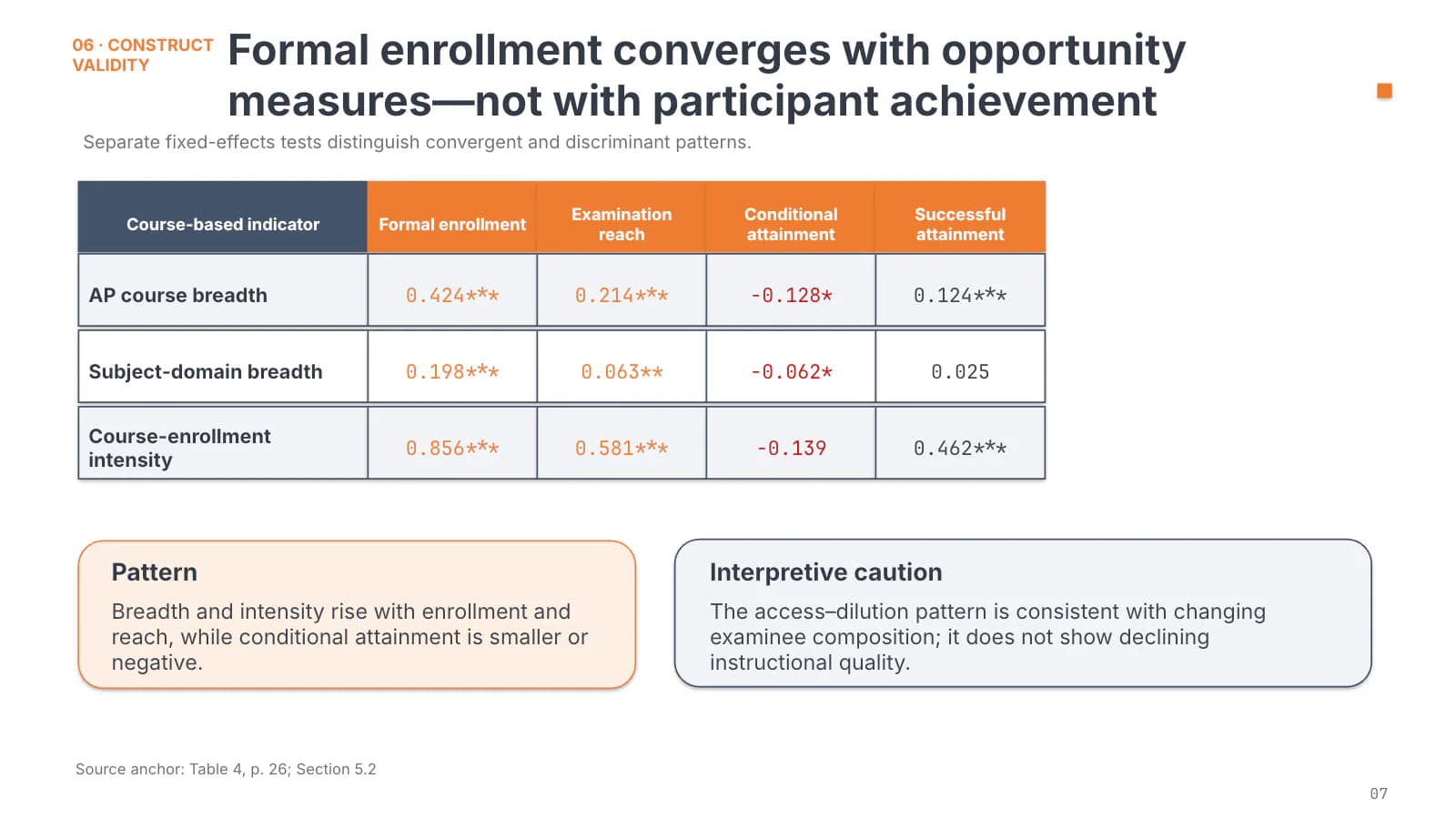 7
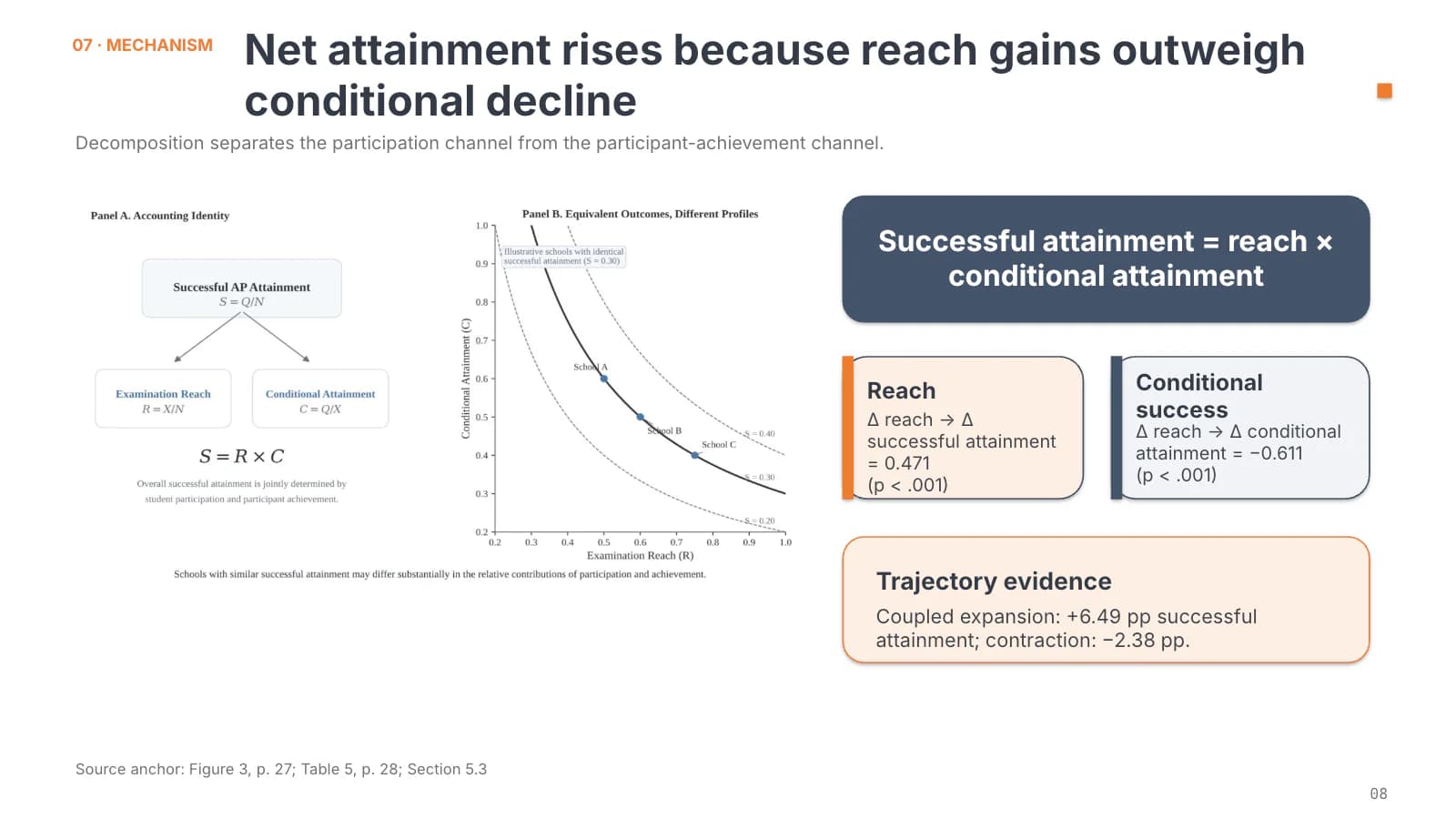 8
Profiles and trajectories
9–113 min
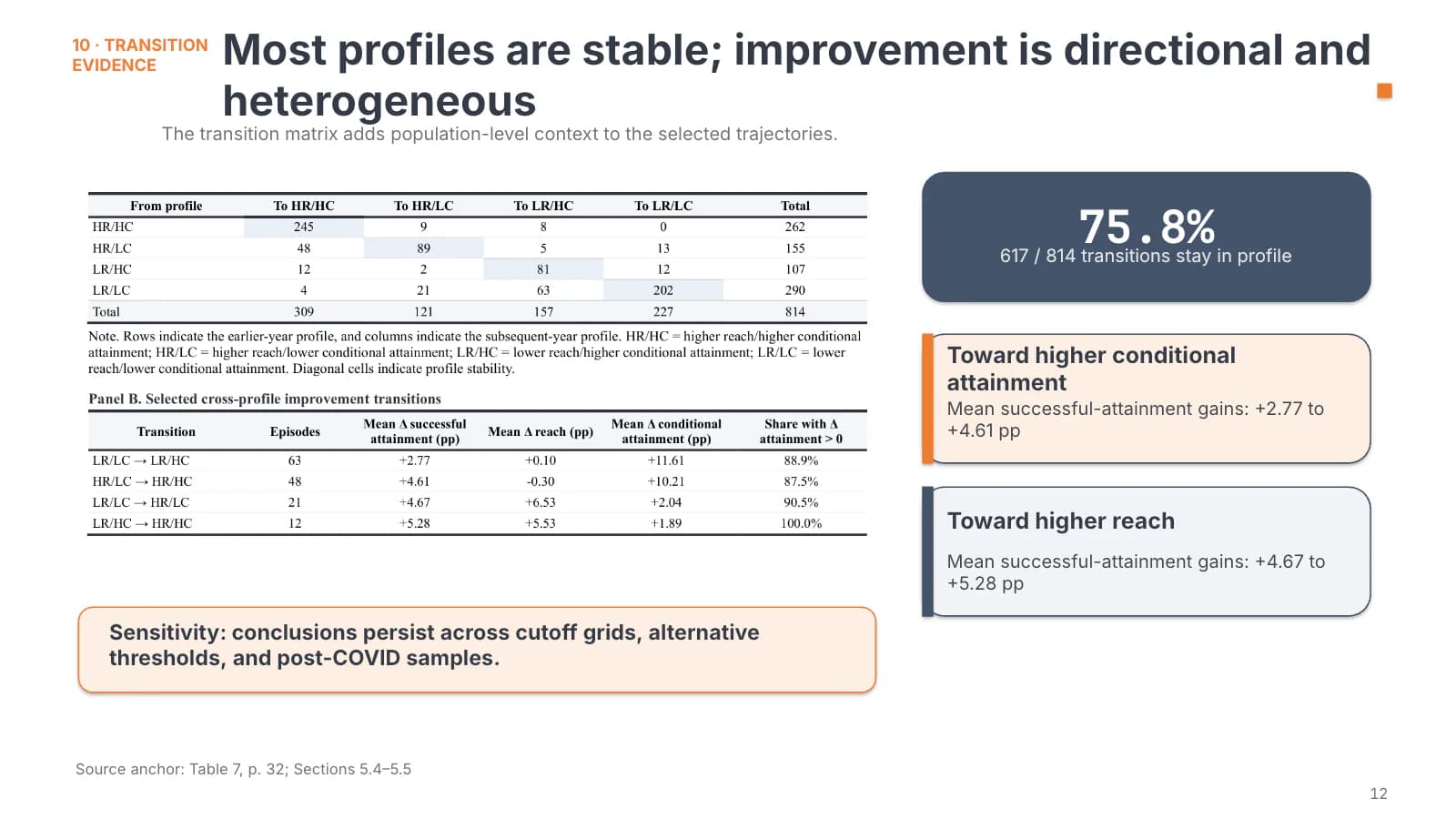
Quadrant cards, trajectory types and a transition matrix show how different units change.
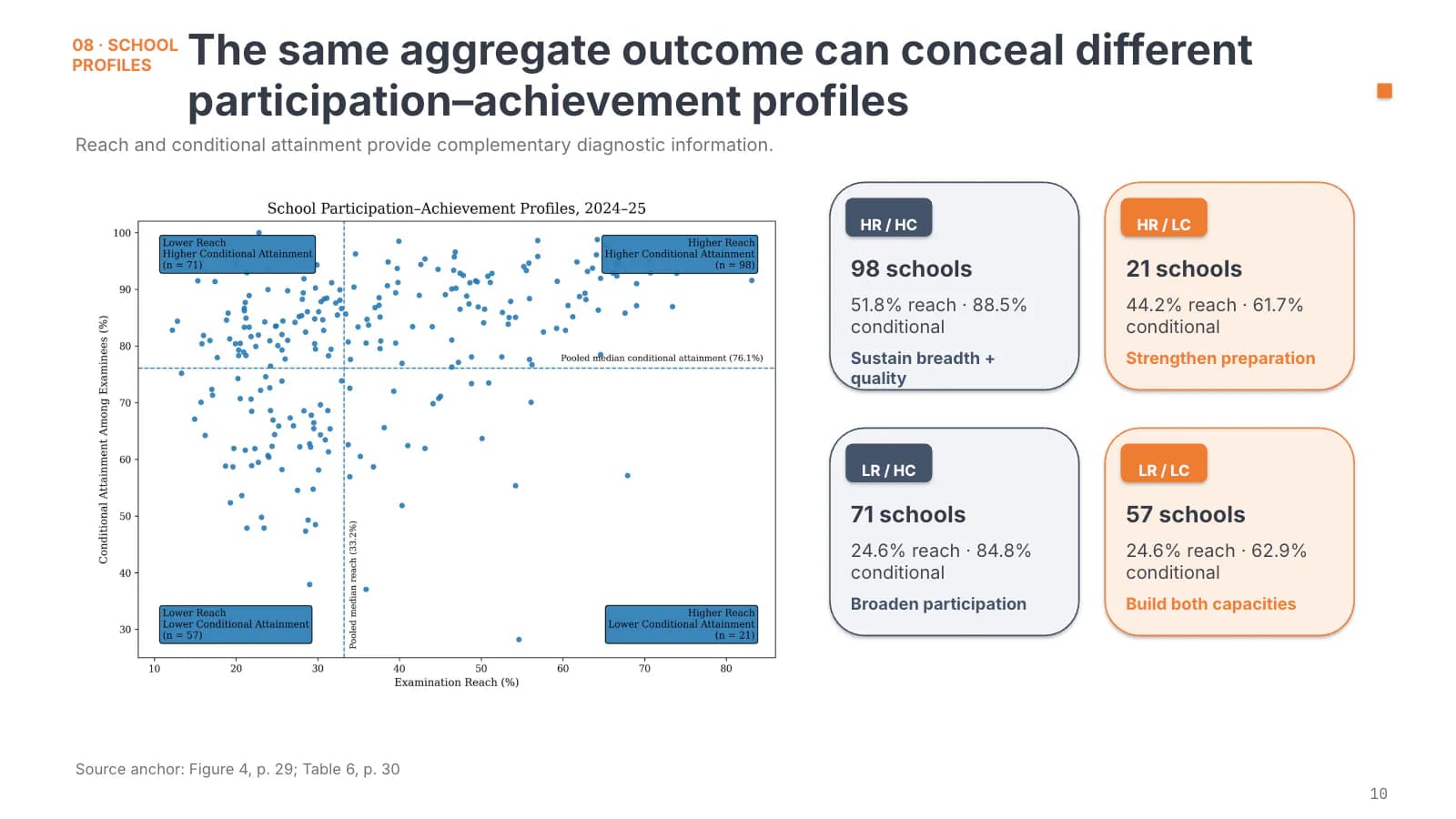 9
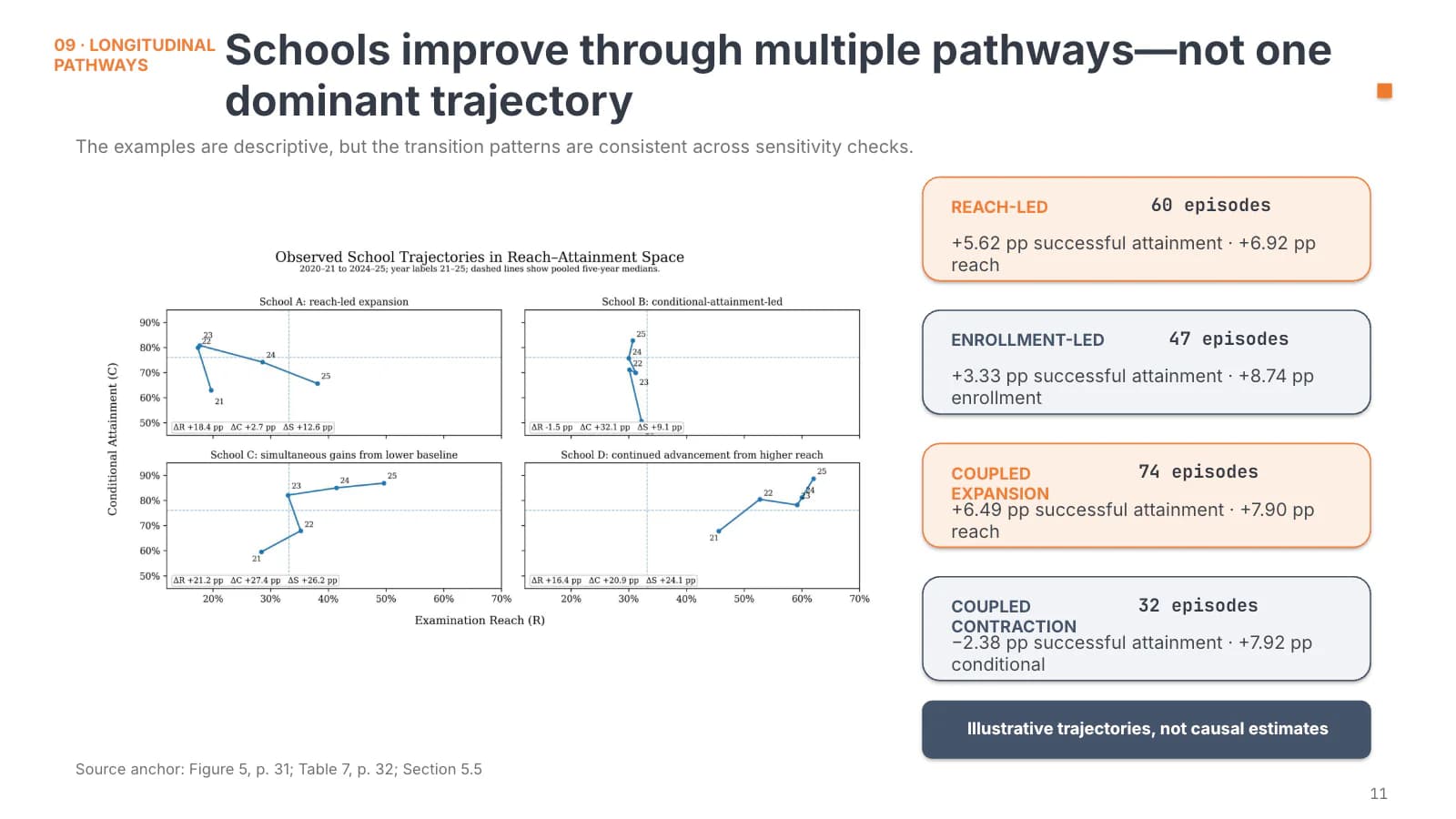 10
 11
Implications
121 min
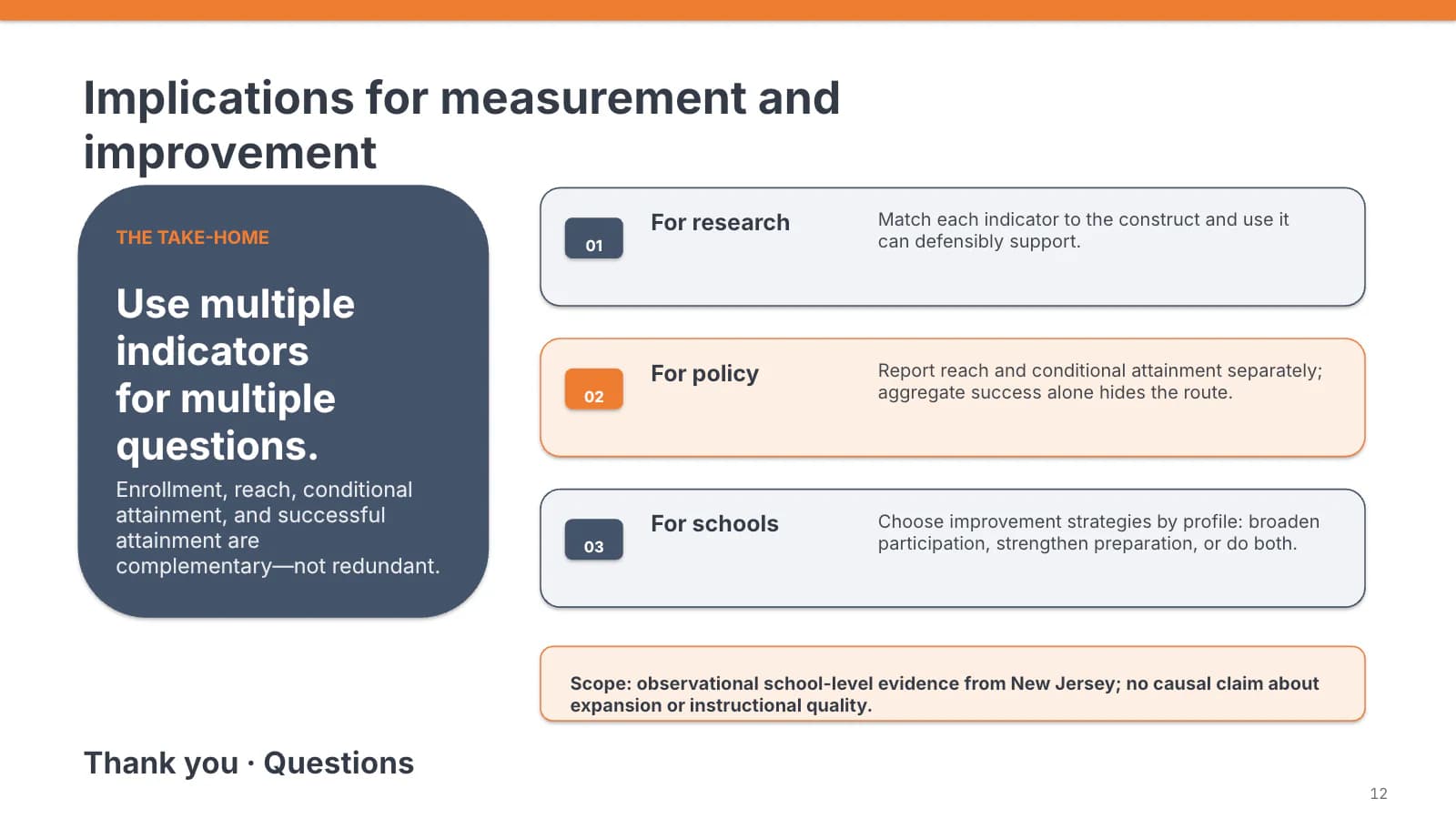
One take-home sentence in the slate block, three numbered recommendations, and a scope note.
 12
What's in the file
The sample file has 12 slides at 16:9 with 208 editable text boxes and 7 pictures, no speaker notes, Calibri for headings and body, and a 1.8 MB download. Tables, scatter plots and trajectory charts from the source paper sit in the deck as pictures, so changing their numbers means replacing the image; card, kicker and title text can be edited directly in place.
- Slides
- 12
- Aspect ratio
- 16:9
- Editable text boxes
- 208
- Pictures
- 7
- Speaker notes
- No
- Theme fonts
- Calibri
- File size
- 1.8 MB
Good for
Grant application defense
Put your strongest figure in the orange box on the cover, rewrite the five step cards on slide 4 as your work plan, and turn the closing recommendations into expected outcomes.
1, 4, 12
Mid-term or final project report
Report headline deliverables in the three stat tiles on slide 5, swap the slate coefficient card on slide 6 for your key result, and use slide 11's table for task status.
5–6, 11
Measurement or evaluation study
The sample itself is an education measurement study, so the indicator labels on slide 2 and the quadrant cards on slide 9 carry over once you swap in your own indicators and groups.
2–3, 9
How to use it in Yila
- 1Pick a template
- 2Upload your paper or describe your talk
- 3Yila builds an editable PPTX
Tips
Do
- Keep the orange cover box for one number only, the one a reviewer must not miss.
- Give the four quadrant cards matching line counts so the slate and orange pairs read as a contrast.
- Keep the source anchor line at the foot of each slide, citing the table, figure and page of your paper that the slide draws on.
Avoid
- Long section kickers: once the orange label runs past two lines it pushes the headline sideways.
- Stacking three or more slate, grey and orange cards on one slide; the contrast stops pointing anywhere and the slide reads as a dashboard.
Questions
Can I swap slate and orange for my university's colours?
Yila builds this template in slate and orange. Once you have the PPTX you can recolour shapes by hand in PowerPoint or similar software, though the card-heavy slides make that slow work. Whatever you choose, keep one dark and one bright colour, or the paired cards and alternating labels lose the contrast the layout depends on.
Can I add or remove slides?
Yes. The 12 slides are how one education study was laid out; Yila rewrites every slide from your paper and notes, so the count follows your material rather than the sample. In the file itself you can duplicate an existing card slide to add more, or delete the ones you do not need.
Will it open in PowerPoint and Keynote?
Yes. You receive a PPTX that opens in PowerPoint, Keynote and WPS, where the text can be edited. The deck uses Calibri throughout; on a machine without it the font is substituted and line breaks in the cards may shift, so run through every slide on the presentation computer before the panel meets.
Is this template free?
Viewing this page and downloading the sample deck cost nothing. Generating your own version with Yila consumes credits, and every new account starts with 2,500 credits, enough to try a first draft from your paper before deciding whether this slate-and-orange layout suits your defense.
Can I reuse the sample content as it is?
No. The sample is not a blank template: it carries the data, byline and source references of an education measurement study, all of which need replacing. When you generate with Yila, each slide is rewritten from the paper or description you provide, including the source anchor line at the foot of every content slide.
Does it suit a national science foundation proposal defense?
It was distilled from a template made for exactly that kind of defense. The two colours let you set need against current state, or aims against existing groundwork, side by side, and a red highlight marks the one clause a reviewer must see, at most once per slide.