Slide template · 16:9 · 19 slides
Red Rounded-Panel Grant Report Slides Template
A large rounded red panel sits on a white cover; content slides stay white under centred red titles with Chinese ordinal numbering and a short red underline. Built for multi-subproject grant defenses and annual progress reports.

What this template is
Red holds the structure, gold supplies the accents, and content slides keep plenty of white space. On the cover a small line names the programme and year, a big rounded red panel carries a two-line white title and the project leader's pill, and up to ten participating units are listed below, separated by thin rules. Every content slide centres its red title behind a Chinese ordinal and underlines it with a short red stroke; evidence sits in red-headed cards, numbered columns and tables. The five-part agenda runs from rationale to risk, which suits projects with several subprojects and a division of labour to explain.
What goes in each section
Cover and agenda
1–21 min
Programme name, project leader and participating units, then five numbered agenda items.
 1
 2
Rationale and state of the field
3–53 min
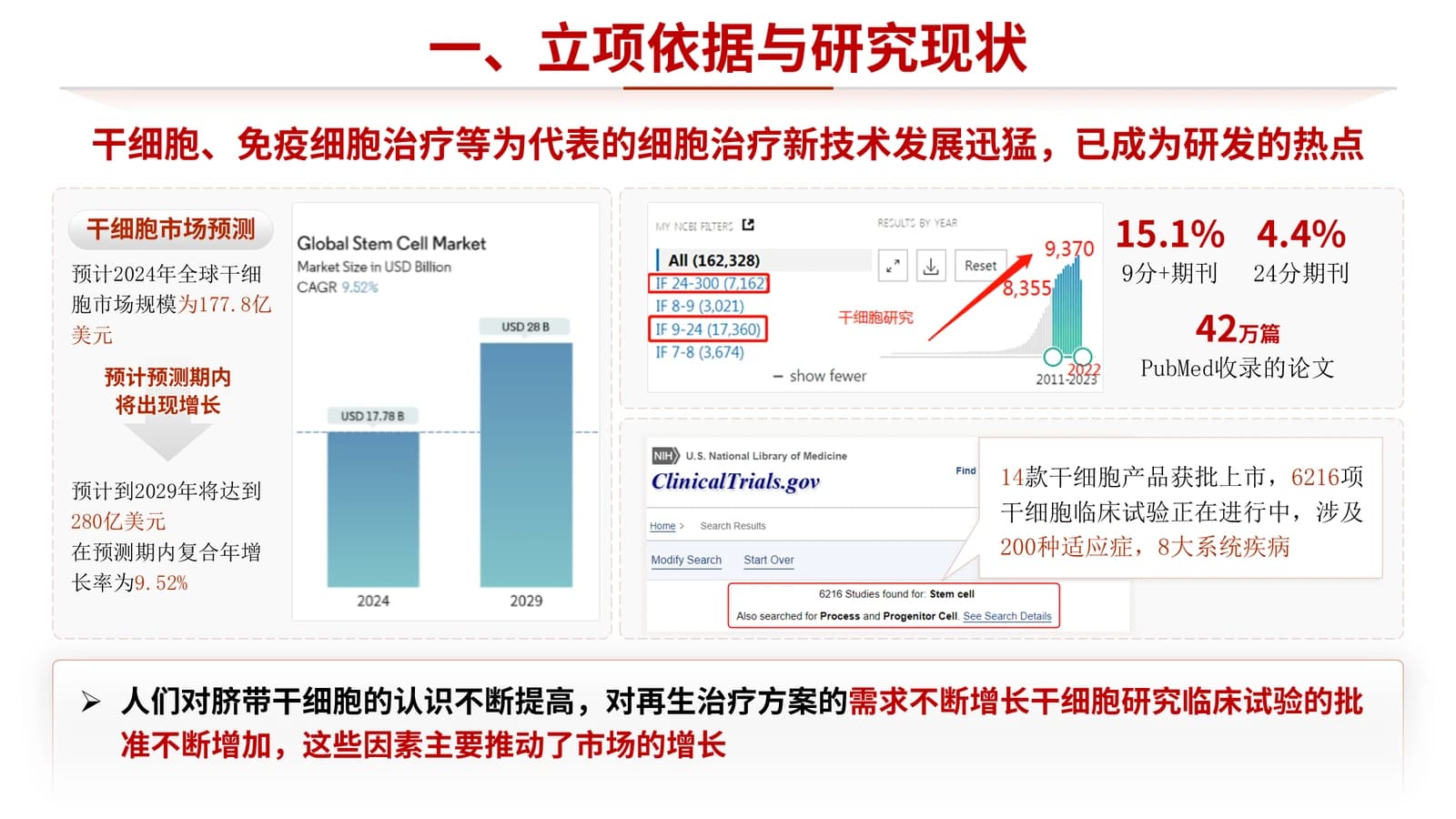
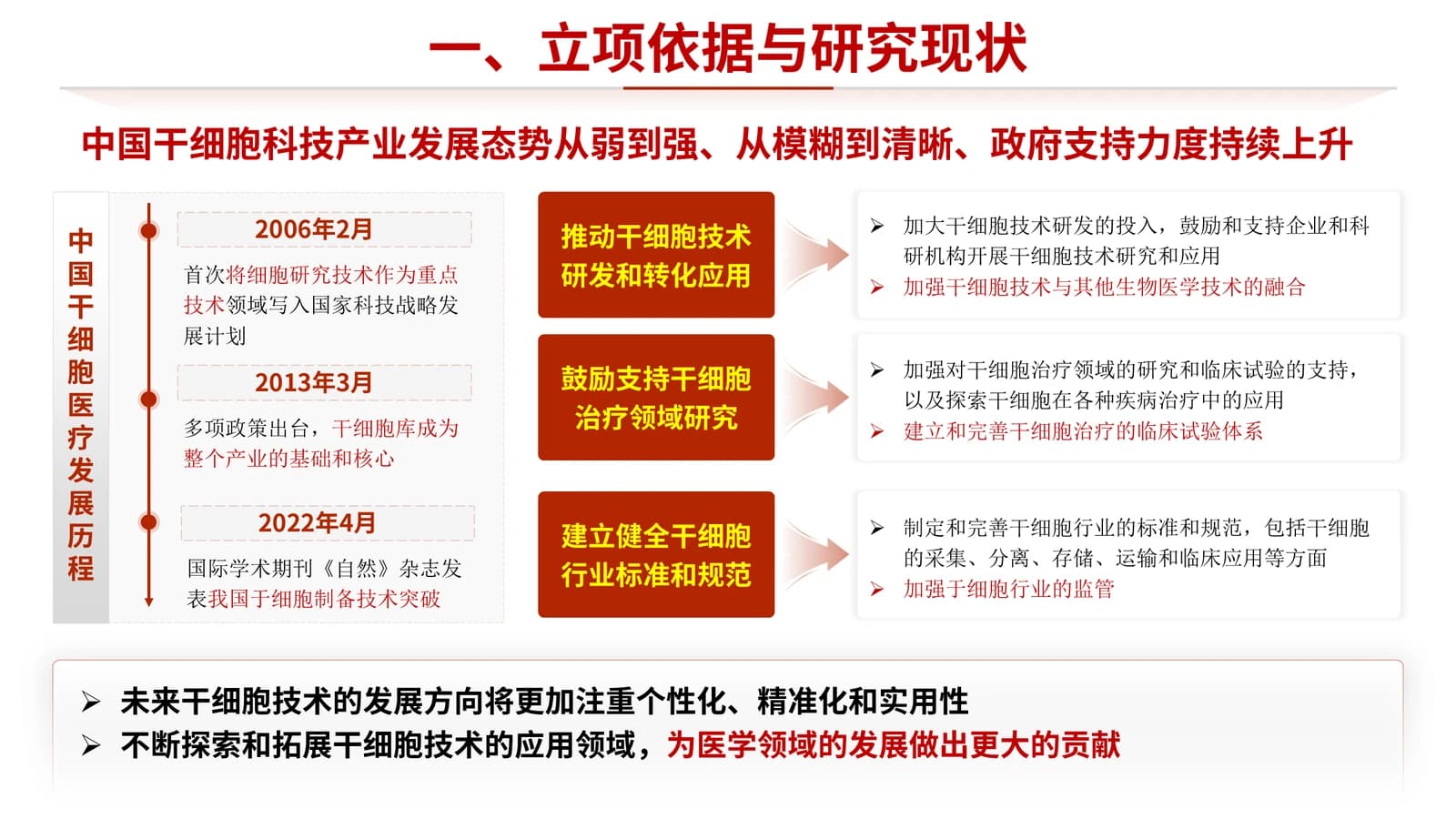
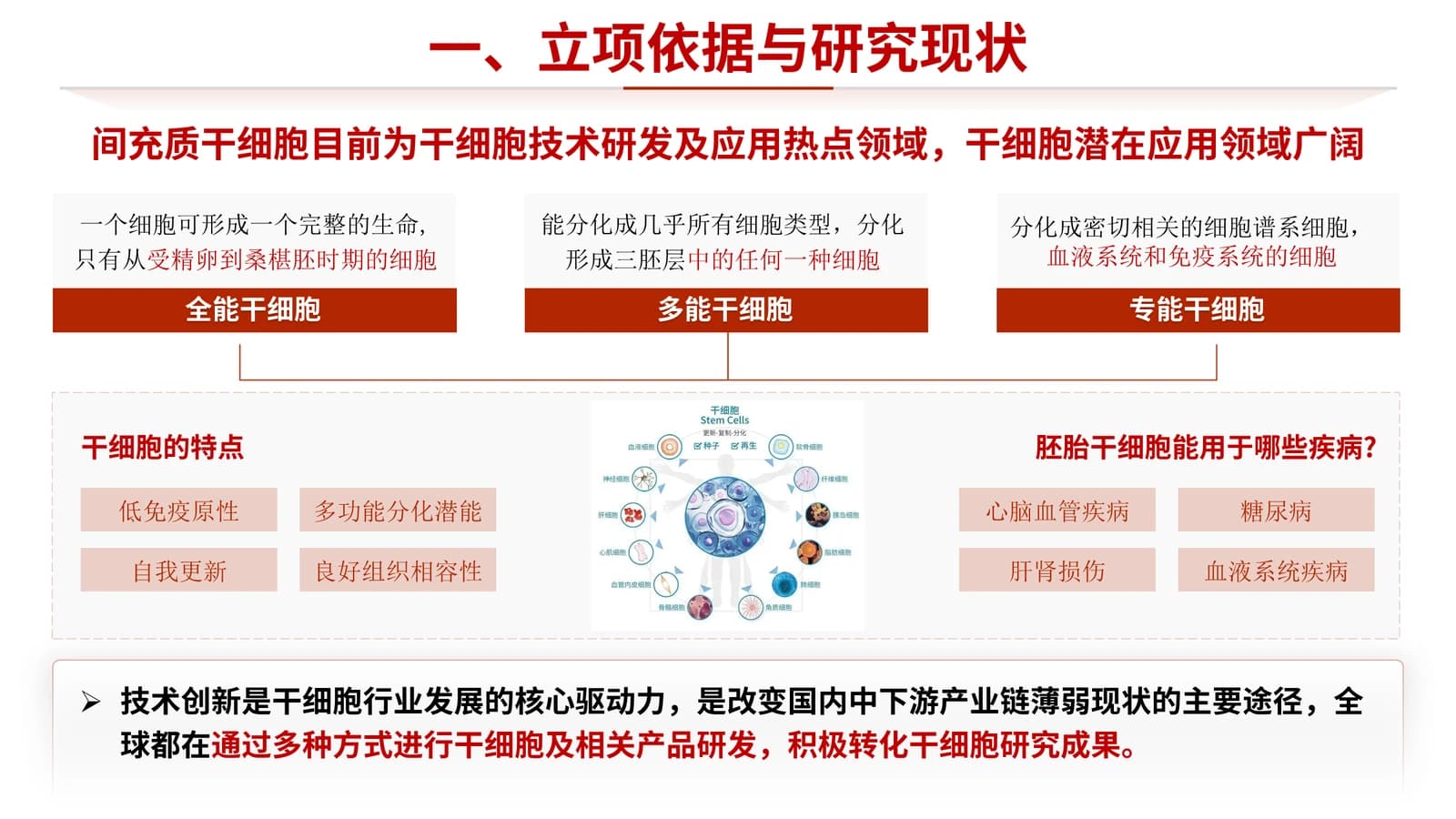
Market outlook, a policy timeline and cell types build the case for funding.
 3
 4
 5
Subprojects and research content
6–83 min
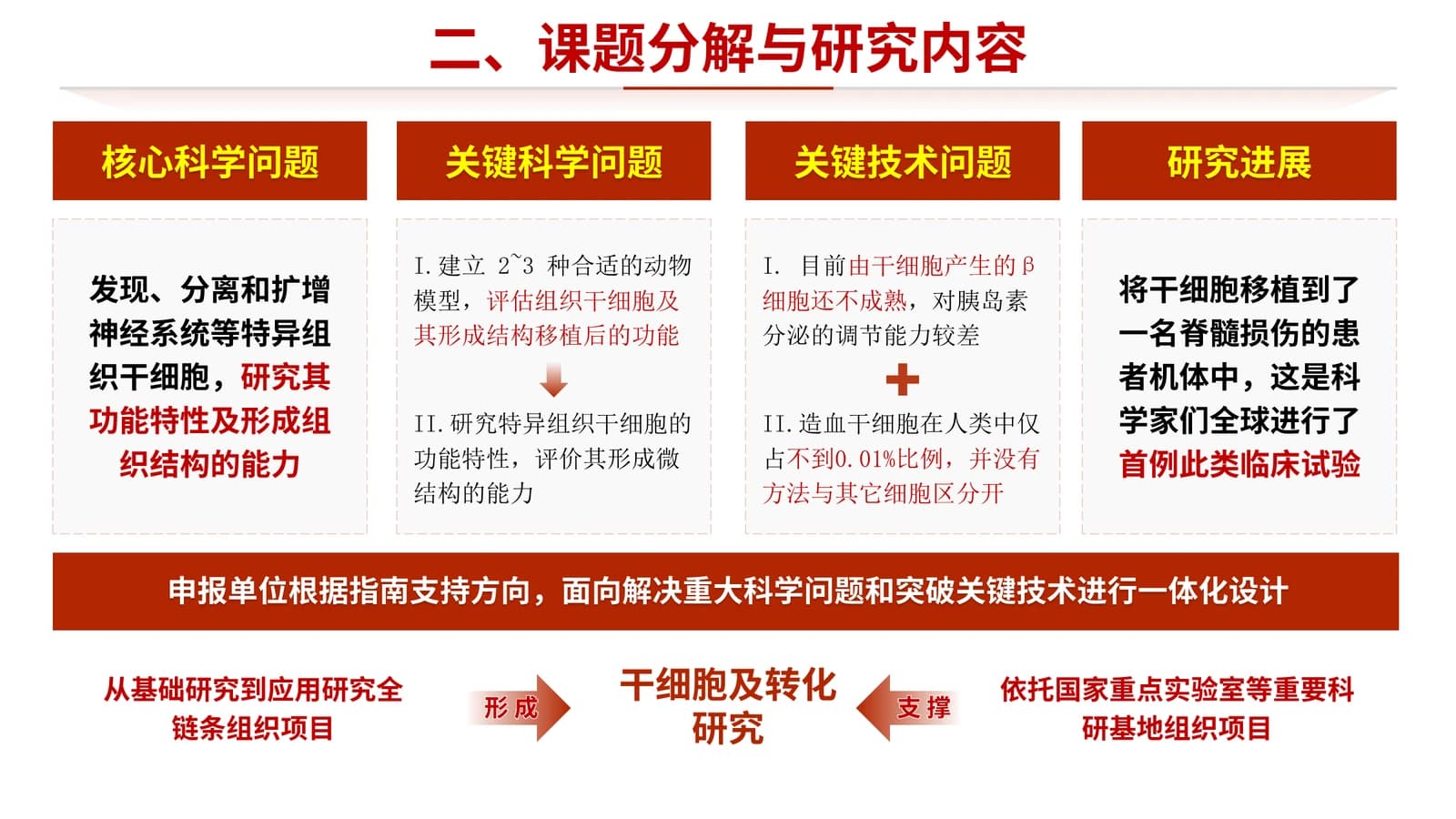
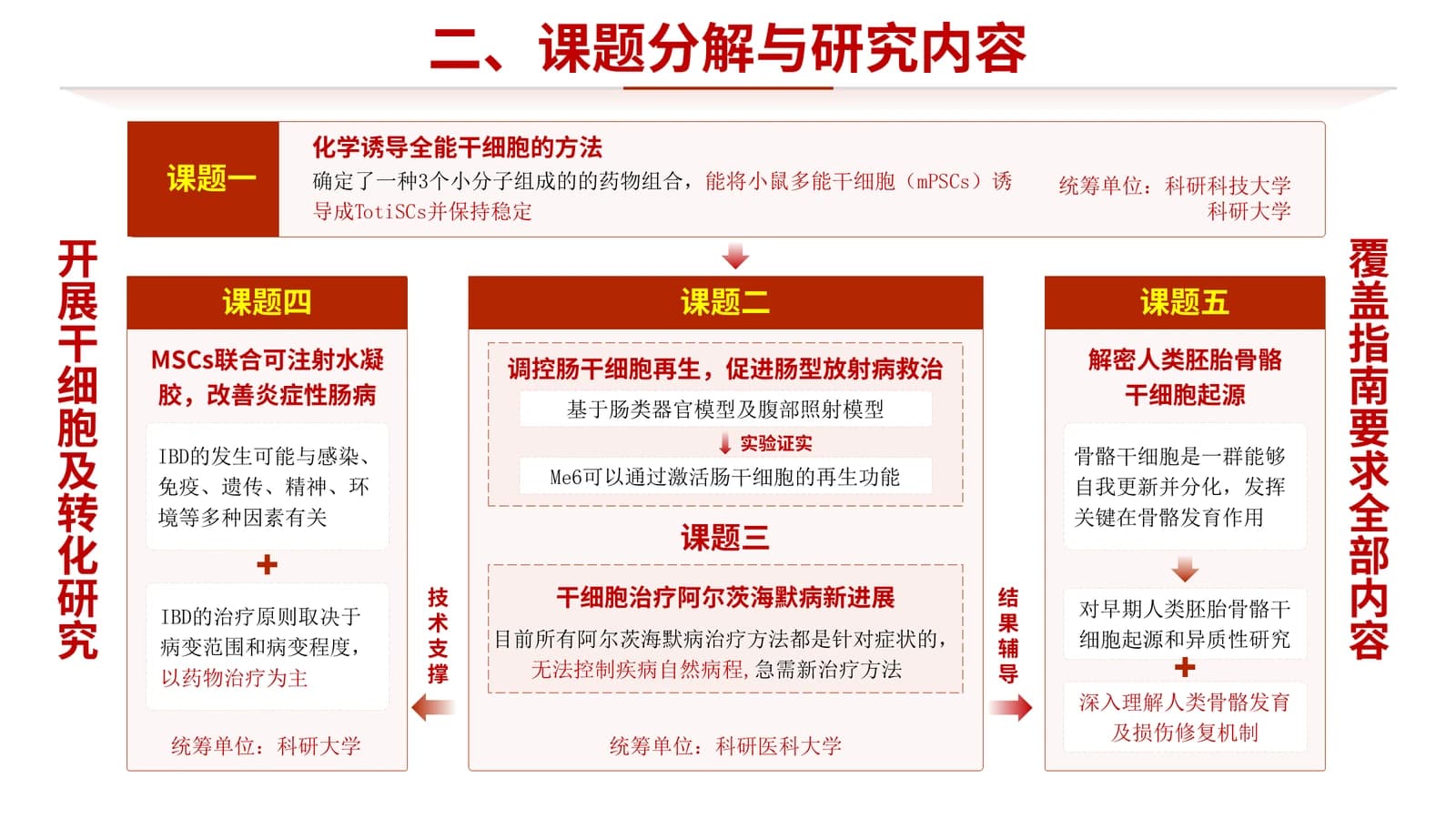
Four question types side by side, then a hub diagram showing how five subprojects connect.
 6
 7
 8
Tasks and schedule
9–124 min
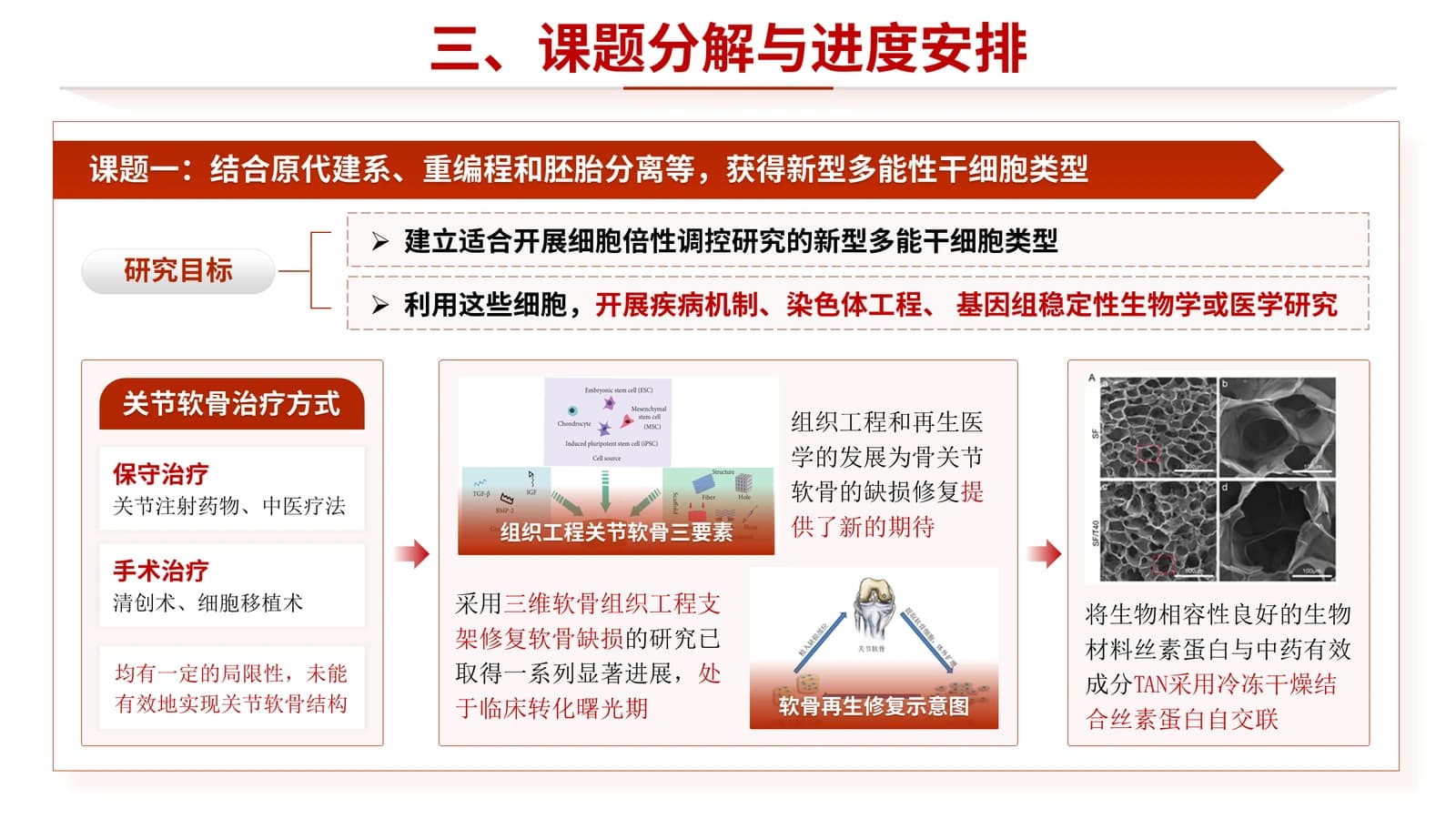
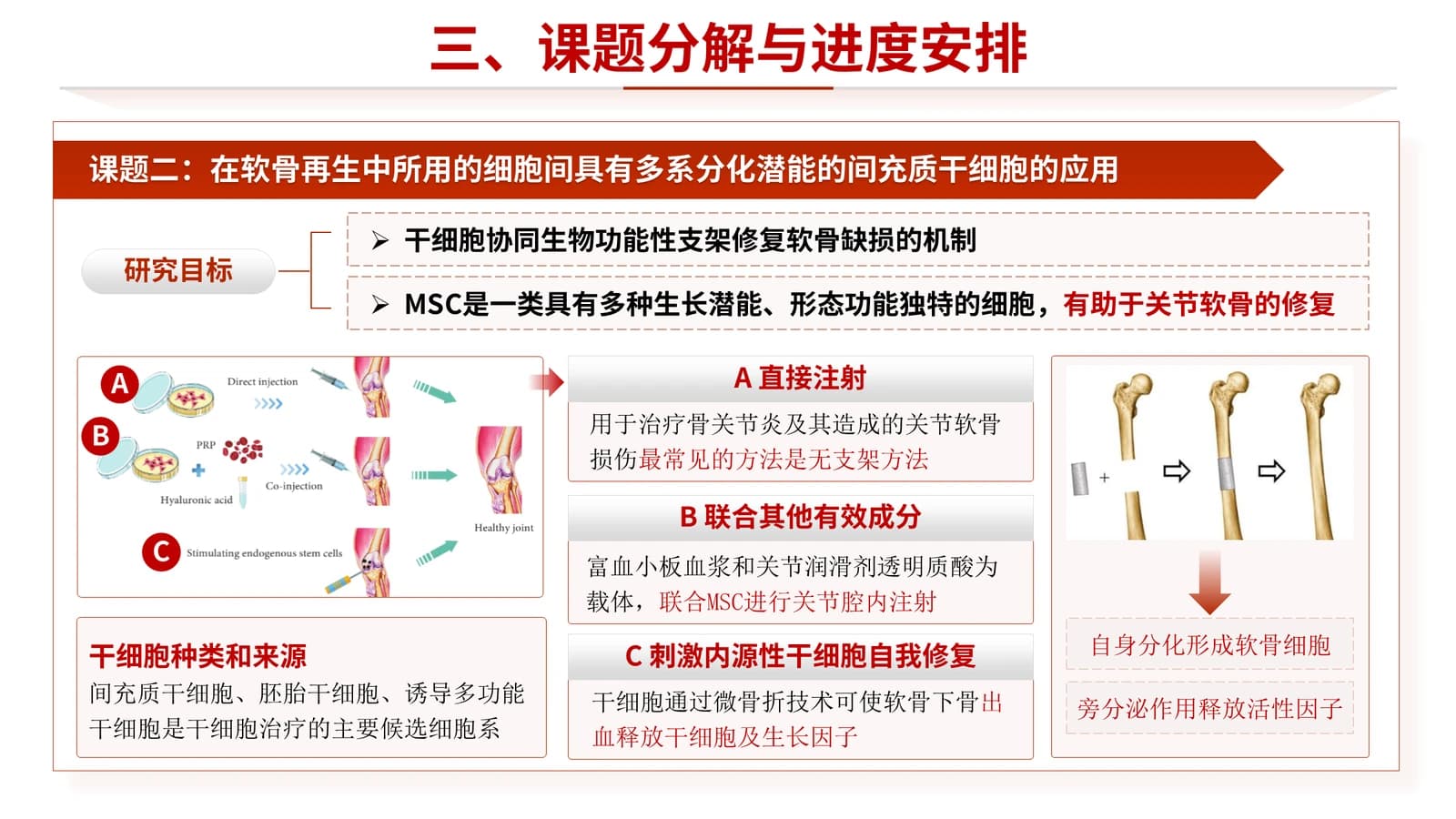
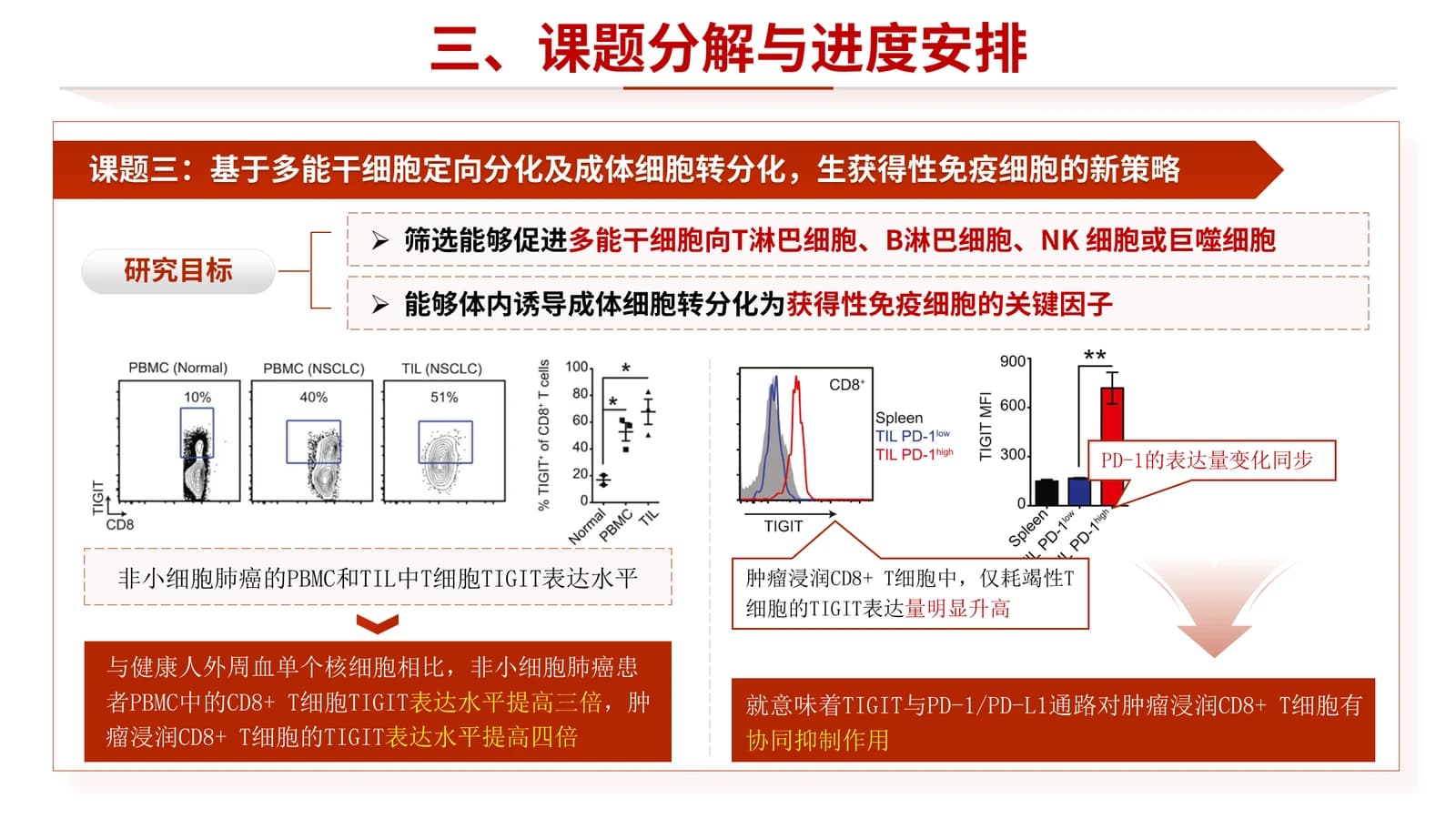
One slide per subproject, each with a red arrow banner, two goals and three image panels.
 9
 10
 11
 12
Team and host platform
13–162 min
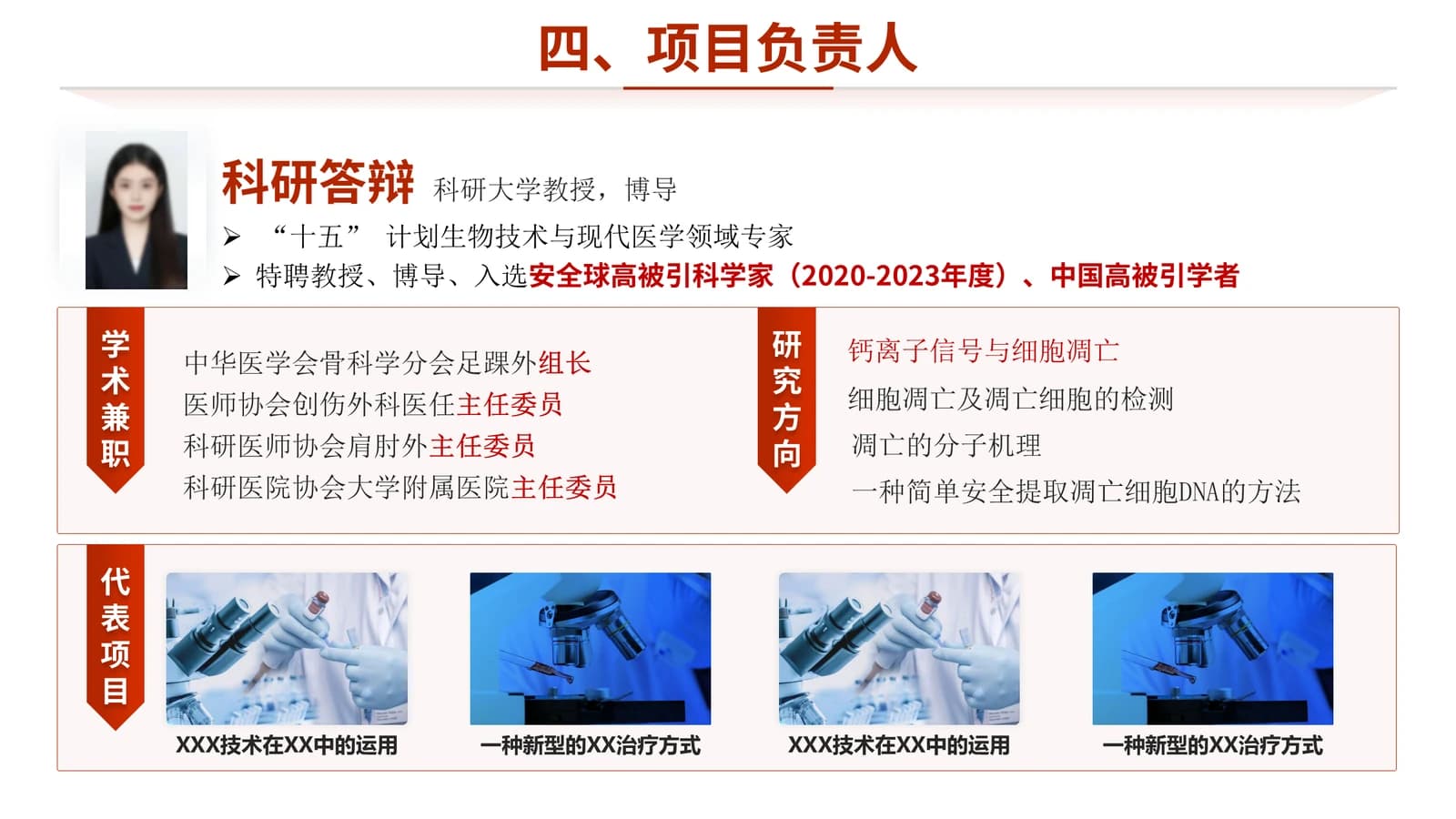
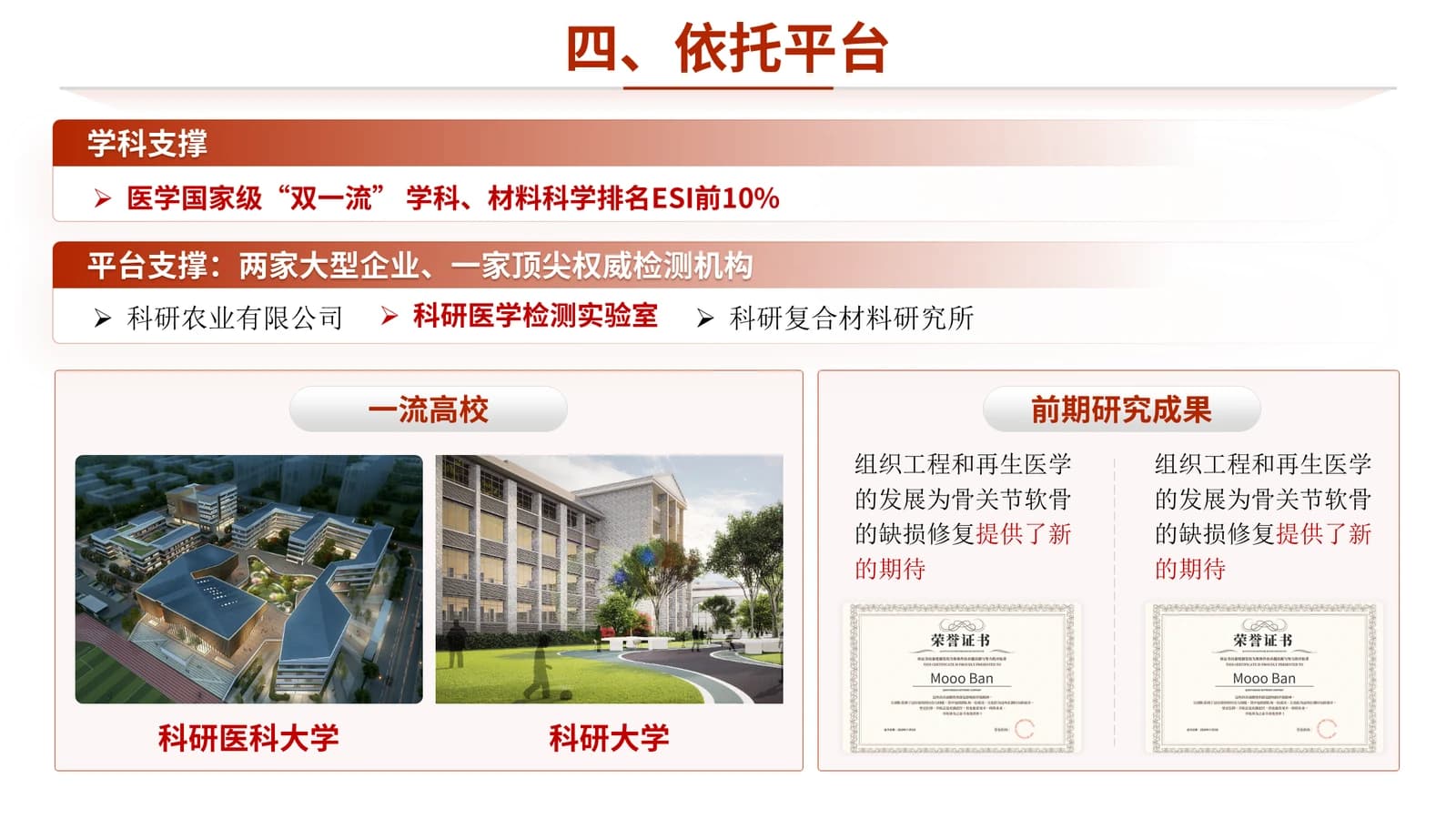
Leader profile, member count tiles, subproject leads, then campus and certificate photos.
 13
 14
 15
 16
Risks and thanks
17–192 min
A four-row risk table with measures and levels, then a closing slide matching the cover.
 17
 18
 19
What's in the file
The sample has 19 slides at 16:9 with 274 editable text boxes and 36 pictures, no speaker notes, DIN Black and DIN as theme fonts, and a 47.2 MB download. Diagrams, database screenshots and photos are pictures; titles, red-headed cards and the risk table edit as text, so most rewording needs no image work.
- Slides
- 19
- Aspect ratio
- 16:9
- Editable text boxes
- 274
- Pictures
- 36
- Speaker notes
- No
- Theme fonts
- DIN Black / DIN
- File size
- 47.2 MB
Good for
Defending a multi-subproject key project
Slide 7 lines up four kinds of scientific and technical question to justify the project, slide 8 places five subprojects around a hub with support arrows, and slides 10 to 12 give each subproject its own goals.
7–8, 10–12
Annual progress report
Use the small line above the cover panel for the programme name and reporting year, report each subproject's progress on slides 10 to 12, and update risk levels in the table on slide 18.
1, 10–12, 18
Mid-term review
Read slides 14 to 16 as one sequence: the leader's record, member counts with subproject leads, then the host platform, showing reviewers the team and facilities can carry the second half.
14–16
How to use it in Yila
- 1Pick a template
- 2Upload your paper or describe your talk
- 3Yila builds an editable PPTX
Tips
Do
- Add or remove subproject boxes on slide 8 to match your real count, each holding a label and one short task line.
- Fill the level column of the risk table with high, medium or low only, and state each measure in one sentence.
- Mark the single flagged value in the deeper dark red so it stands apart from the structural red of headers.
Avoid
- Do not add images or a third title line to the cover panel; two white lines and the leader pill fill it.
- Avoid agenda labels of very different lengths, or the five items look ragged as the red highlight moves down.
Questions
The red is strong. Can I use a different colour?
Yes, by choosing the white-and-blue, green or violet version of the same fund-report family, which share its structure; Yila generates whichever palette you pick. You can also recolour panels and headers in PowerPoint after download, but red runs through the cover, agenda and tables, so the manual work adds up.
Can the number of slides change?
Yes. The 19 sample slides match one stem-cell project with five subprojects. Yila rewrites every slide from your proposal or paper, so fewer subprojects means fewer task slides; after generation you can also duplicate a subproject slide to add one or delete sections you do not need.
Can I open it in PowerPoint and Keynote?
Yes. The delivered PPTX opens in PowerPoint, Keynote and WPS with editable text. The theme fonts are DIN Black and DIN, which many computers lack, so a substitute will appear and figures may change width; check the deck on the presentation machine before the session, especially the member count tiles on slide 15.
Is it free to use?
Browsing this page and downloading the sample deck cost nothing, and the sample is a fair preview of every layout in the family. Having Yila generate a deck from your material uses credits, and each new account receives 2,500 credits, so you can try one generation and judge the result before going further.
Can I keep the people and institutions shown in the sample?
No. The sample deck is not a blank template: the leader's portrait, member list, institution names, certificates and data are all demonstration content and must be replaced with your project's details. Yila rewrites every slide from your own material when it builds the deck, and you add real photos of your team and facilities afterwards.
Why do the sample's cover and closing slide name different programmes?
That is a slip in the sample itself: the cover names a stem-cell programme for 2025, while the closing slide carries a different name and 2022. Yila rewrites both from your project details; if you edit the sample by hand, change the two slides together.