Slide template · 16:9 · 17 slides
Green Field Grant Report Slides Template
A broad green band crosses a rice-field photo on the cover, with completion members and partner units listed beneath. Content slides use a green header, rounded green tabs and dashed boxes. Suited to agriculture and ecology grant defenses.

What this template is
Green carries the structure, and when Yila builds this theme it adds terracotta as the secondary colour. The cover lays a wide green band with a two-line white title over a faded photo of people working a paddy field; below it come the presenter pill, the main completion members and a row of partner units separated by thin rules. Content slides keep a green header band with numbered titles such as 1.1, while points sit in rounded green tabs and dashed boxes, with key sentences in red. The three-part agenda moves from national need to technical content to field application and social benefit.
What goes in each section
Opening
1–21 min
Project title, completion members and partner units on the cover, then a three-item agenda card.
 1
 2
National need and bottleneck
3–53 min
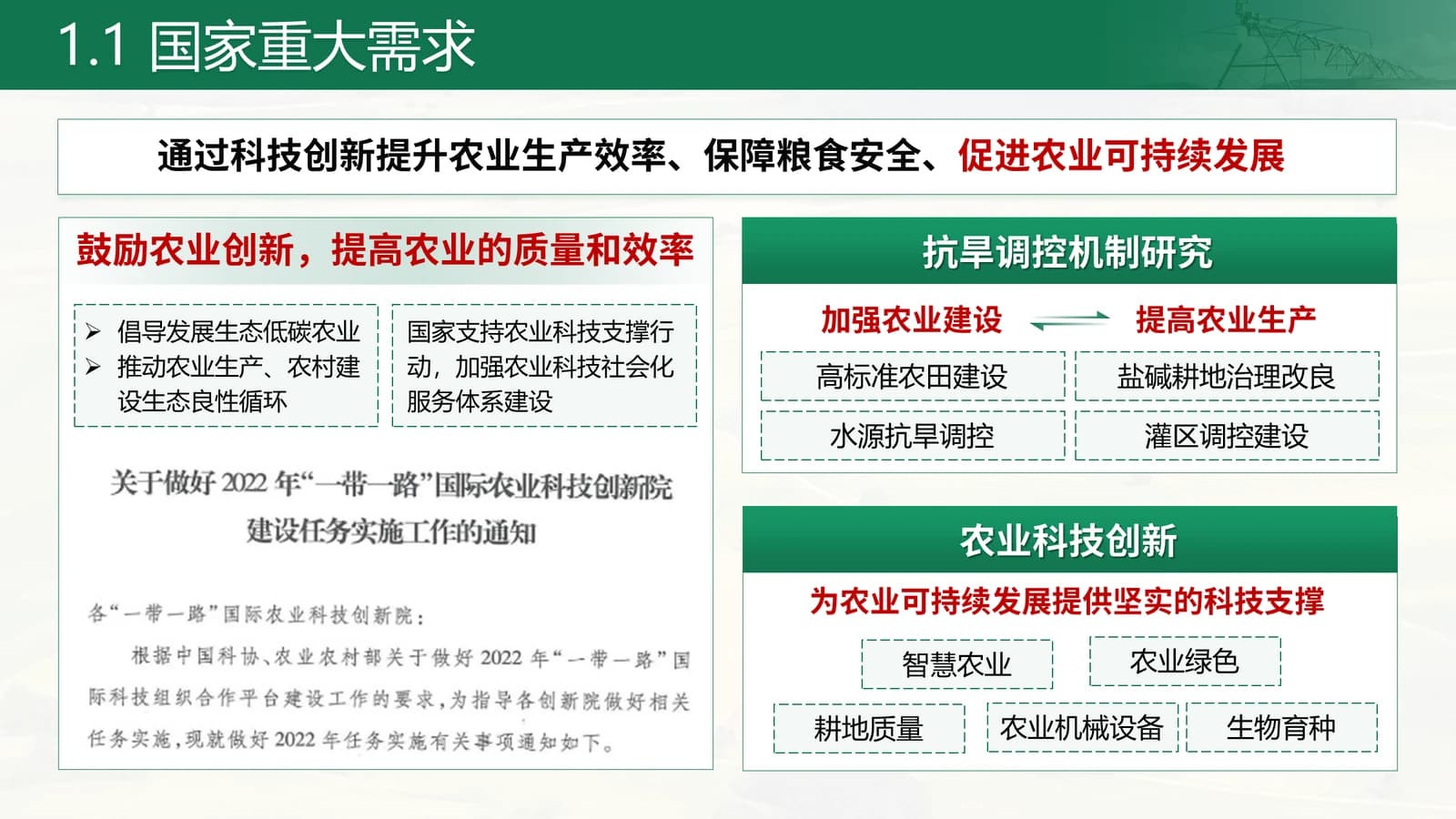
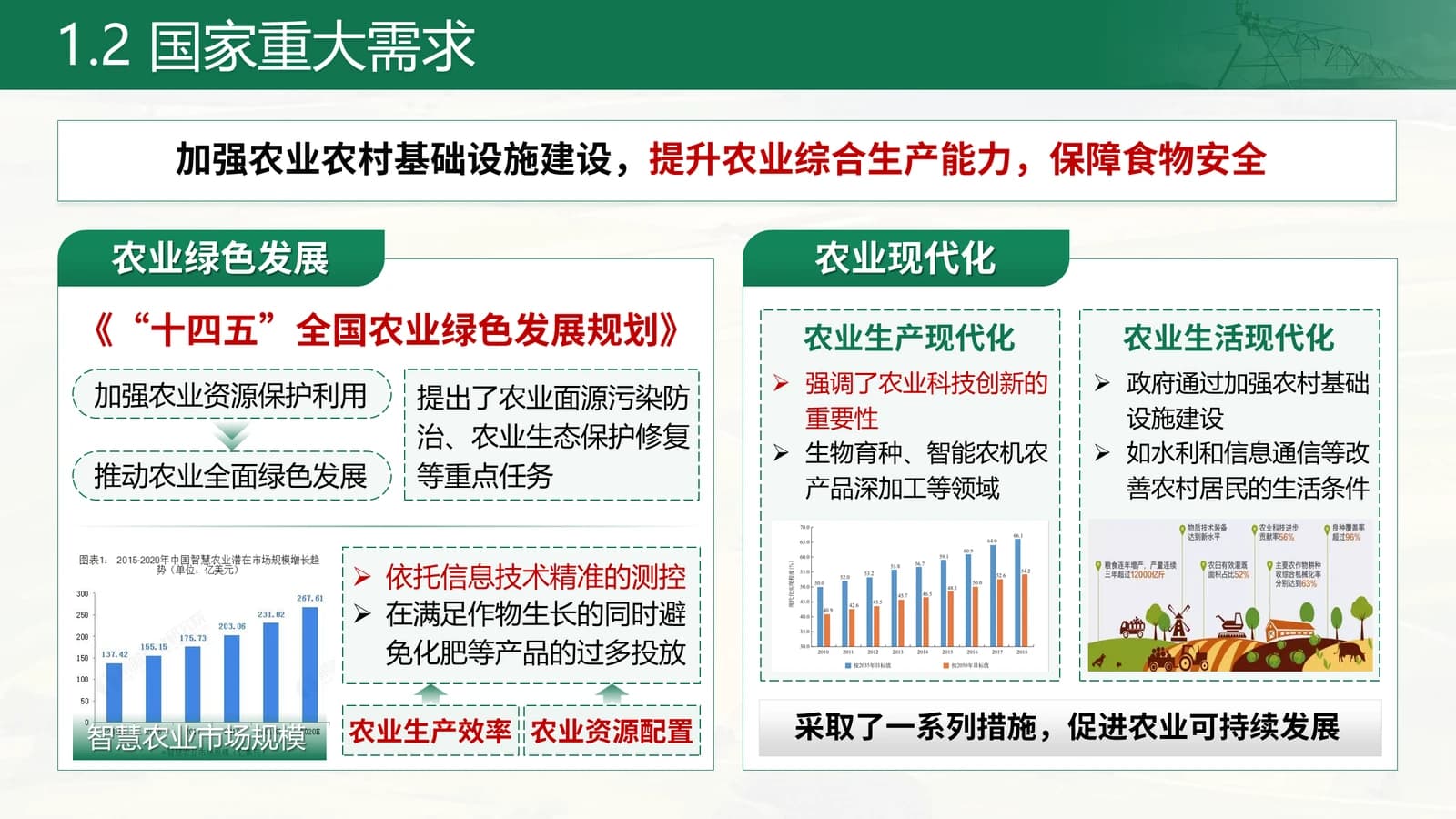
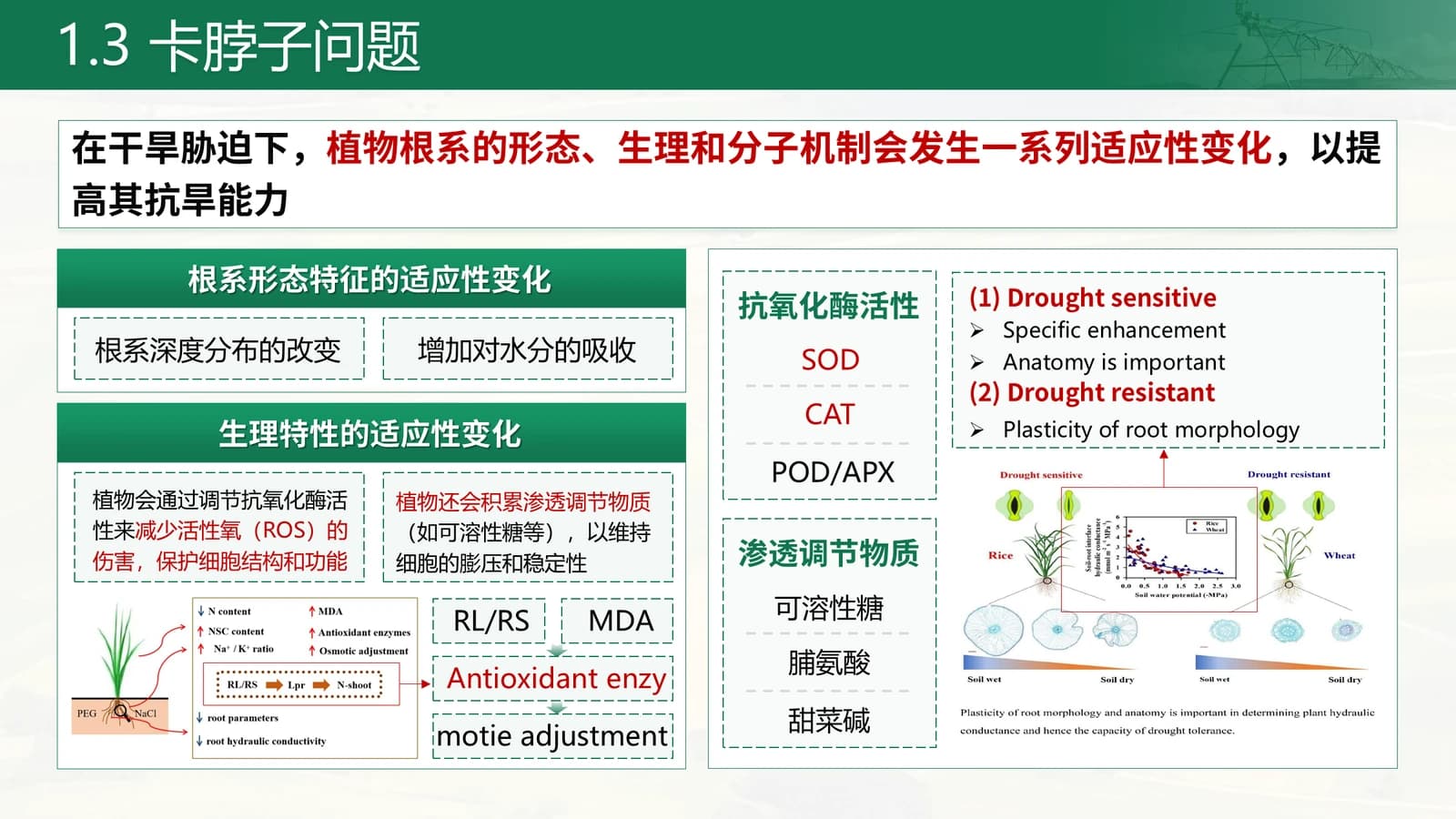
Policy basis and keyword grids first, then how plant roots adapt to drought stress.
 3
 4
 5
Research hotspots and aims
6–72 min
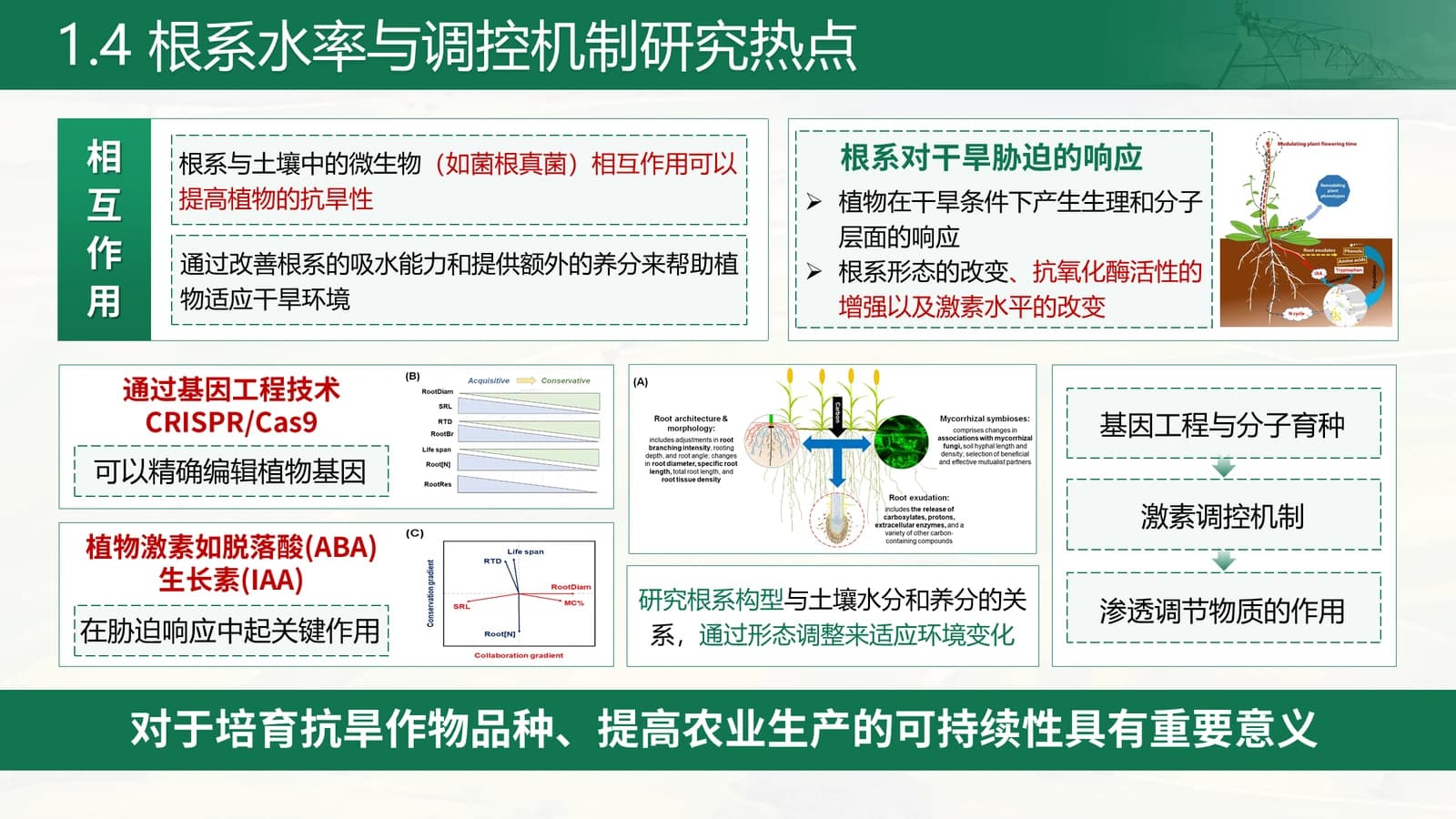
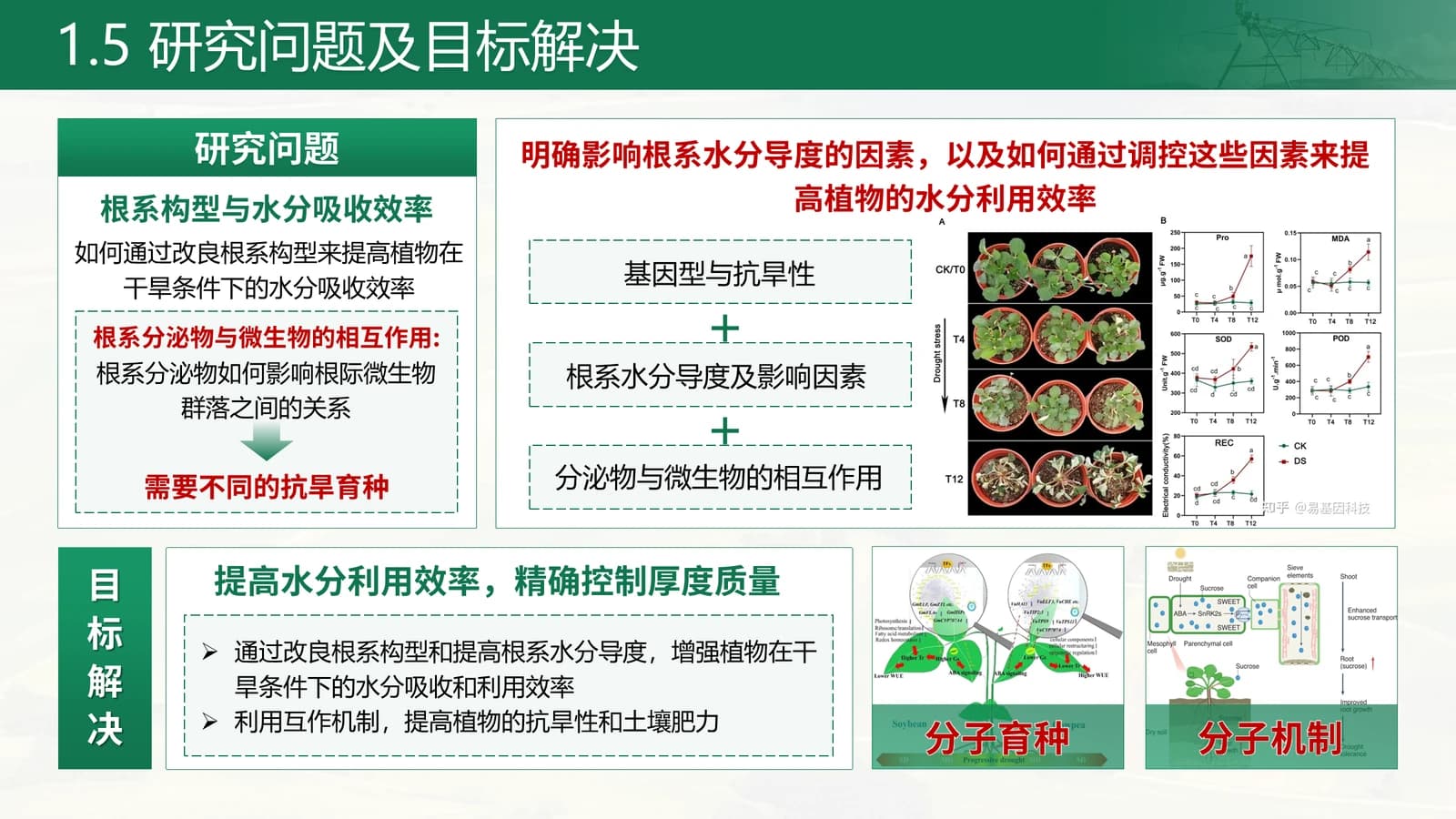
A vertical label ties together the hotspots, then research questions sit beside their targets.
 6
 7
Main innovations
8–103 min
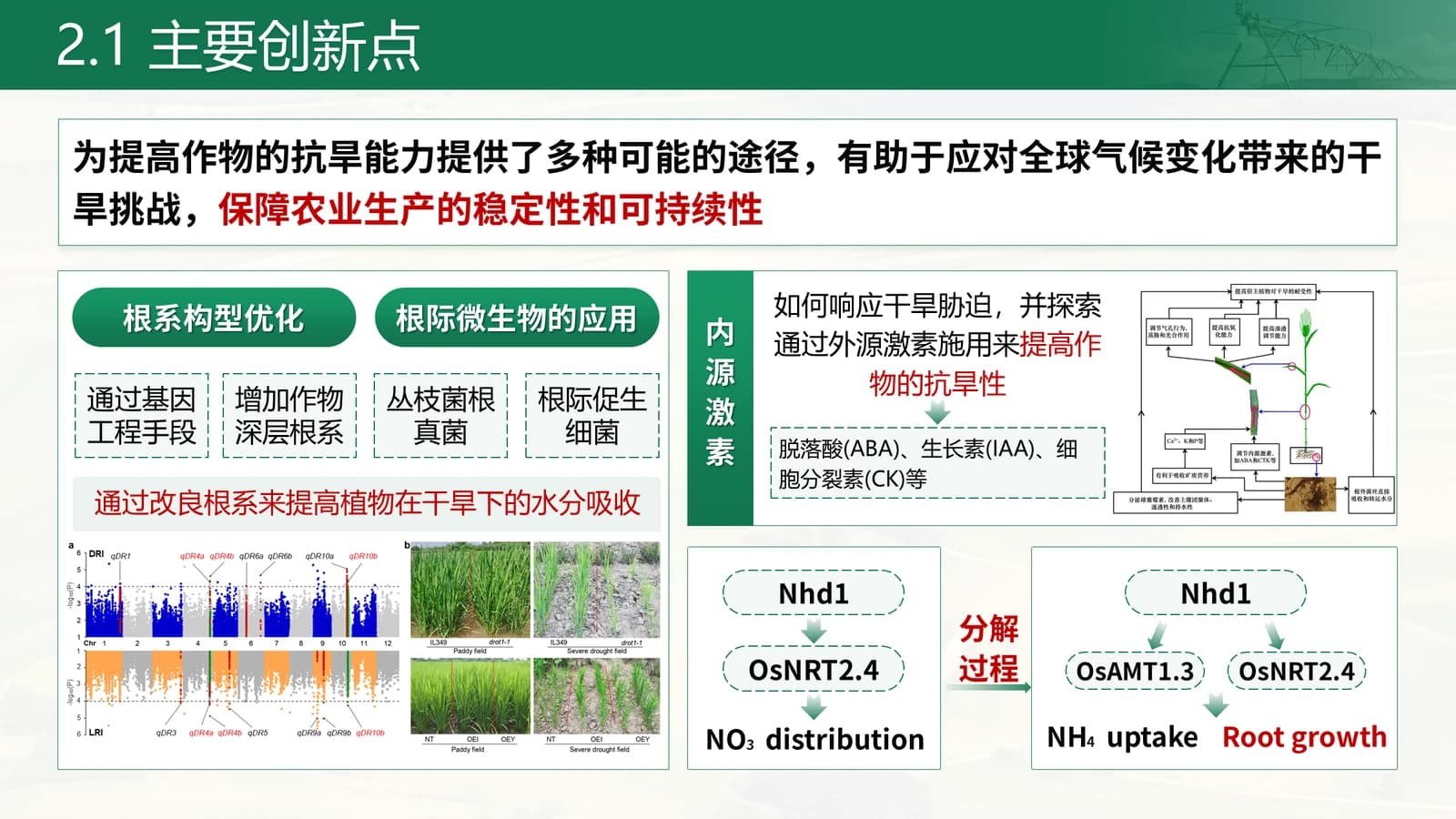
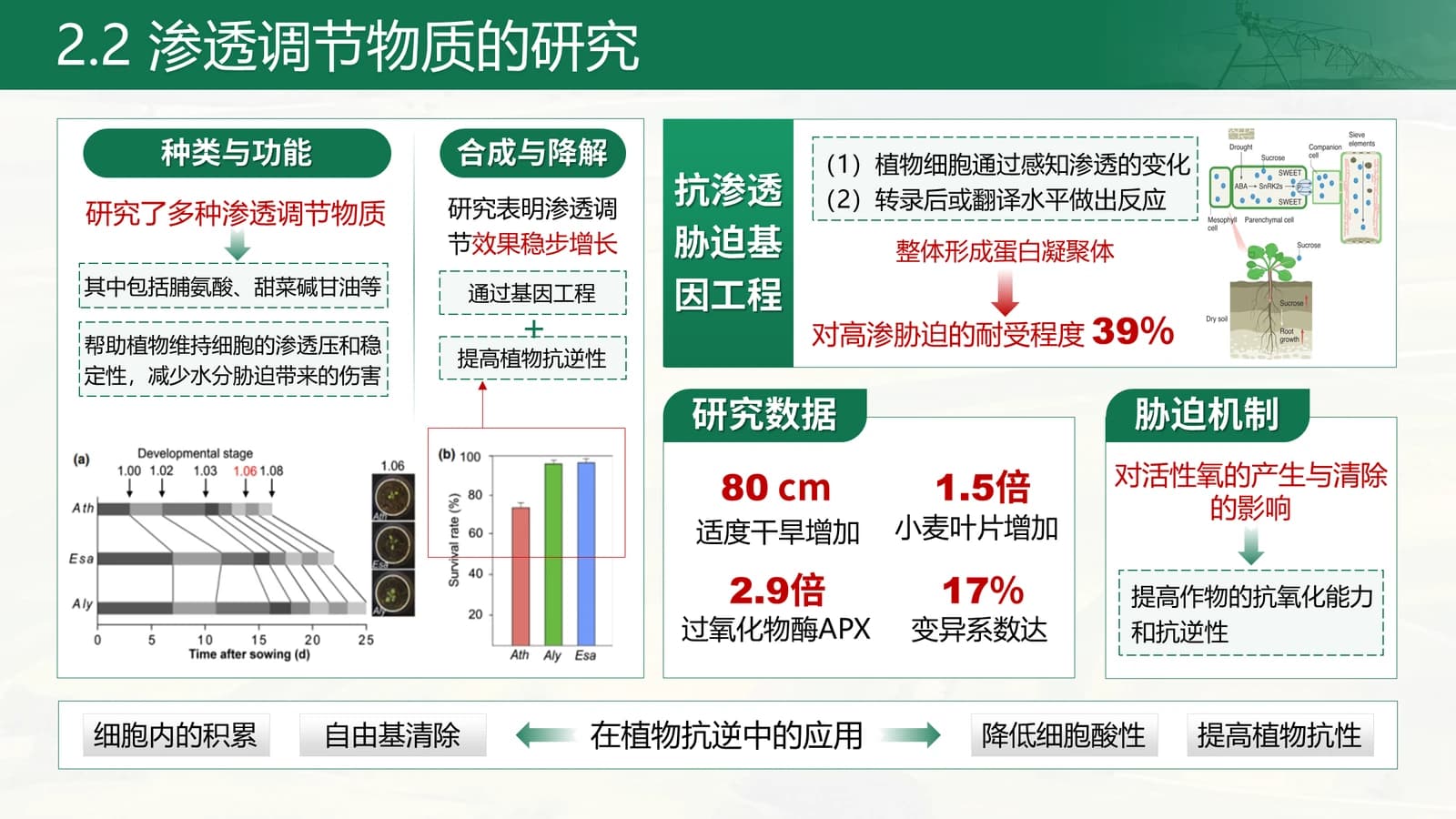
After the divider, an overview of innovations, then a slide built on four large stat tiles.
 8
 9
 10
Technical content
11–144 min
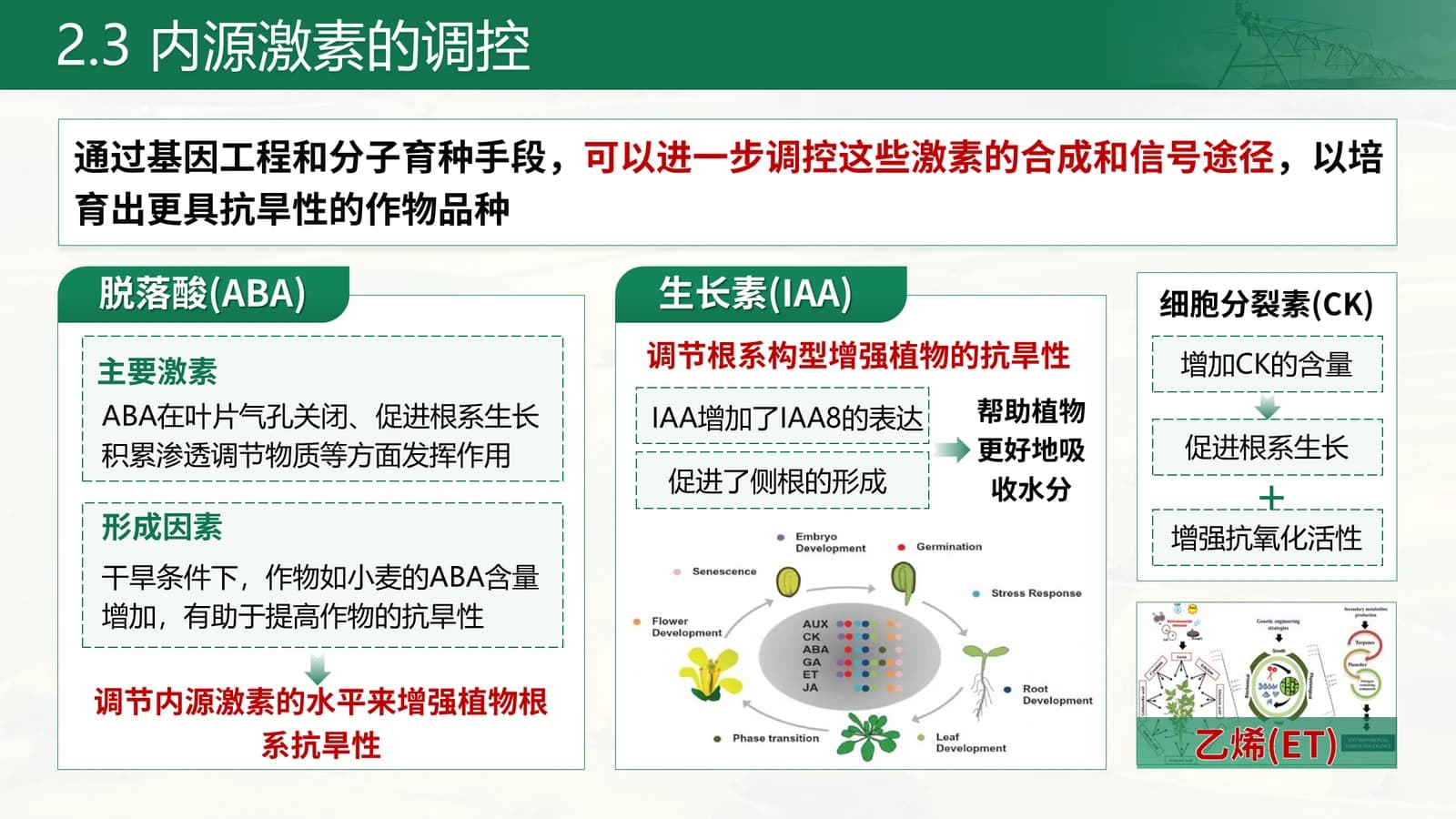
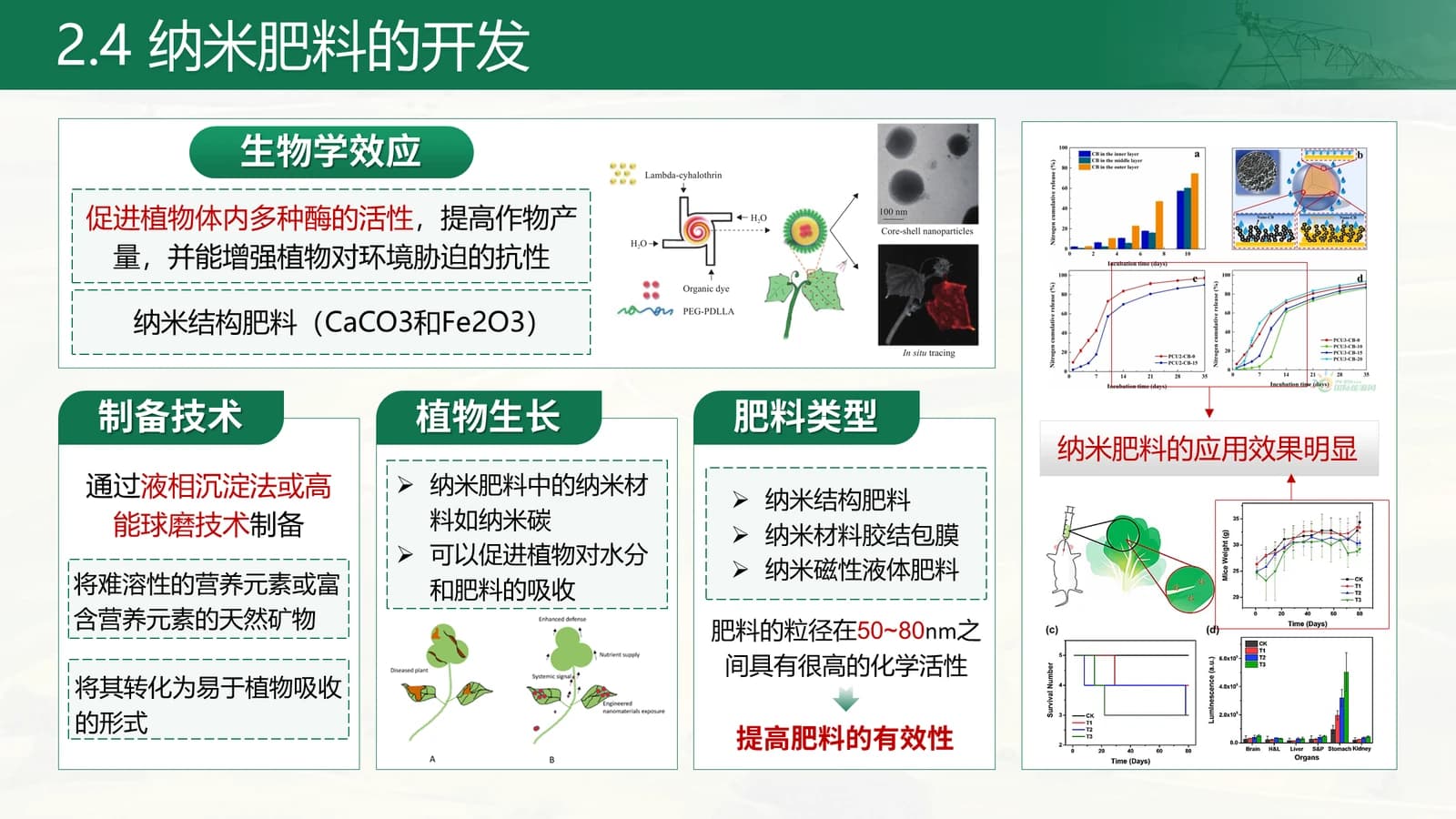
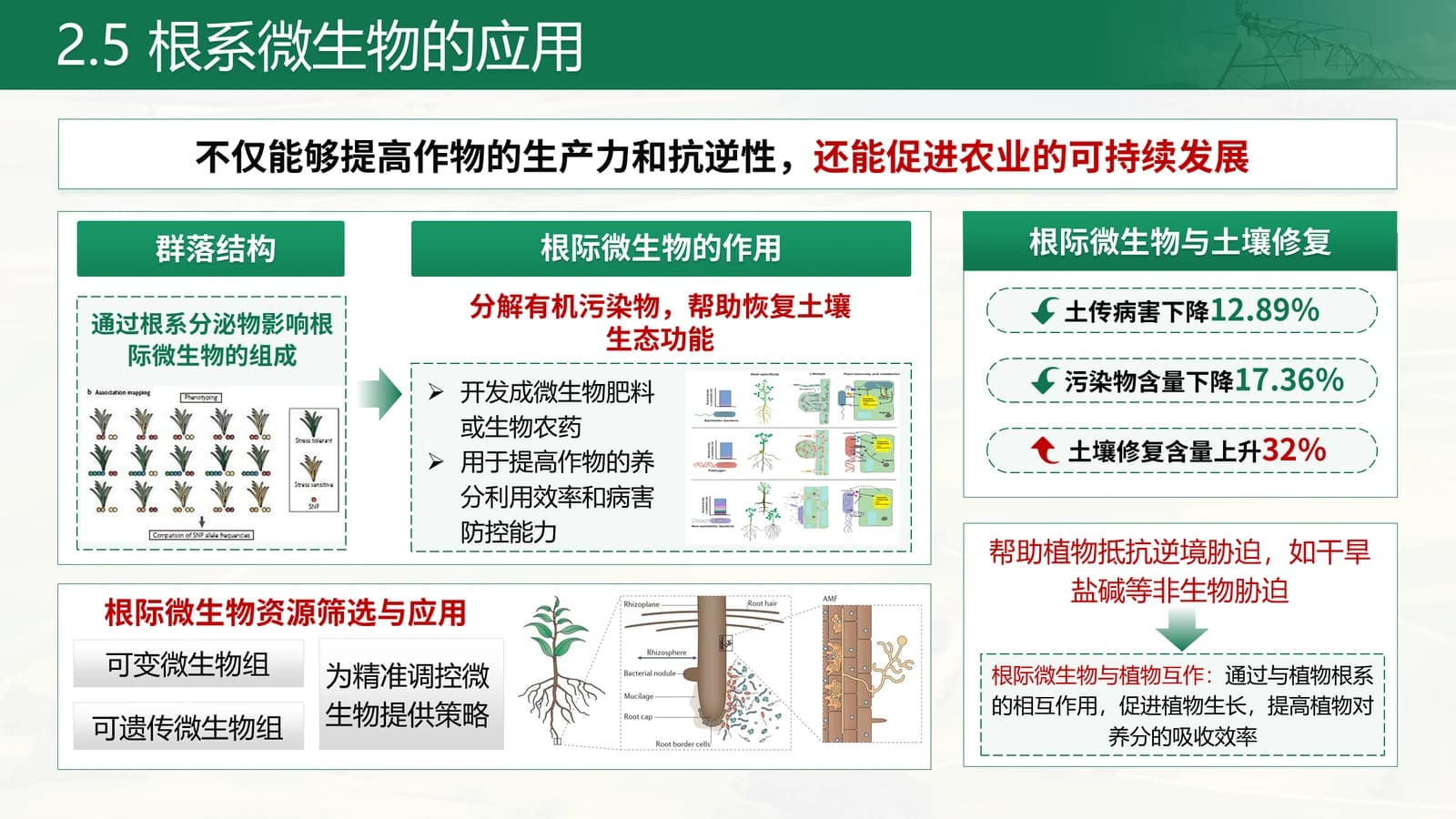
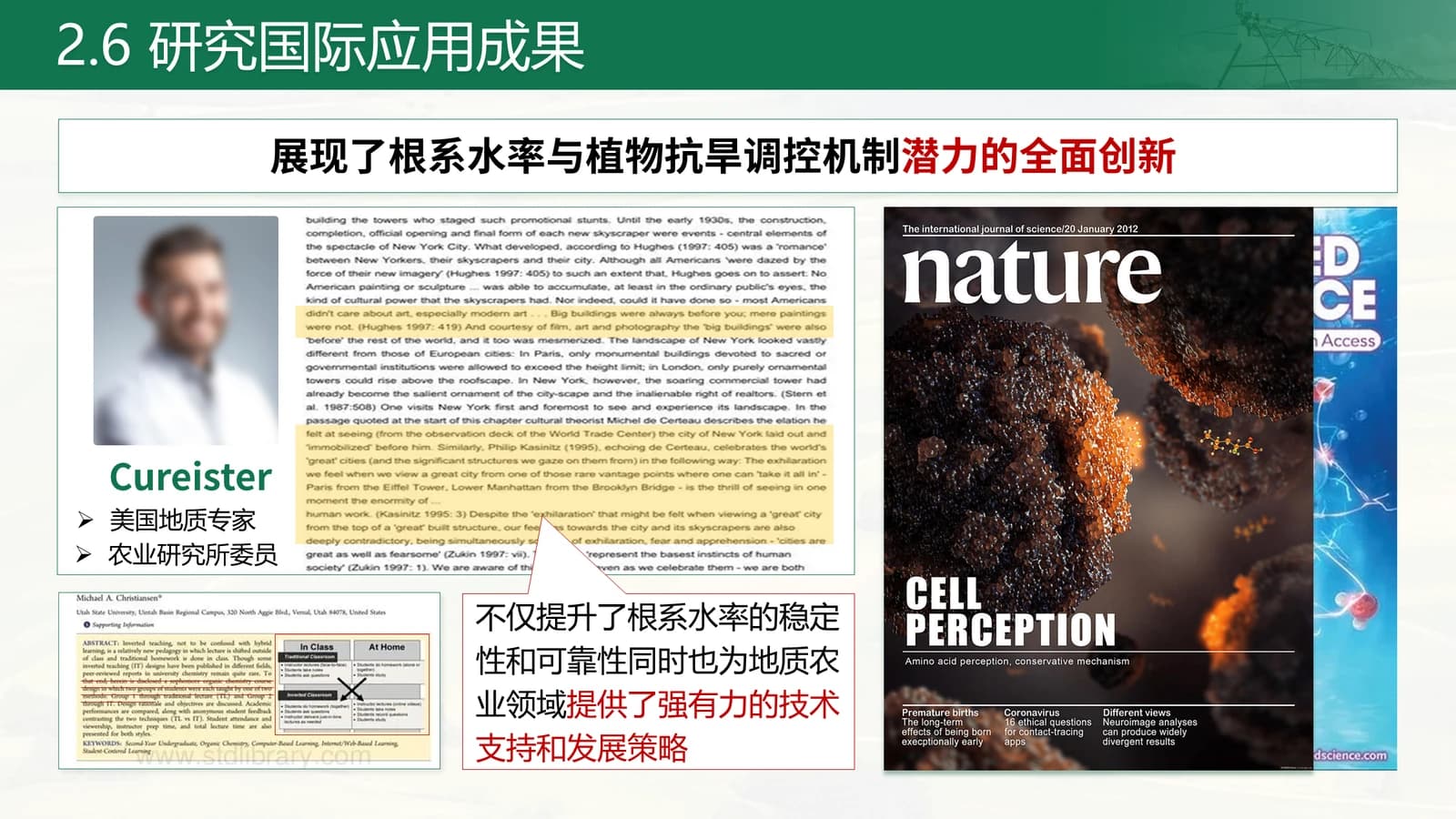
One slide each for hormones, nano-fertiliser and root microbes, then international recognition.
 11
 12
 13
 14
Application and thanks
15–172 min
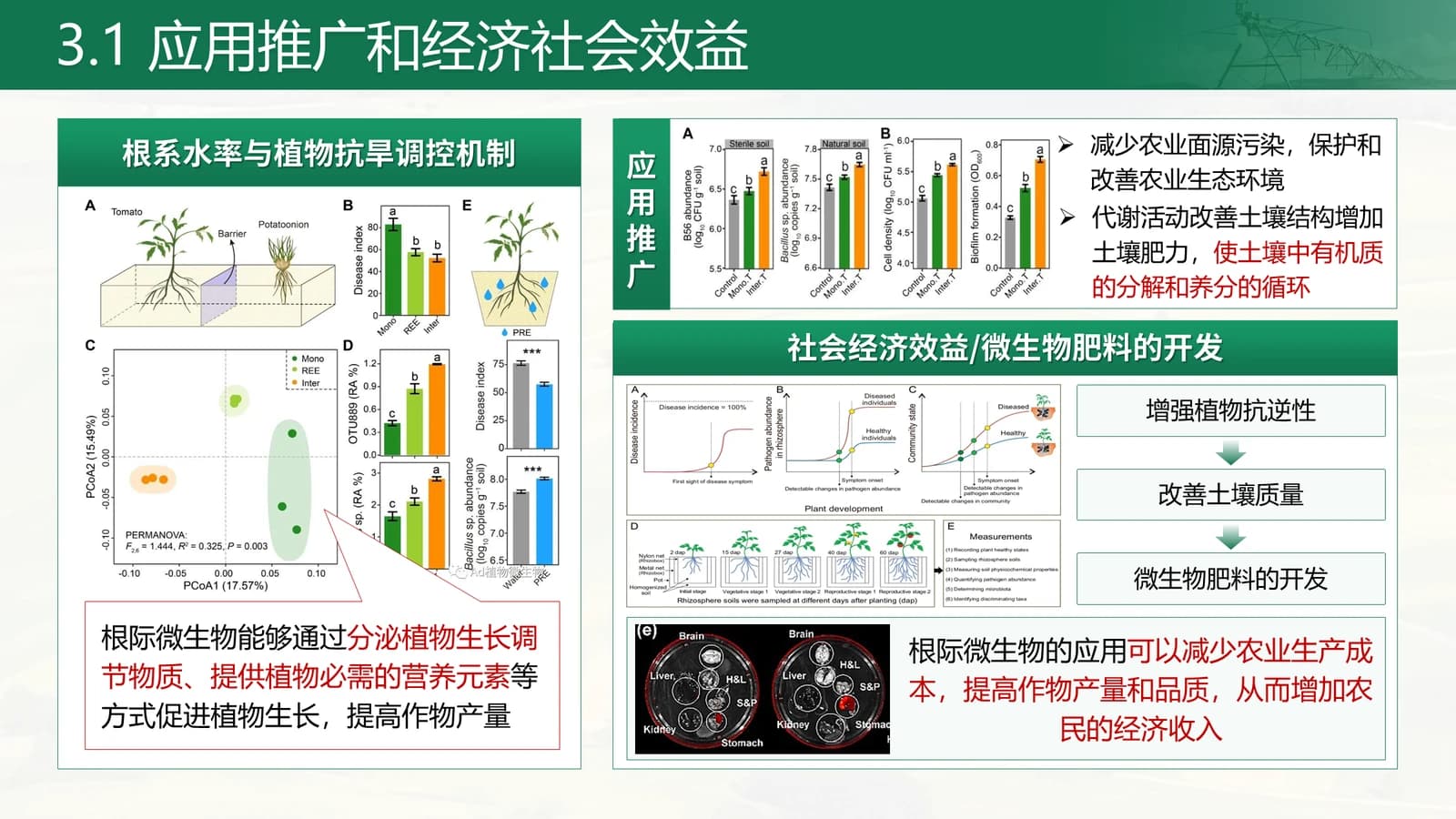
Charts on uptake and economic and social benefit, then a closing slide matching the cover.
 15
 16
 17
What's in the file
The sample has 17 slides at 16:9 with 266 editable text boxes and 56 pictures, no speaker notes, Source Han Sans CN Bold and Medium as its fonts, and a 9.8 MB download. Field photos, experimental plots and the journal cover are pictures; header titles, rounded tabs and the text inside dashed boxes can be edited directly.
- Slides
- 17
- Aspect ratio
- 16:9
- Editable text boxes
- 266
- Pictures
- 56
- Speaker notes
- No
- Theme fonts
- 思源黑体 CN Bold / 思源黑体 CN Medium
- File size
- 9.8 MB
Good for
Agriculture or ecology grant application
Slides 3 and 4 set out the policy basis and slide 5 names the bottleneck, which establishes national need early; slide 7 pairs research questions with targets for proposals that must argue practical value.
3–5, 7
Research outcome and extension report
The cover has room for main completion members and several partner units, slide 16 covers extension and economic benefit with charts, and slide 14 can hold flagship papers and peer recognition.
1, 14, 16
Final acceptance review
Map the innovation overview on slide 9 to the targets in your project agreement, then walk the technical route across slides 10 to 13, giving each slide one large stat tile for its key deliverable.
9–13
How to use it in Yila
- 1Pick a template
- 2Upload your paper or describe your talk
- 3Yila builds an editable PPTX
Tips
Do
- Keep the cover's partner units to one line of five or six names, using short forms where official names run long.
- Fill the stat tiles on slide 10 only with published or verified figures, stating units and the comparison condition.
- Hold each agenda item to a short phrase so the highlighted green entry does not run into the card edge.
Avoid
- Do not set body text straight onto the rice-field photo; keep words inside the green band or pale areas.
- Avoid more than one red highlight per slide; green structure plus a single red sentence is already enough emphasis.
Questions
Can I change the green to another colour?
Yila generates this template in green with a terracotta accent. The same fund-report family is available in white and blue, red and violet, all sharing the family structure, so the easiest route is to pick that version instead. A downloaded PPTX can also be recoloured in PowerPoint, though there are many header bands, rounded tabs and dashed boxes to change by hand.
Can I make the deck longer or shorter?
Yes. The 17 sample slides reflect one crop drought-resistance study. Yila rewrites every slide from your paper or project documents, adding slides where you have more to say and merging where you have less, and the three agenda parts can follow the structure of your own proposal.
Does it open in PowerPoint and Keynote?
Yes. The file is a PPTX that PowerPoint, Keynote and WPS can open, with editable text. The sample uses Source Han Sans CN; a computer without it will substitute another font and title widths may change, so install the font or rehearse on the presentation machine first.
Do I have to pay to use it?
Looking at this page and downloading the sample deck are both without charge, so you can study the layout first. Asking Yila to build a version from your material deducts credits, and a newly registered account receives 2,500 credits you can put toward your first deck.
Can I keep the sample data and journal cover?
No. The sample deck is not a blank template: its completion members, institutions, experimental data, scholar photos and journal cover are demonstration content and all need replacing with your own. When Yila generates the deck it rewrites every slide from your paper and notes, so nothing from the drought study carries over.
Is it only for agricultural projects?
No. The sample covers crop drought resistance, and the green palette with a field-photo cover naturally suits agriculture, forestry, ecology and environment topics. Other fields can use it too, though the cover feels rural; after download you can swap in a photo of your own study site in PowerPoint.