Slide template · 16:9 · 15 slides
Forest Green Standing Panel Field Report Slides Template
A deep evergreen panel stands on the left of the cover and closing slide; content slides stay white, each with a green headline, a short underline and a one-line summary strip above figure-left, cards-right evidence. Suits field and materials talks.
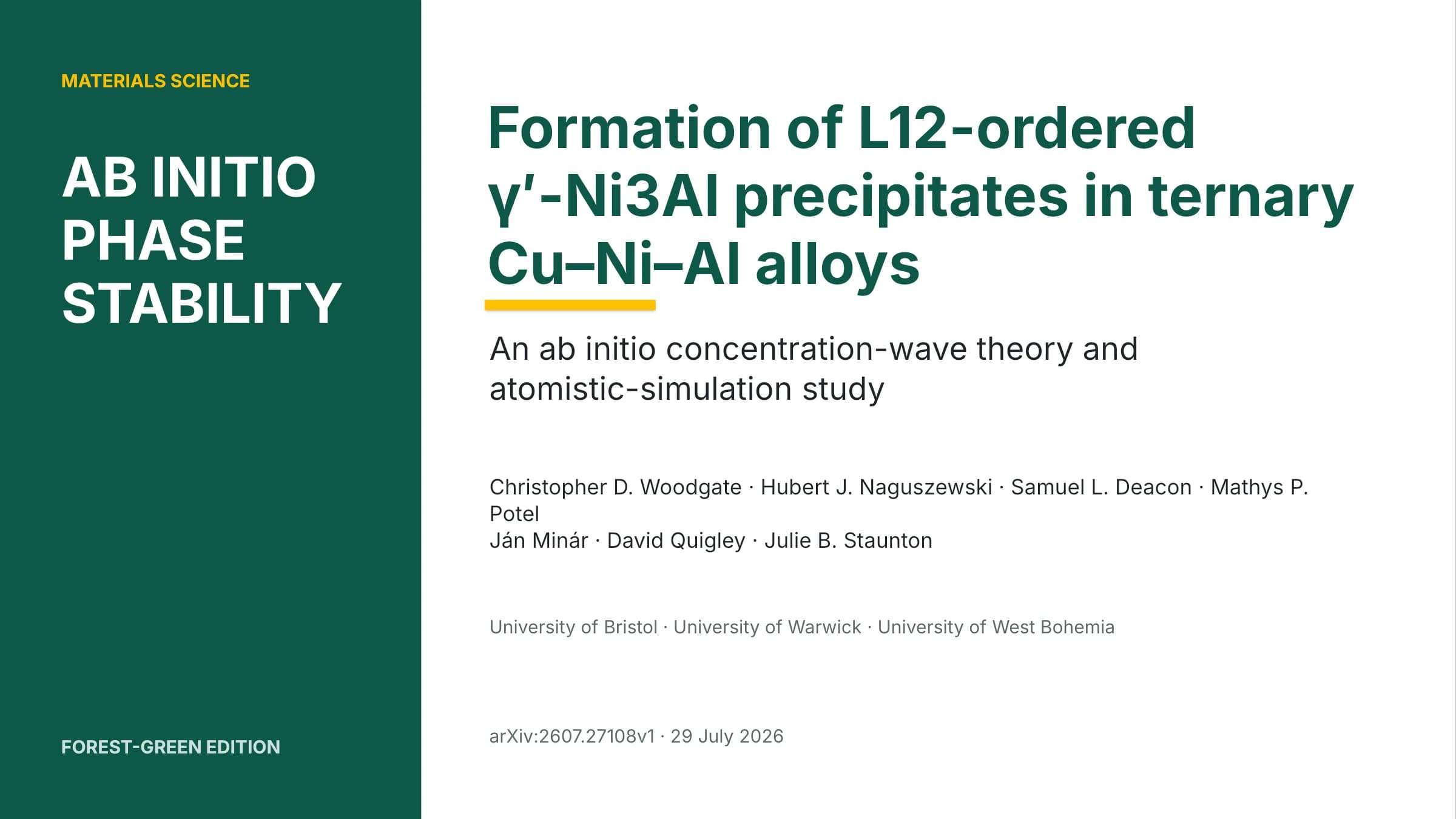
What this template is
The design comes from a subtropical forest joint-fund template. On the cover, a deep evergreen panel takes about a third of the width and carries a kicker and a short title in capitals. Content slides drop the panel: a small section number sits top left, the green headline hangs a short underline, and a pale green strip states the slide's conclusion in one sentence before a figure-left, cards-right grid. Card edges in green, yellow or red set priority, and a thin green strip closes each slide. It suits talks that move from motivation through method and results to validation and outlook.
What goes in each section
Cover
11 min
A three- or four-word title in the panel, the full paper title and authors beside it.
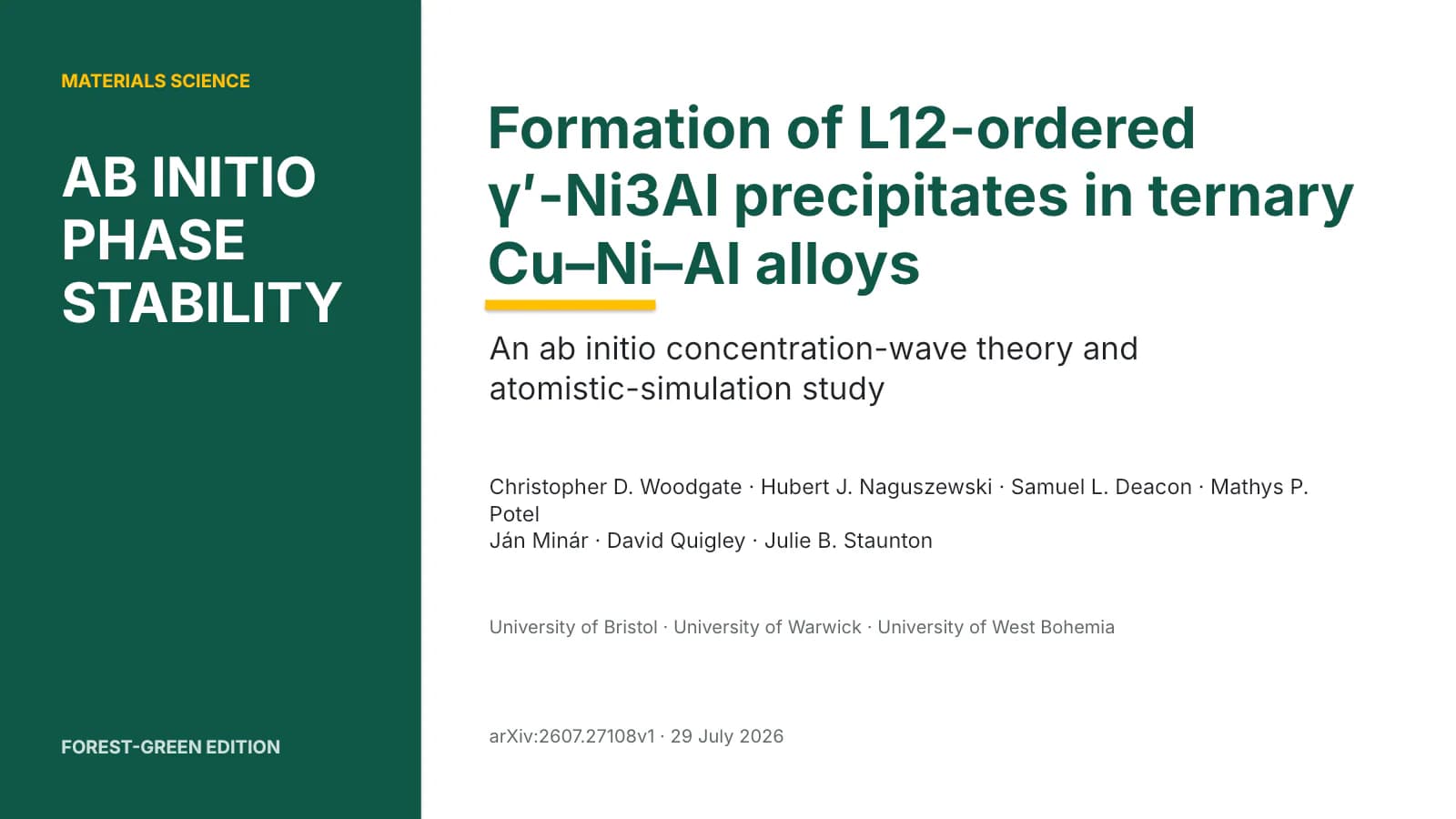 1
Motivation and question
2–32 min
A structure diagram with contrast cards, then three cards for question and contributions.
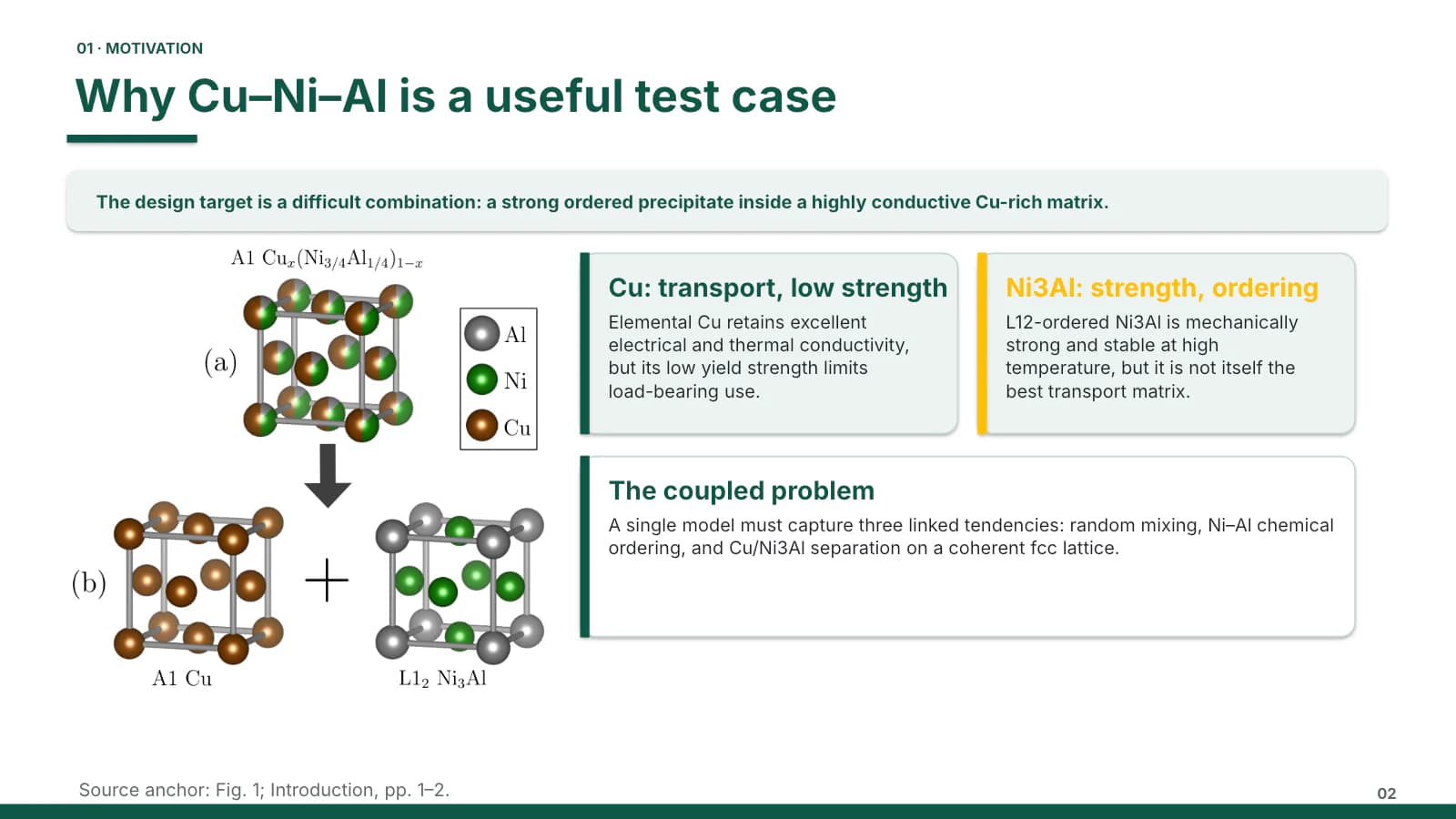 2
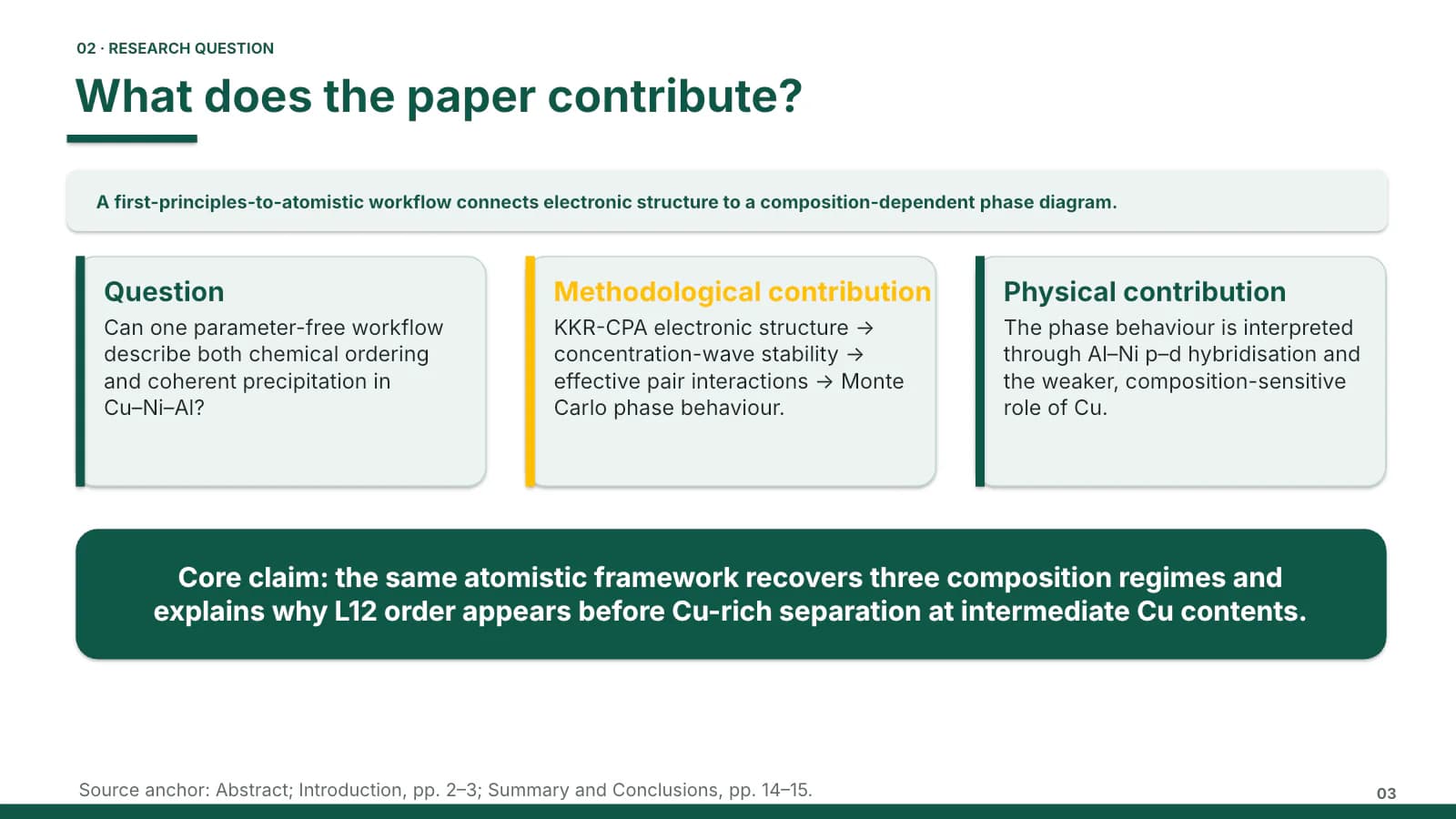 3
Method and model
4–84 min
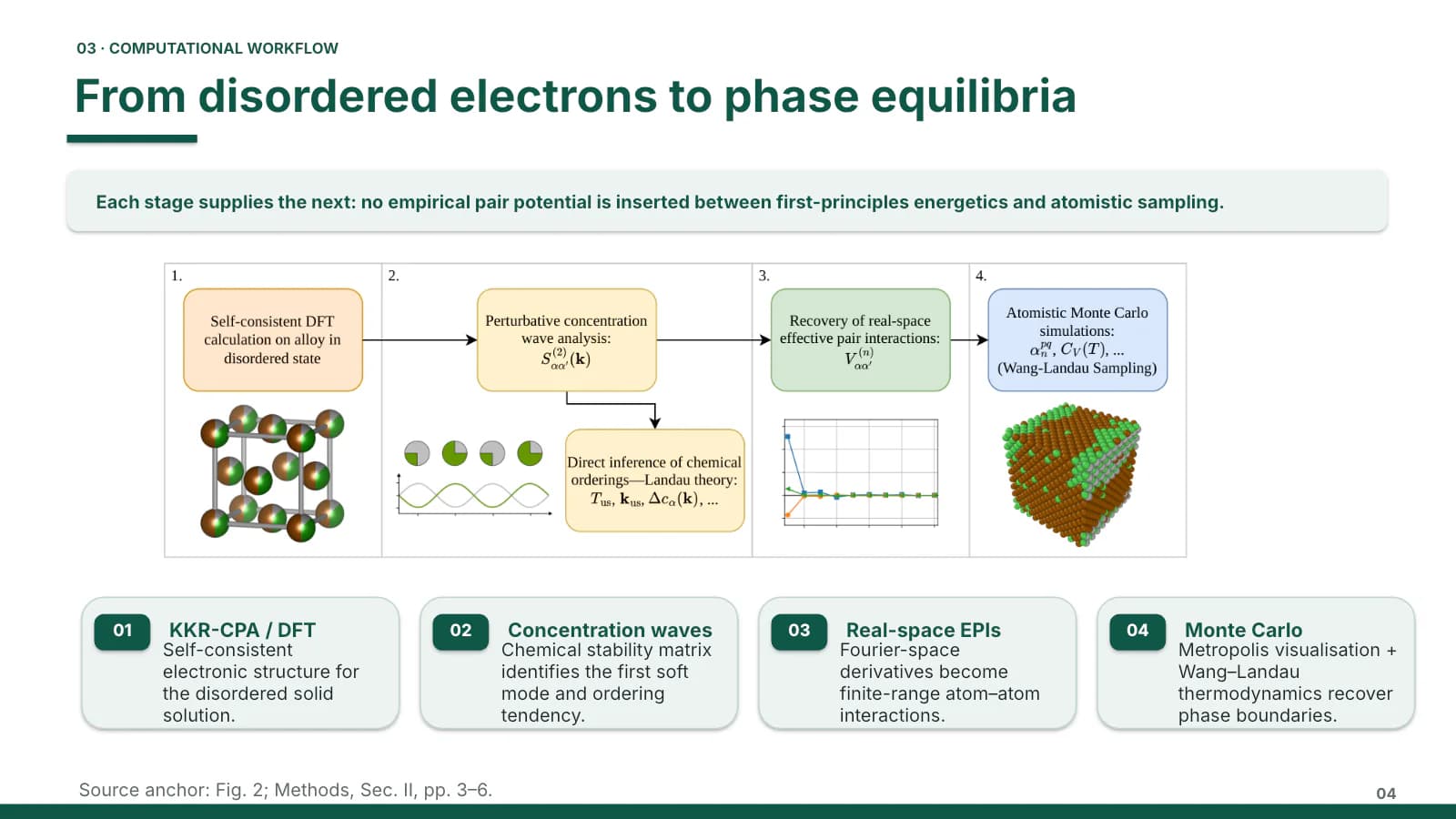
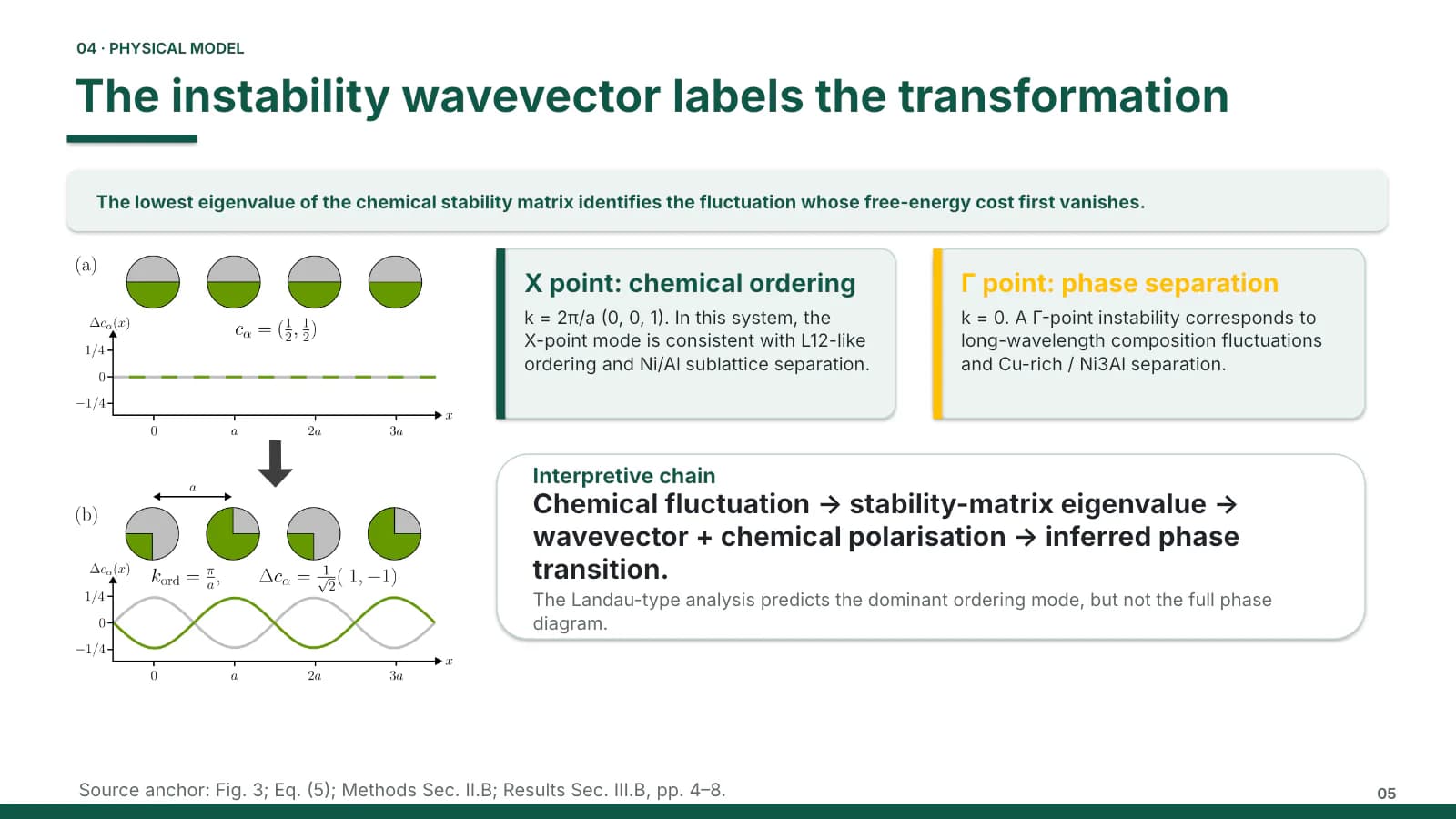
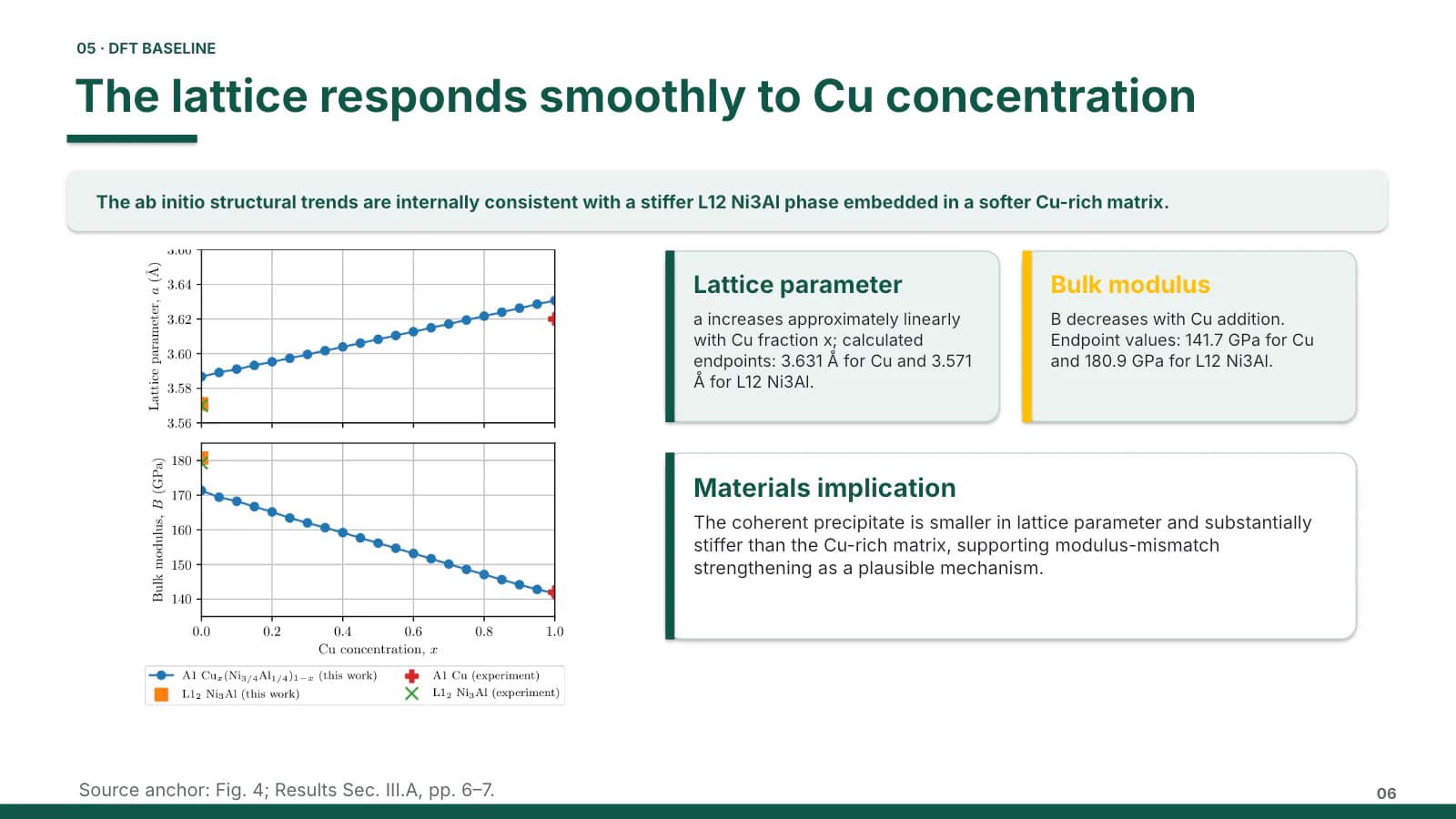
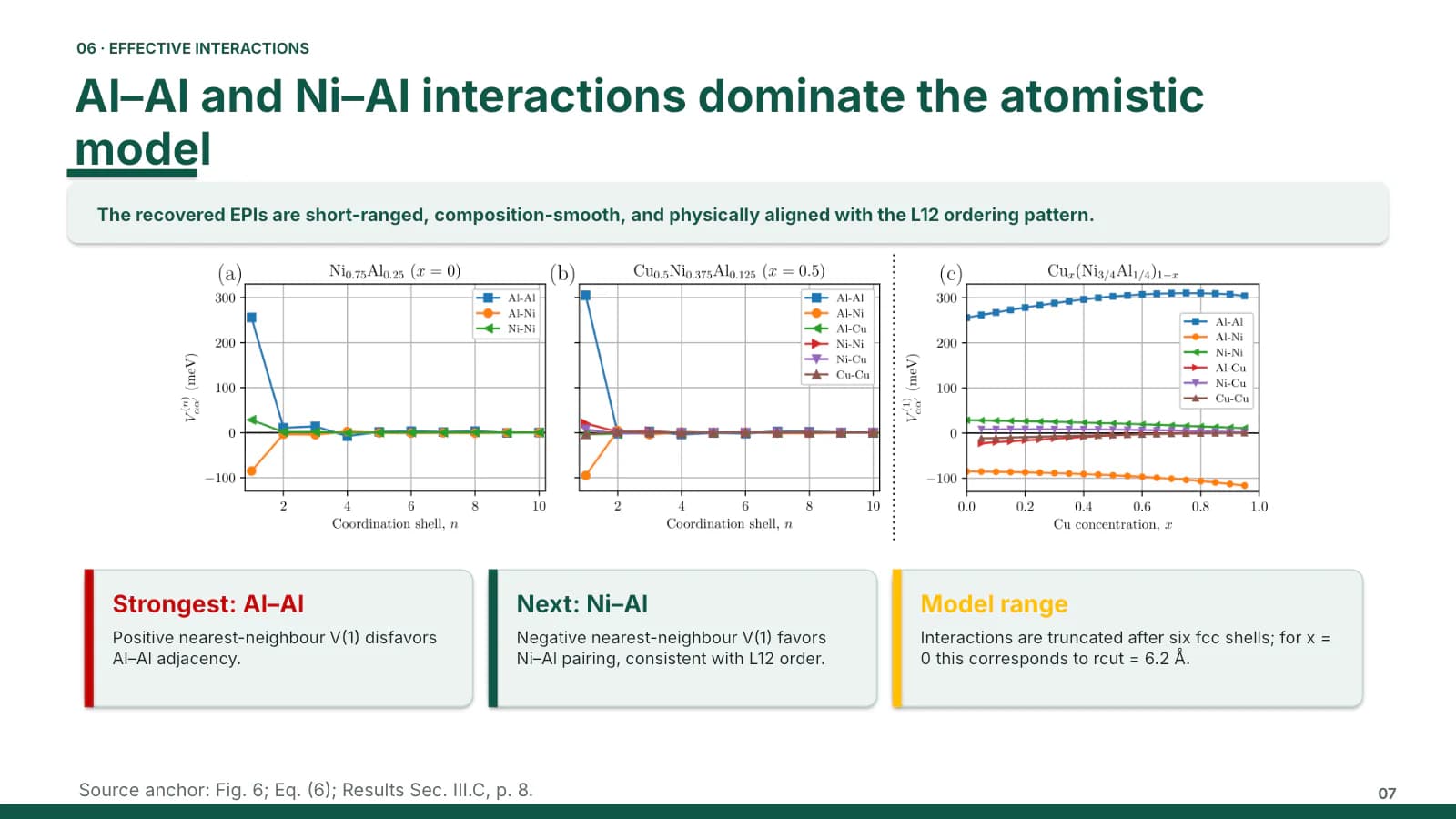
Workflow diagram with numbered cards, then model, baseline, interactions and simulation settings.
 4
 5
 6
 7
- +1
Main results
9–125 min
Phase diagram with regime cards, a comparison table, then band plots and energy bars.
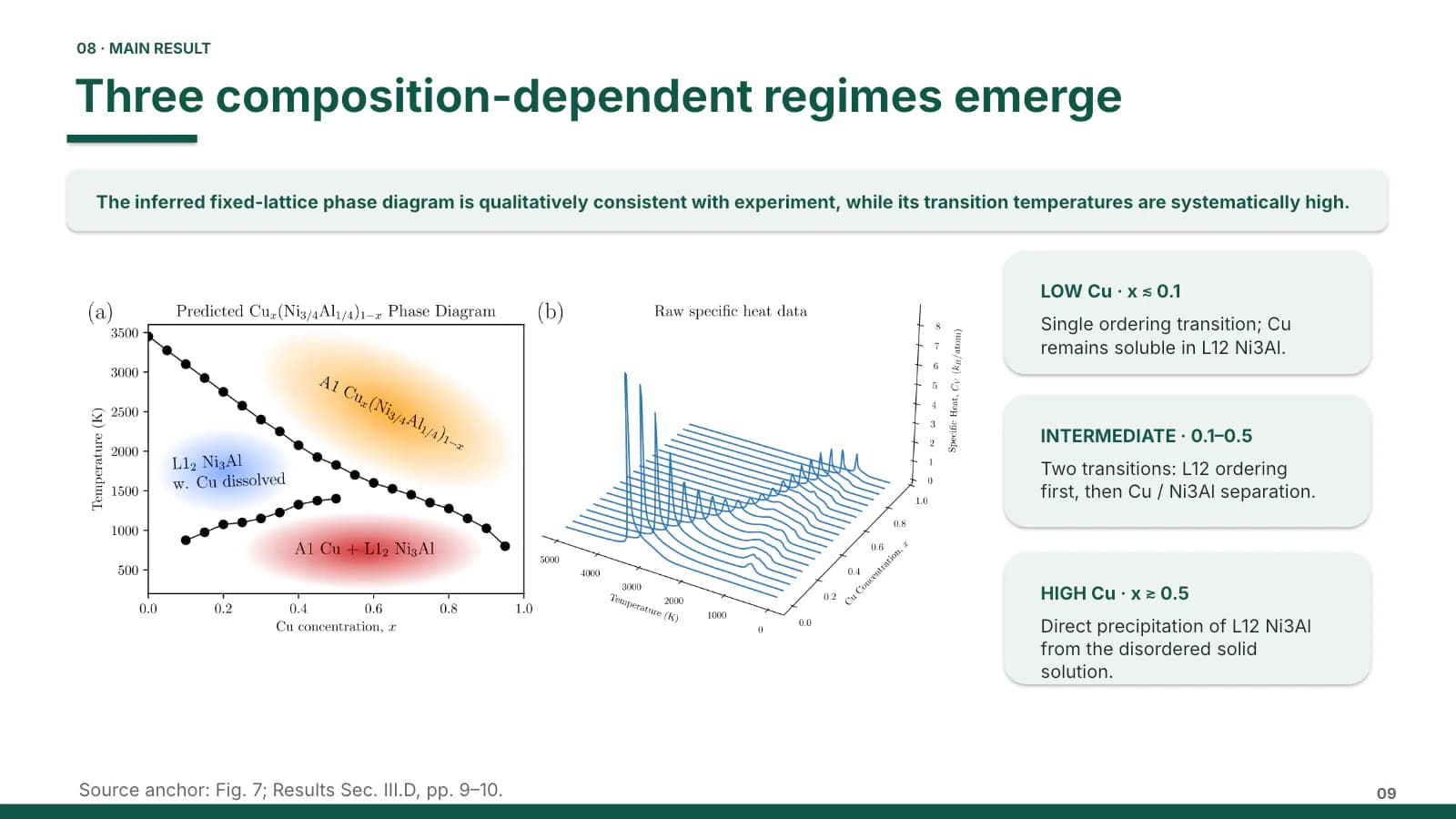 9
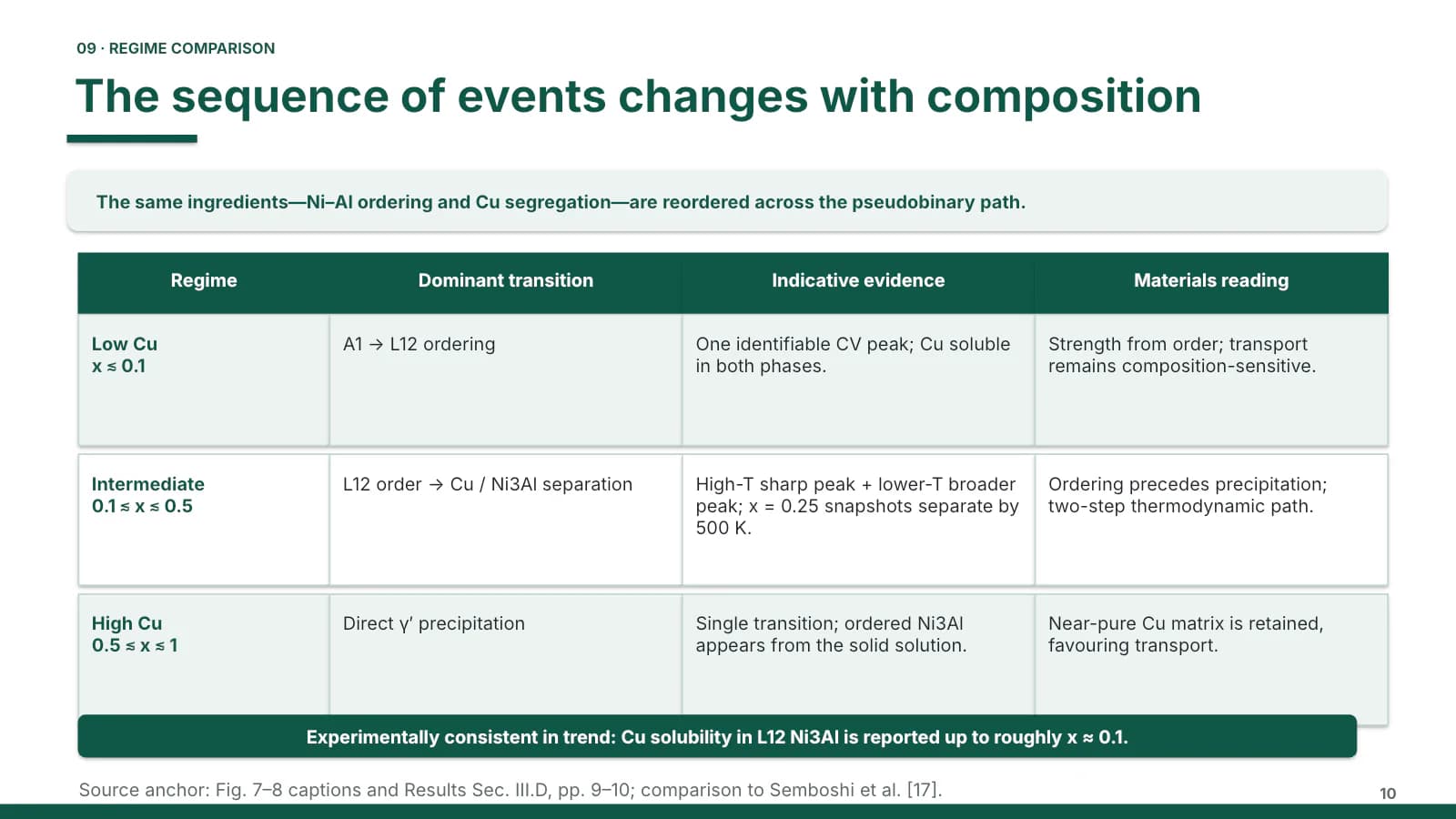 10
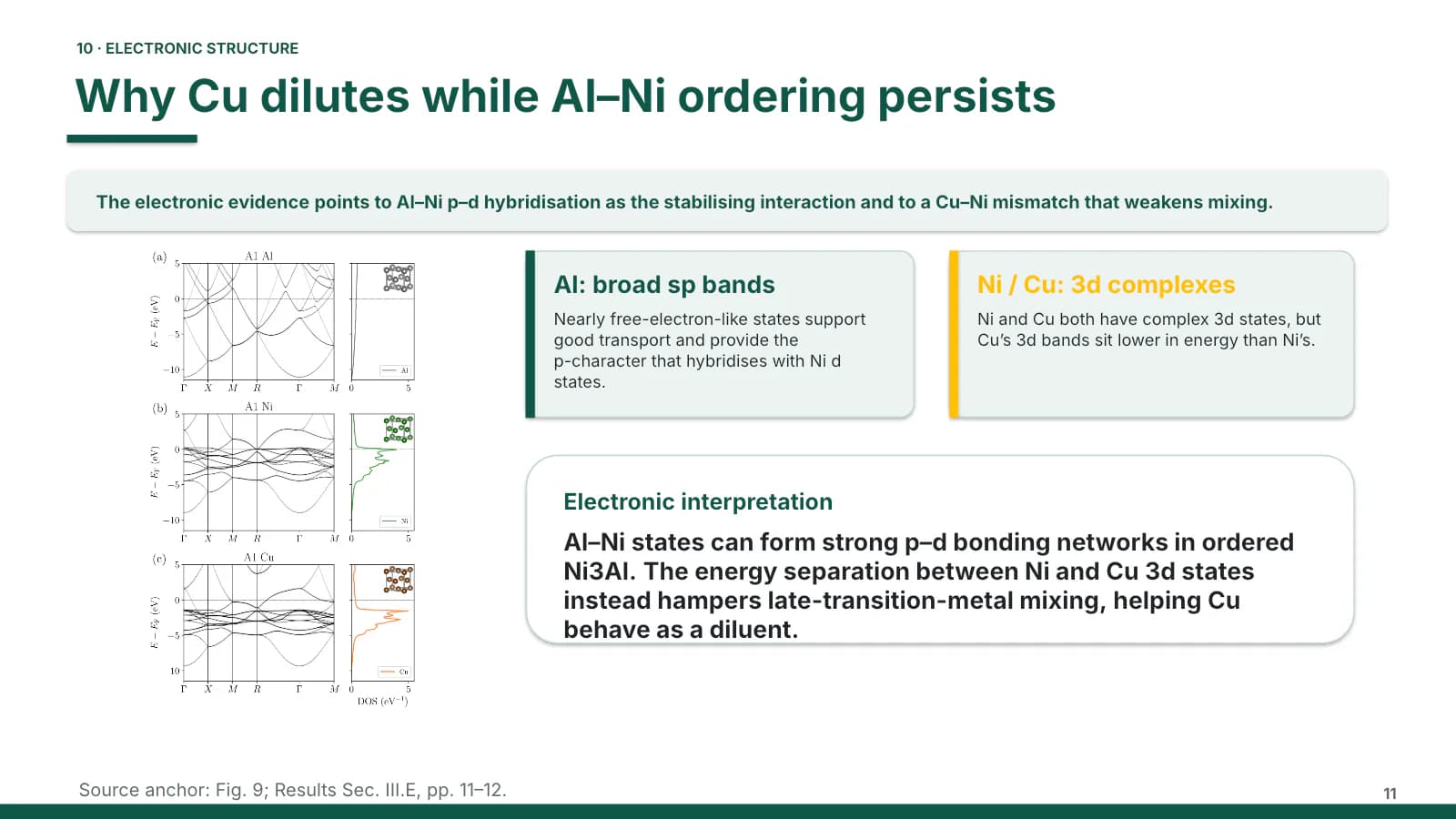 11
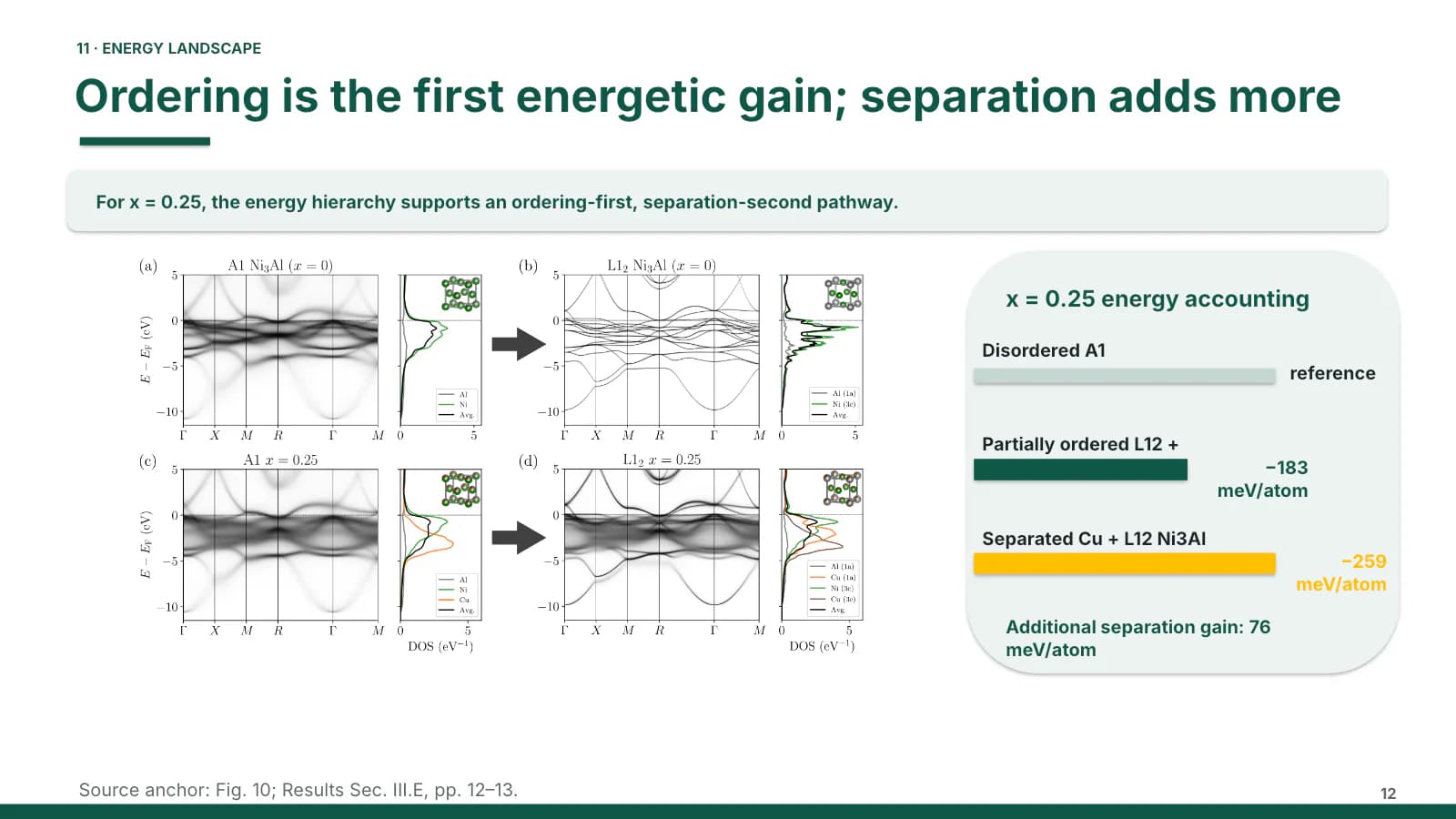 12
Validation and outlook
13–142 min
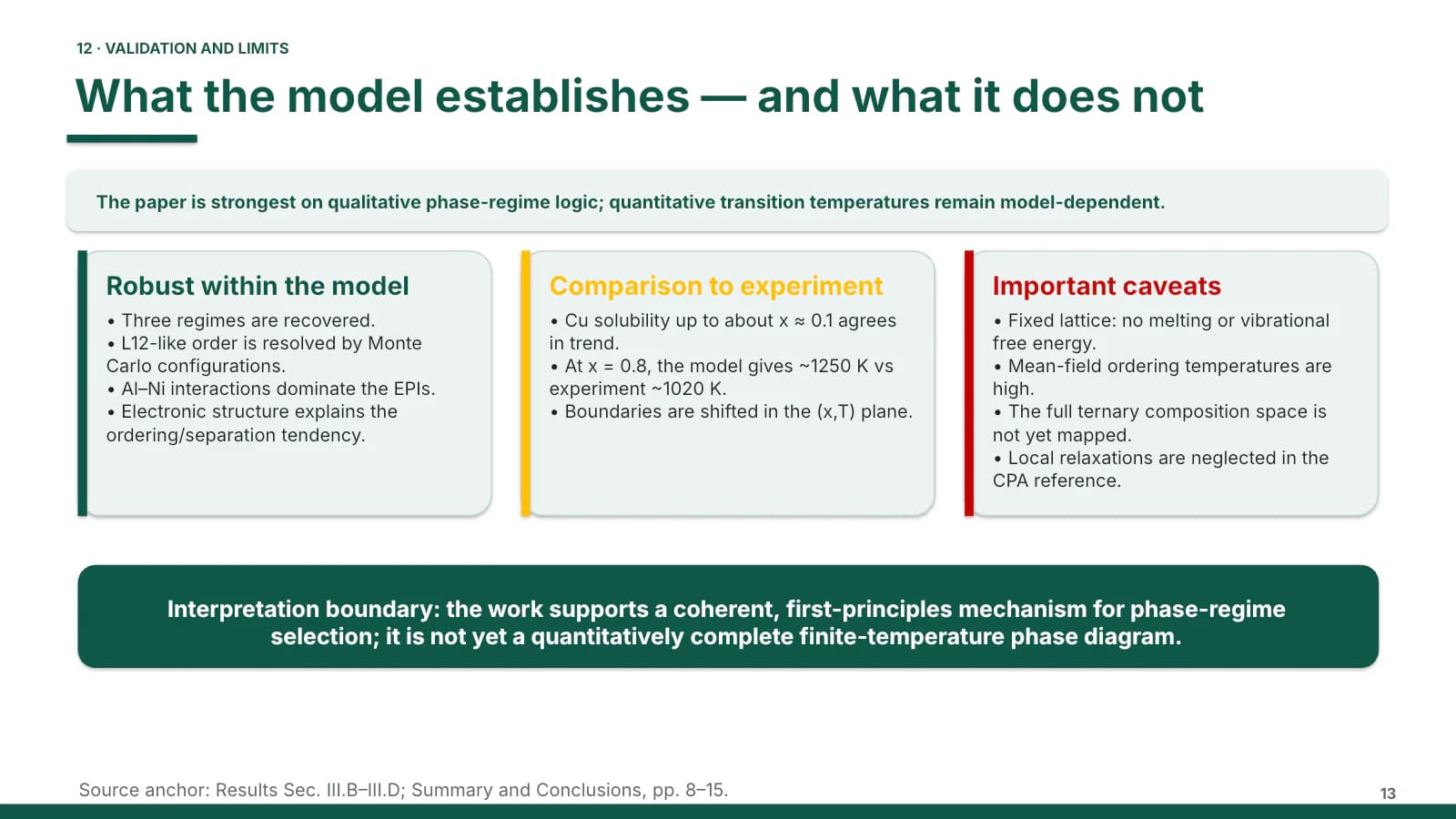
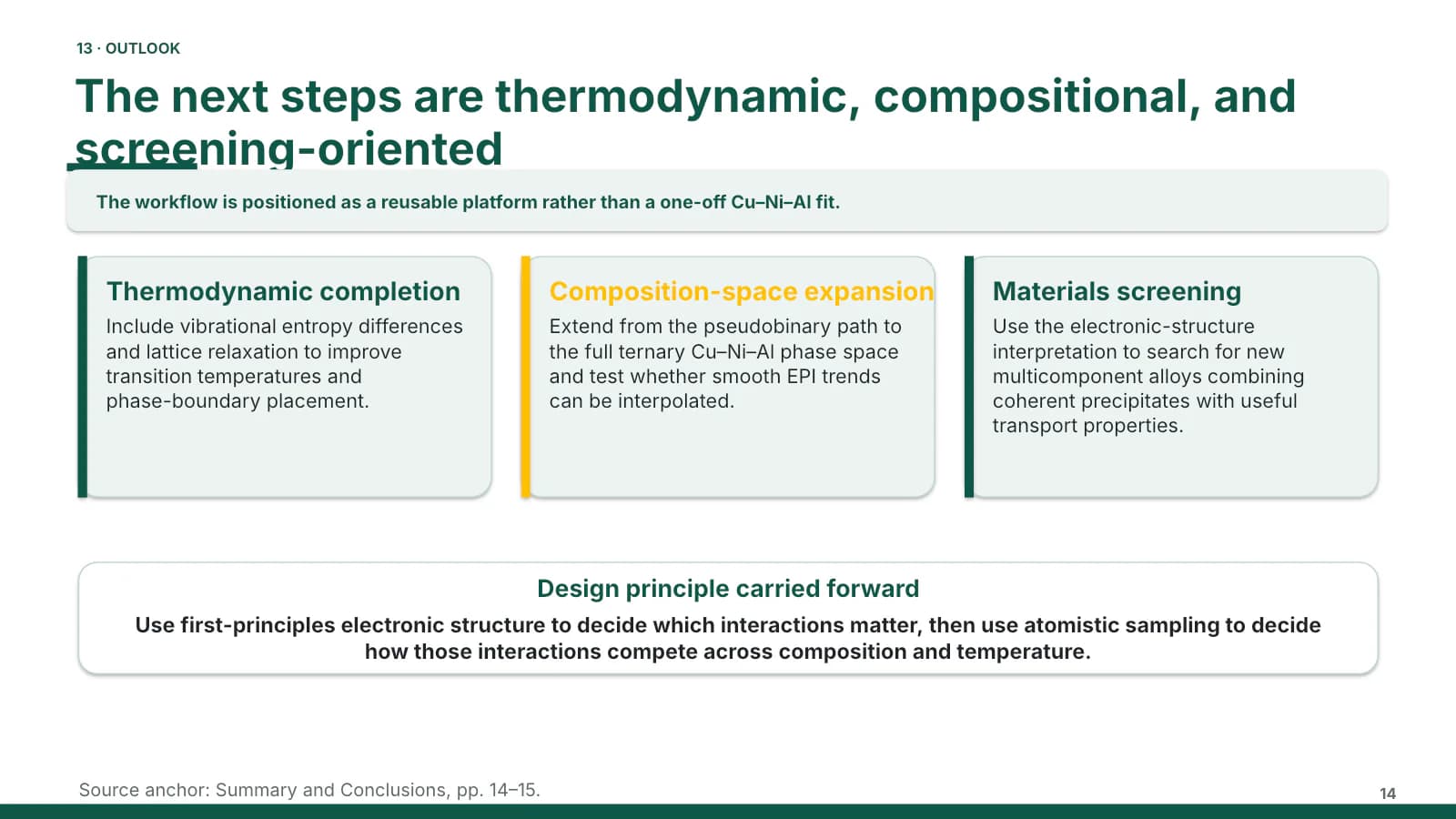
Three checklist cards separate robust findings, comparison and caveats; then next steps.
 13
 14
Take-home
151 min
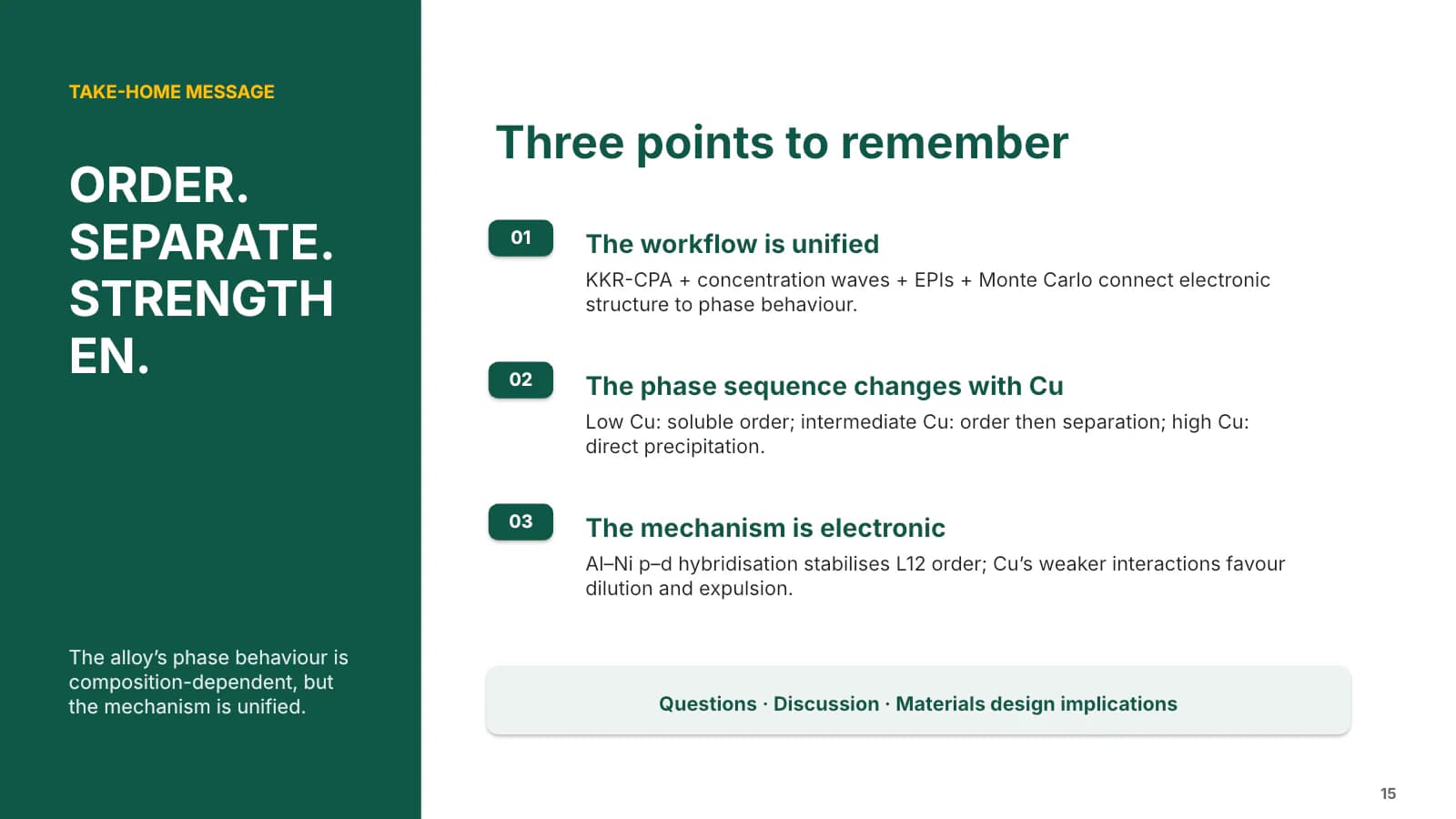
The panel returns with three keywords beside three numbered points.
 15
What's in the file
The sample file has 15 slides at 16:9 with 208 editable text boxes and 8 pictures, no speaker notes, Calibri throughout, and a 1.5 MB download. The paper's workflow diagram, line charts, phase diagram and band plots are placed as pictures; text in the cards, summary strips and comparison table can be edited directly.
- Slides
- 15
- Aspect ratio
- 16:9
- Editable text boxes
- 208
- Pictures
- 8
- Speaker notes
- No
- Theme fonts
- Calibri
- File size
- 1.5 MB
Good for
Ecology field project report
Put the site or project name in the cover panel, replace the diagram on slide 2 with your own plot photograph or distribution map, and turn the slide 10 table into a site-by-year comparison.
1–2, 10
Computational materials talk
The sample is an alloy modelling study, so the four-stage workflow on slide 4, the settings list on slide 8 and the three regime cards on slide 9 take your method and results without restructuring.
4, 8–9
Interim project review
Use the green, yellow and red checklist cards on slide 13 for what is done, where results diverge from the plan, and which problems remain open; slide 14 then lays out the next phase as three cards.
13–14
How to use it in Yila
- 1Pick a template
- 2Upload your paper or describe your talk
- 3Yila builds an editable PPTX
Tips
Do
- Write one sentence in each pale green summary strip, so the audience knows what the slide is about to prove.
- Keep the panel title to three or four short words; in the sample's closing slide a long capitalised word splits awkwardly across two lines.
- Reserve the red card edge for the single caveat that matters most on a slide, as the sample does on its limits slide.
Avoid
- Two-line headlines: on sample slides 7 and 14 the green underline lands on the second line of the title, so shorten the wording instead.
- Filling the panel with stock landscape photos; without your own imagery, keep it solid evergreen.
Questions
Can I change the green and yellow?
Yila builds this template in deep evergreen with a little yellow. In the PPTX you can recolour the panel, headlines and card edges by hand in PowerPoint or similar software; because the panel is large, check that the white title type still reads well against your new colour. Keep yellow as a sparing accent rather than a second fill.
Can I add or cut slides?
Yes. The 15 slides follow one alloy modelling paper; Yila rewrites every slide from your own paper and notes, so the count follows your material. In the file you can also duplicate a figure-left content slide to add more, or drop method detail slides you do not need.
Does it open in PowerPoint and Keynote?
Yes. It is delivered as a PPTX that opens in PowerPoint, Keynote and WPS with editable text. The sample uses Calibri; on a computer without it the font is substituted and line breaks inside cards can move, so check each slide on the presentation machine first.
Is it free to use?
Viewing this page and downloading the sample deck cost nothing. Generating a new deck from your paper with Yila consumes credits; new accounts receive 2,500 credits, enough to try one and see how the evergreen panel and the one-line summary strips handle your own figures and conclusions.
Can I keep the sample's figures?
No. The sample is not a blank template: its cover names the original paper's authors, institutions and preprint, and its charts and diagrams come from that paper. All of it needs replacing, and when you generate with Yila each slide is rewritten from the paper or written description you upload.
Is it only for ecology?
No. The sample itself is a materials science talk on alloy modelling. Nothing in the evergreen panel or summary strips ties it to one field; any figure-led talk in chemistry, materials or environmental science that states one conclusion per slide fits it, and field ecologists can bring their own site photographs for the panel.